Adaptive Theme
Auto-switch dark theme & wallpapers using the ambient light sensor
Version: 2.5.1
Added: 02-09-2026
Updated: 14-09-2026
Added: 02-09-2026
Updated: 14-09-2026
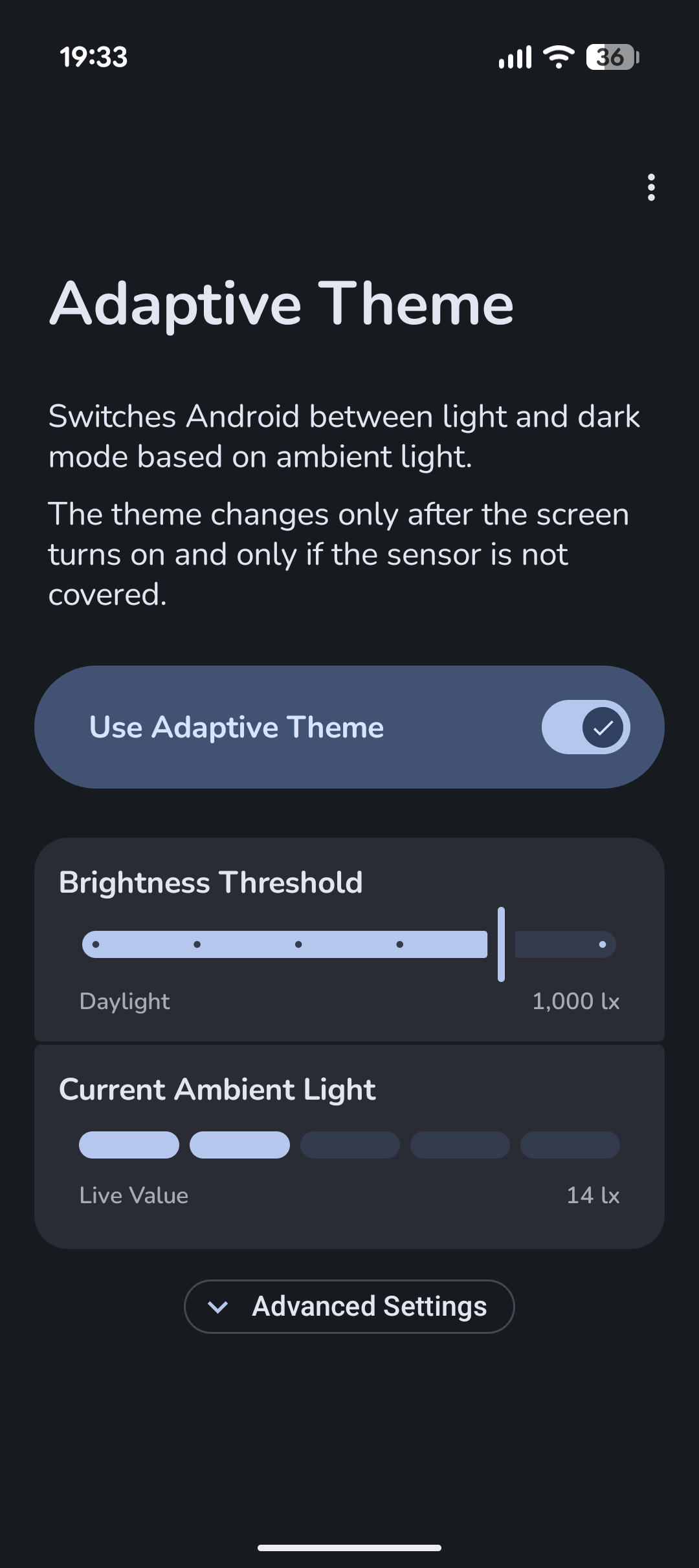
Adaptive Theme switches Android's system-wide theme between light and dark mode according to the ambient light sensor instead of relying on sunset or a fixed schedule. Use light mode in bright surroundings and dark mode in low light, with the threshold under your control.
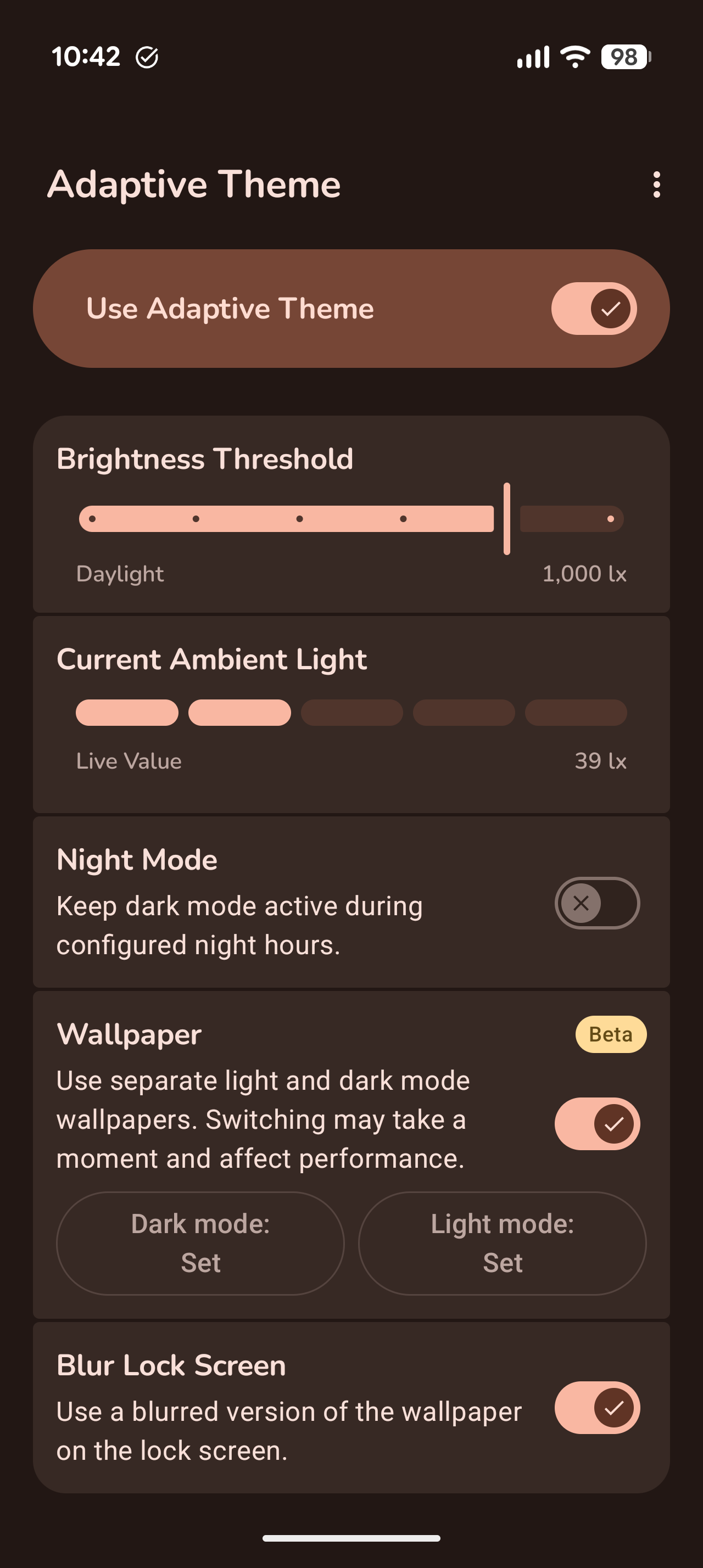
It can also switch your wallpaper to match the active theme.
Features
Efficient by design
The sensor is sampled briefly after the screen turns on rather than monitored continuously. Before changing the theme, Adaptive Theme checks that the sensor is not covered by a hand or pocket. Theme changes therefore happen at screen-on and do not interrupt you while you are actively using another app.
One-time setup
Android does not normally allow regular apps to change protected system settings such as the system theme. Adaptive Theme therefore needs a one-time grant of the WRITE_SECURE_SETTINGS permission. This permission does not grant root access or allow the app to read personal data. Adaptive Theme uses it only to switch the light and dark system theme, and it is revoked when the app is uninstalled.
The guided setup offers several options:
More
Adaptive Theme requires Android 14 or newer. Tablets are currently not supported.
The FOSS build is licensed under GPL-3.0 and contains no ads, analytics, crash reporting, trackers, or proprietary libraries.
For troubleshooting and additional details, see the README and FAQ.
It can also switch your wallpaper to match the active theme.
Features
- Uses the device's physical ambient light sensor
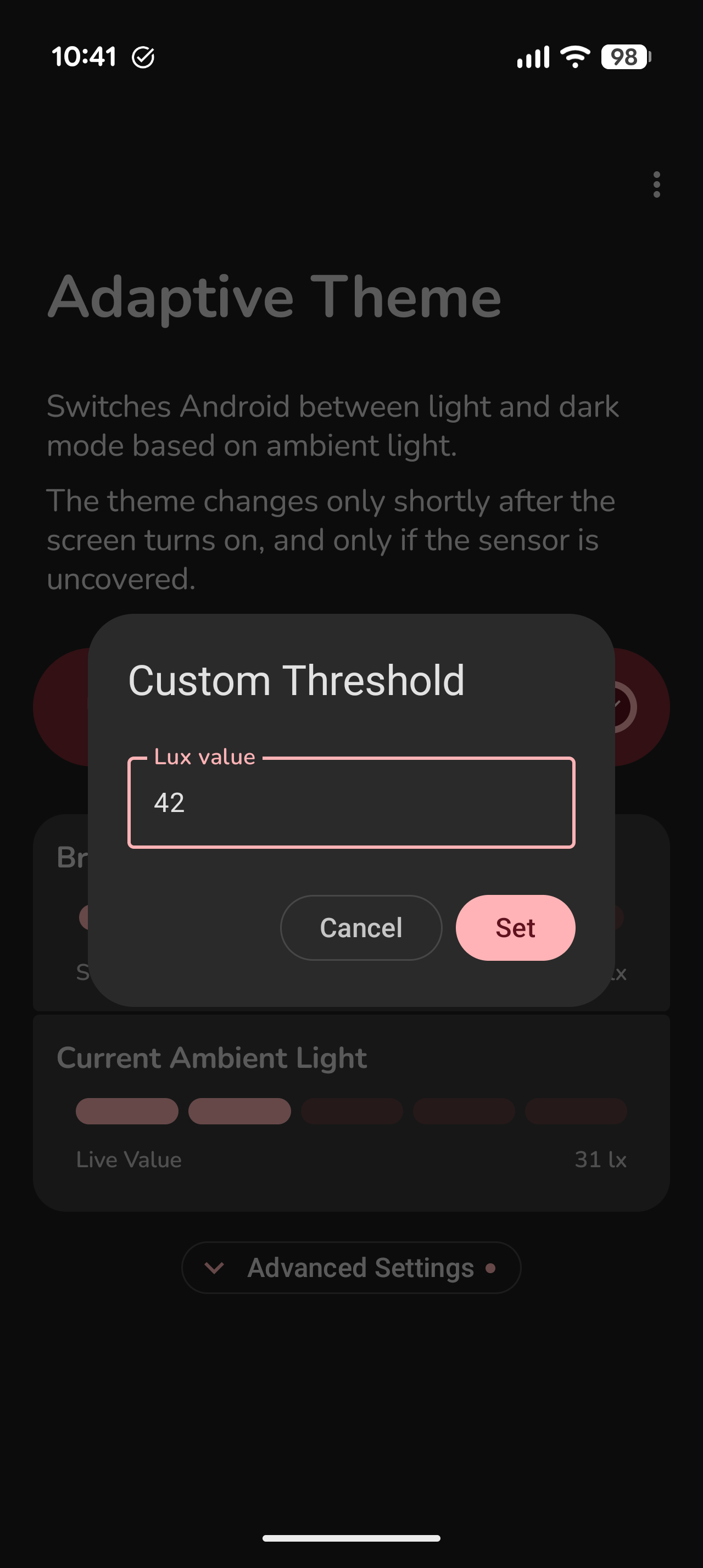
- Custom lux threshold and presets for indoor, outdoor, and daylight conditions
- Wallpaper Theme Sync for separate light and dark home and lock screen wallpapers
- Optional blur effect for the lock screen wallpaper
- Optional night lock to keep dark mode active during a chosen time period
- Quick Settings tile for convenient control
- Material You interface and more than 50 languages
Efficient by design
The sensor is sampled briefly after the screen turns on rather than monitored continuously. Before changing the theme, Adaptive Theme checks that the sensor is not covered by a hand or pocket. Theme changes therefore happen at screen-on and do not interrupt you while you are actively using another app.
One-time setup
Android does not normally allow regular apps to change protected system settings such as the system theme. Adaptive Theme therefore needs a one-time grant of the WRITE_SECURE_SETTINGS permission. This permission does not grant root access or allow the app to read personal data. Adaptive Theme uses it only to switch the light and dark system theme, and it is revoked when the app is uninstalled.
The guided setup offers several options:
- WebADB through a simple website on a computer or secondary Android device, without installing ADB
- Shizuku and compatible Shizuku forks, required only once while granting the permission
- Root on supported devices
- A manual ADB command: adb shell pm grant dev.lexip.hecate android.permission.WRITE_SECURE_SETTINGS
More
Adaptive Theme requires Android 14 or newer. Tablets are currently not supported.
The FOSS build is licensed under GPL-3.0 and contains no ads, analytics, crash reporting, trackers, or proprietary libraries.
For troubleshooting and additional details, see the README and FAQ.