Android IP Camera
Turn your Android device into a remote security IP camera
Version: 0.17.0
Added: 04-06-2026
Updated: 17-11-2026
Added: 04-06-2026
Updated: 17-11-2026
Features
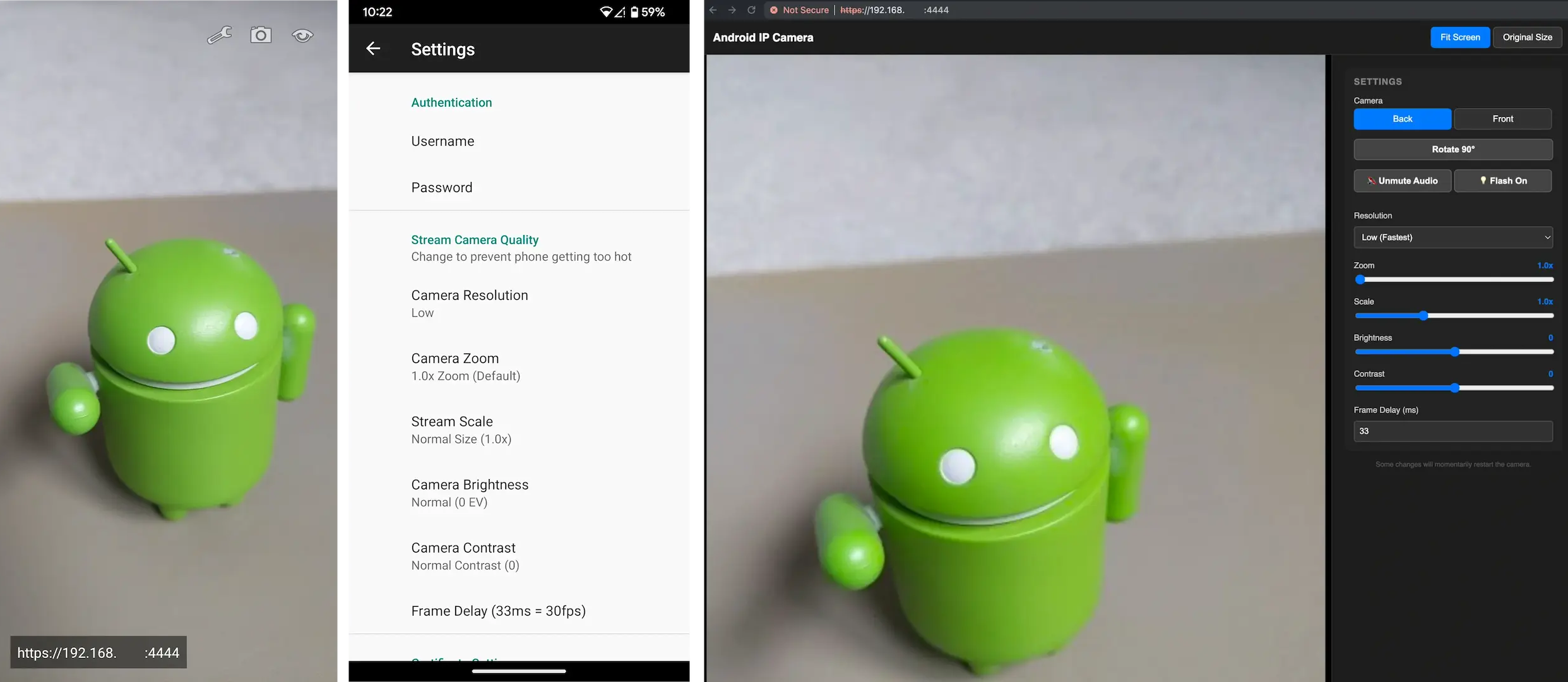
- Built in server, just open the video stream in a web browser, video app or even set it as a camera for Frigate or a Home Assistant MJPEG IP Camera (using `https://[ip_address]:4444/video/mjpeg`)
- Option to turn the display off while streaming
- Optional RTSP stream (H.264 video + AAC audio) for mpv, Frigate/go2rtc, NVRs and other RTSP clients (using `rtsps://[ip_address]:8554/live`, plus a lighter sub stream at `/live/sub`)
- ️ Optional ONVIF camera mode with WS-Discovery, snapshots and motion events for UniFi Protect, Home Assistant and other NVRs
- Switch between the main or selfie camera
- ️ Remote web interface with controls for camera section, image rotation, video recording, audio/video sync, flash light toggle, resolution, zoom, exposure and contrast
- ☁️ Optionally connect your device to a hosted or self-hosted cloud relay server for remote access for when your not on your home/work network
- ️ Choose between different image quality settings and frame rates (to help reduce phone over heating)
- Username and password protection
- Automatic TLS certificate support to protect stream and login details via HTTPS/RTSPS
- Optional start on boot
Warning
If you are planning to run this 24/7, please make sure that your phone does not stay at 100% charge. Doing so may damage the battery and cause it to swell up, which could cause it to explode.
Some models include an option to only charge to 80%, make sure this is enabled where possible.
Note: running at a higher image quality may cause some phones to over heat, which can also damage the battery.
For more details/usage see: Android IP Camera GitHub Readme