Bivouac
Plan multi-day hikes, relive and analyse the ones already done
Version: 2.7.0
Added: 25-10-2026
Updated: 25-10-2026
Added: 25-10-2026
Updated: 25-10-2026
Bivouac splits a GPX track into stages around bivouac spots, then keeps every outing in a journal, with its photos and its figures. It is for before and after the outing: planning multi-day hikes, then reliving and analysing the ones already done.
Plan: import a GPX track of one or several days, place the bivouacs on the route. Distance, elevation and estimated duration are recalculated for each stage. Altitude and a weather link for each bivouac, export of a stage as GPX, a bank of prepared tracks.
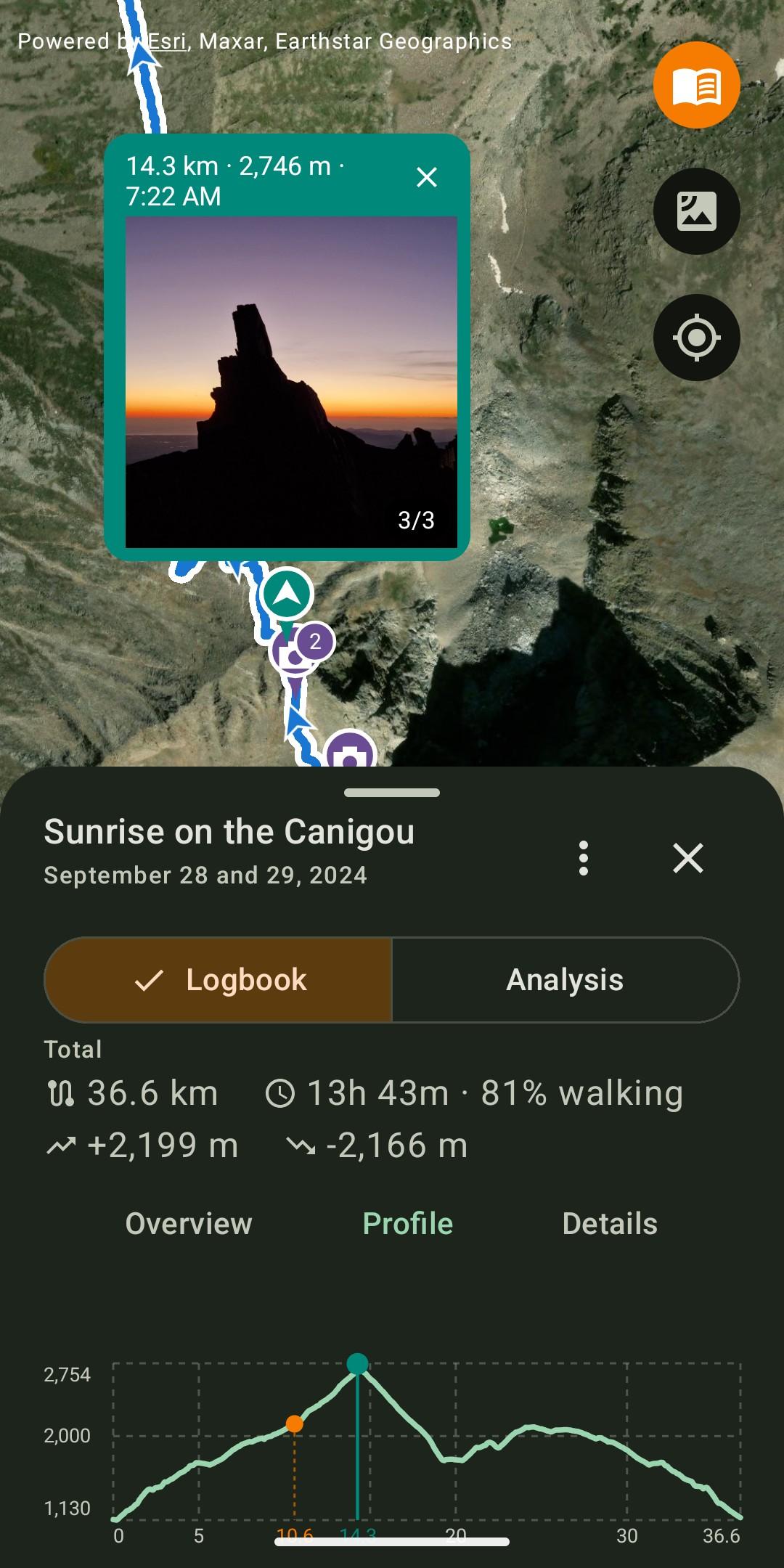
Remember: keep every completed hike with a note, tags, and photos placed on the track where they were taken. The selection screen offers the photos taken during the hike first, with access to the whole gallery. Each photo can be cropped, captioned or moved along the track, and opens full screen.
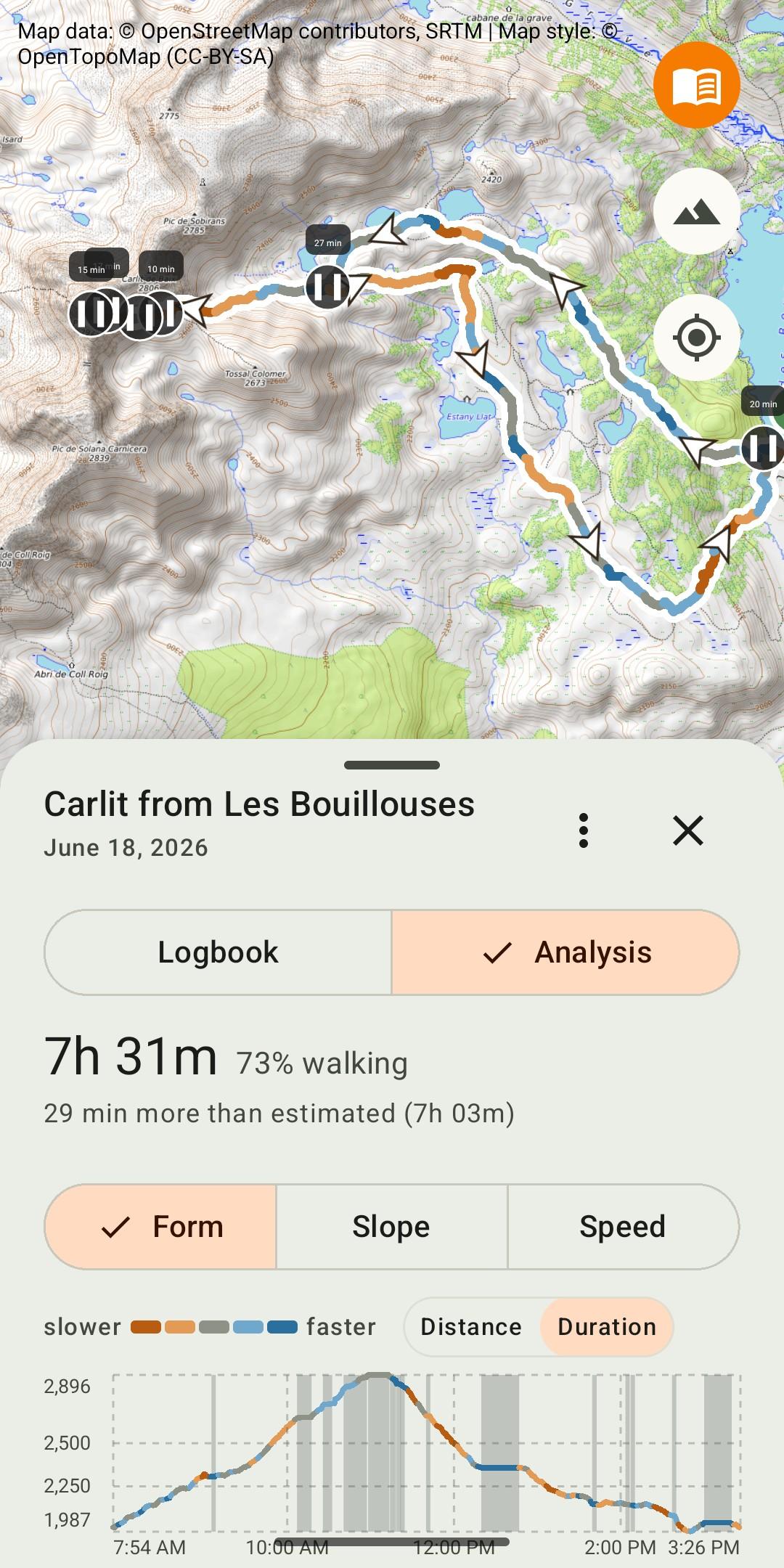
Analyse: see your form on the day, the slope or the speed along the track, read each section, compare with the usual pace and with the estimate, separate walking time from breaks. A timeline of the outing shows climbs, descents and breaks, nights at the bivouac included.
Measure: totals, month-by-month progress and personal records, with actual duration and walking share. Each record leads back to the hike it comes from.
No account, no tracking, no collection:
* Everything on the device: tracks, journal and photos are stored on the device, with nothing sent to a server run by the developer.
* No account, no ads, no tracking: no usage statistics, no tracker, no crash reports.
* No location tracking: the app never accesses the device's location.
* Free software under the GPL-3.0 licence: the source code is public.
The app's only network connection: downloading map tiles. The satellite layer (Esri) and the weather link (Meteoblue), which are non-free services, are turned off by a single switch in Settings.
Photos: to place a photo on the track, Bivouac reads the GPS position stored in the photo. This needs read access to images and the "media location" permission, both requested only on first use of photos. The feature can be turned off in Settings, and photos never leave the device.
What Bivouac does not do: no guidance, no track recording, no social network. Tracks come from the watch, the GPS or the app used during the outing, in GPX format.
Interface in English and French, following the device's language. Android 8 and later.
Website: https://bivouac.rseb.net
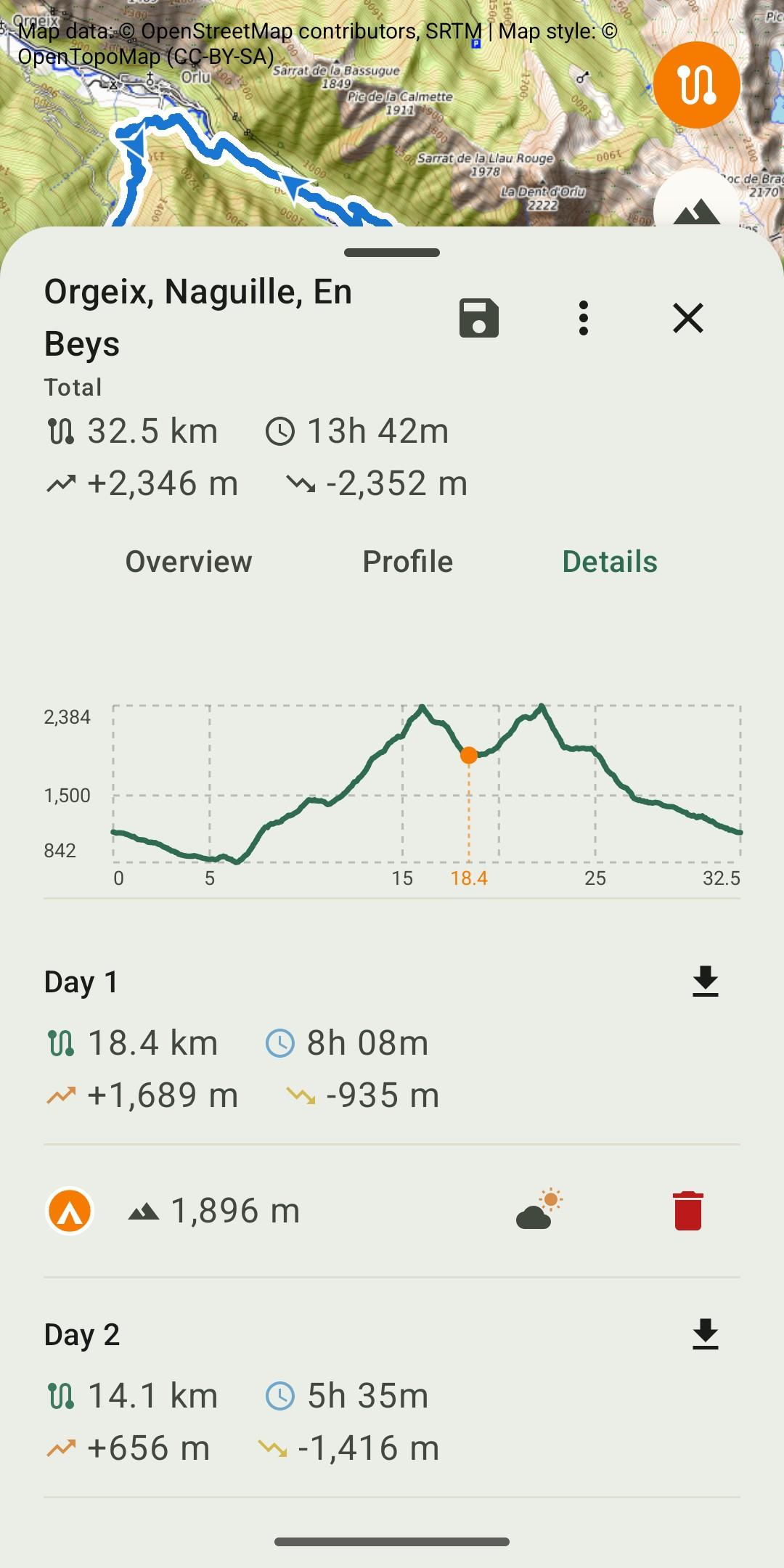
Plan: import a GPX track of one or several days, place the bivouacs on the route. Distance, elevation and estimated duration are recalculated for each stage. Altitude and a weather link for each bivouac, export of a stage as GPX, a bank of prepared tracks.
Remember: keep every completed hike with a note, tags, and photos placed on the track where they were taken. The selection screen offers the photos taken during the hike first, with access to the whole gallery. Each photo can be cropped, captioned or moved along the track, and opens full screen.
Analyse: see your form on the day, the slope or the speed along the track, read each section, compare with the usual pace and with the estimate, separate walking time from breaks. A timeline of the outing shows climbs, descents and breaks, nights at the bivouac included.
Measure: totals, month-by-month progress and personal records, with actual duration and walking share. Each record leads back to the hike it comes from.
No account, no tracking, no collection:
* Everything on the device: tracks, journal and photos are stored on the device, with nothing sent to a server run by the developer.
* No account, no ads, no tracking: no usage statistics, no tracker, no crash reports.
* No location tracking: the app never accesses the device's location.
* Free software under the GPL-3.0 licence: the source code is public.
The app's only network connection: downloading map tiles. The satellite layer (Esri) and the weather link (Meteoblue), which are non-free services, are turned off by a single switch in Settings.
Photos: to place a photo on the track, Bivouac reads the GPS position stored in the photo. This needs read access to images and the "media location" permission, both requested only on first use of photos. The feature can be turned off in Settings, and photos never leave the device.
What Bivouac does not do: no guidance, no track recording, no social network. Tracks come from the watch, the GPS or the app used during the outing, in GPX format.
Interface in English and French, following the device's language. Android 8 and later.
Website: https://bivouac.rseb.net