Burkan
Keeps your Galaxy S23 on the Vulkan renderer, even after a restart
Version: 1.1.1
Added: 22-10-2026
Updated: 25-10-2026
Added: 22-10-2026
Updated: 25-10-2026
Burkan keeps your Galaxy S23 on Vulkan, the faster way for the phone to draw its screen. Set it up once, in a few minutes, and it looks after itself from then on, even after a restart. No computer needed.
Normally, switching a phone to Vulkan means plugging it into a computer and typing commands, and doing that again every time the phone restarts, because a restart puts everything back. Burkan does the same job from inside the phone, by itself.
What it does
* Turns Vulkan back on after every restart, as soon as the phone is on Wi-Fi. You do not need to open it.
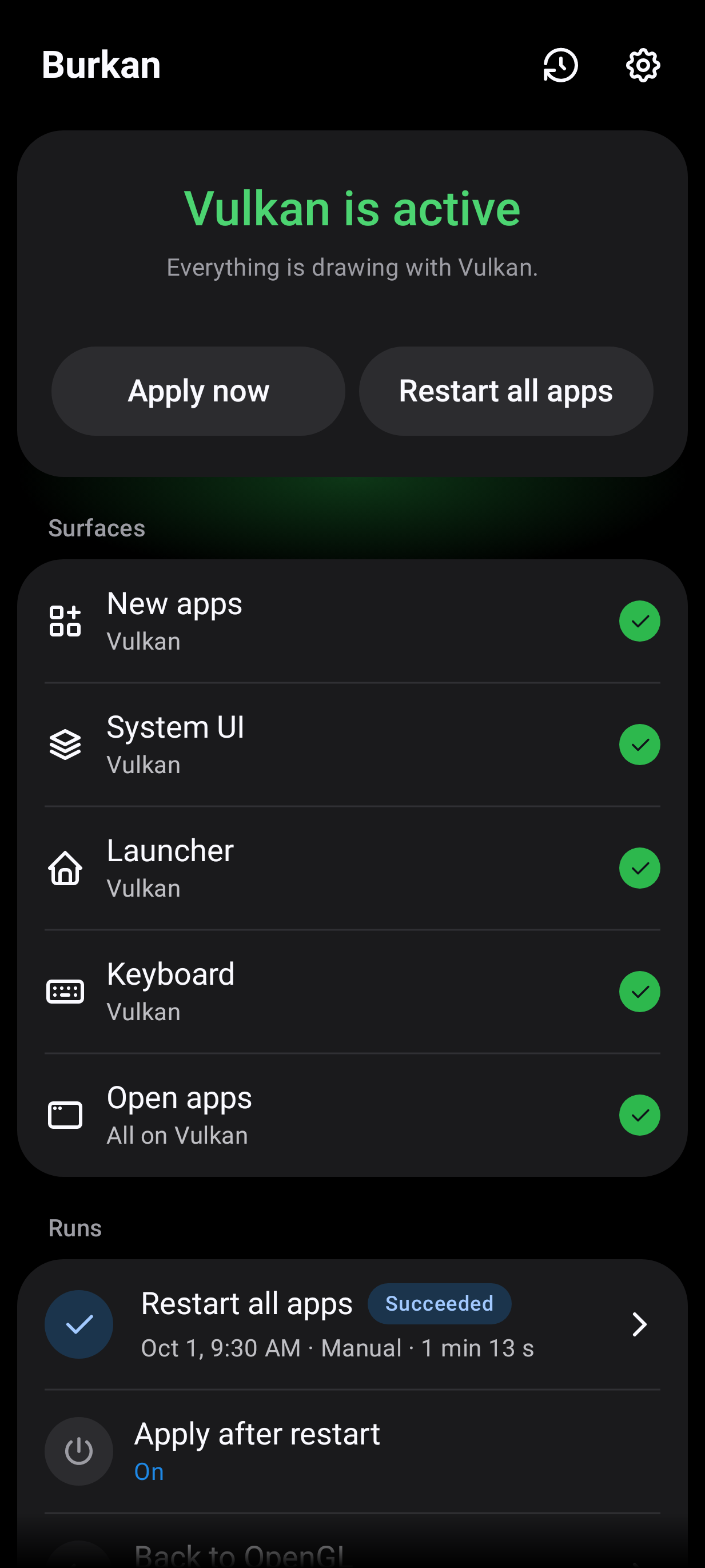
* Shows you whether Vulkan is active, and for which parts of the phone. If it cannot check, it says why in plain words.
* Apply now switches to Vulkan on the spot. Restart all apps also reopens your apps so they pick it up. You can choose apps that should never be restarted.
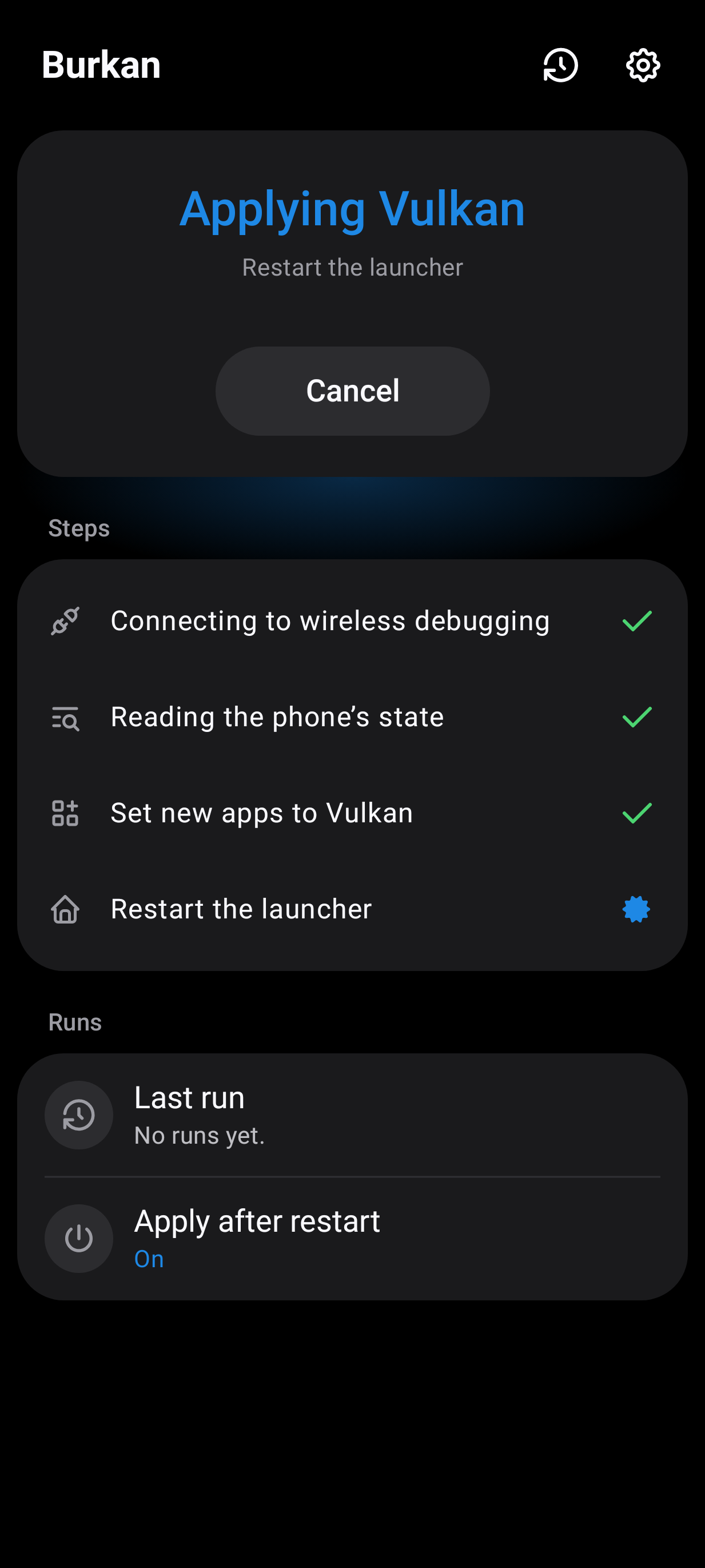
* Shows each step while it works, and keeps a log of the last 50 runs.
* Comes in two looks: One UI, after Samsung's own apps, and Material. Both have a light and a dark theme.
What you need
* A Galaxy S23, S23+ or S23 Ultra. Burkan opens on other phones with a warning, but it is not tested there.
* Android 13 or newer.
* Wi-Fi. Burkan works through the phone's own wireless debugging, which Android only allows on a Wi-Fi network.
Good to know
* No root, no computer and no other apps are needed.
* Burkan only talks to your own phone. It does not go online and collects nothing.
* If anything looks odd, restart the phone and it is back to normal. Samsung and Google do not officially support forcing Vulkan.
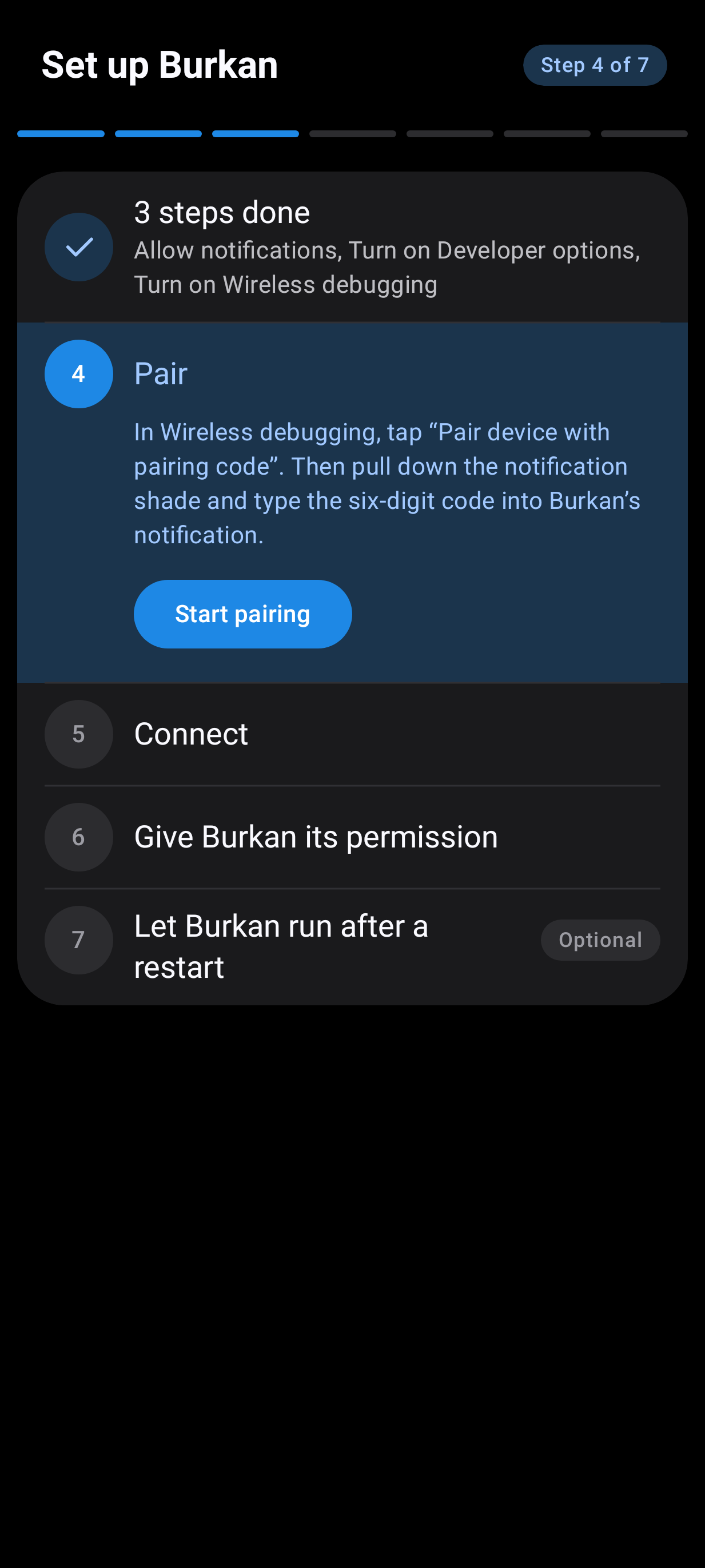
Normally, switching a phone to Vulkan means plugging it into a computer and typing commands, and doing that again every time the phone restarts, because a restart puts everything back. Burkan does the same job from inside the phone, by itself.
What it does
* Turns Vulkan back on after every restart, as soon as the phone is on Wi-Fi. You do not need to open it.
* Shows you whether Vulkan is active, and for which parts of the phone. If it cannot check, it says why in plain words.
* Apply now switches to Vulkan on the spot. Restart all apps also reopens your apps so they pick it up. You can choose apps that should never be restarted.
* Shows each step while it works, and keeps a log of the last 50 runs.
* Comes in two looks: One UI, after Samsung's own apps, and Material. Both have a light and a dark theme.
What you need
* A Galaxy S23, S23+ or S23 Ultra. Burkan opens on other phones with a warning, but it is not tested there.
* Android 13 or newer.
* Wi-Fi. Burkan works through the phone's own wireless debugging, which Android only allows on a Wi-Fi network.
Good to know
* No root, no computer and no other apps are needed.
* Burkan only talks to your own phone. It does not go online and collects nothing.
* If anything looks odd, restart the phone and it is back to normal. Samsung and Google do not officially support forcing Vulkan.