Circle to Share
Crop and share a screenshot from anywhere; nothing is saved unless you ask.
Version: 0.3.3
Added: 04-11-2026
Updated: 04-11-2026
Added: 04-11-2026
Updated: 04-11-2026
Circle to Share captures the screen from anywhere, lets you crop it, and shares, copies or saves the result — nothing is kept on your device unless you ask.
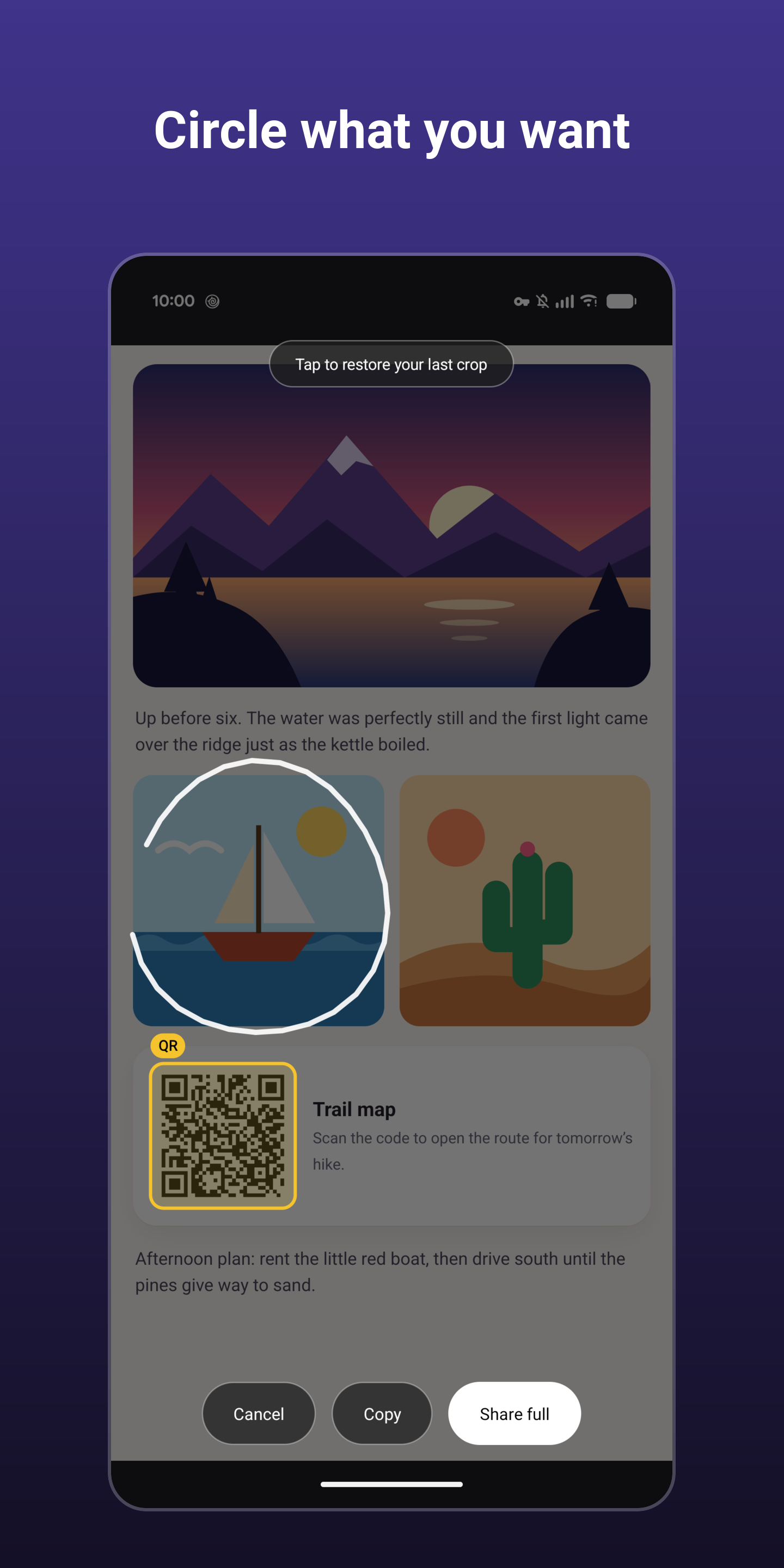
Trigger it, the screen freezes, and you can circle what you want.
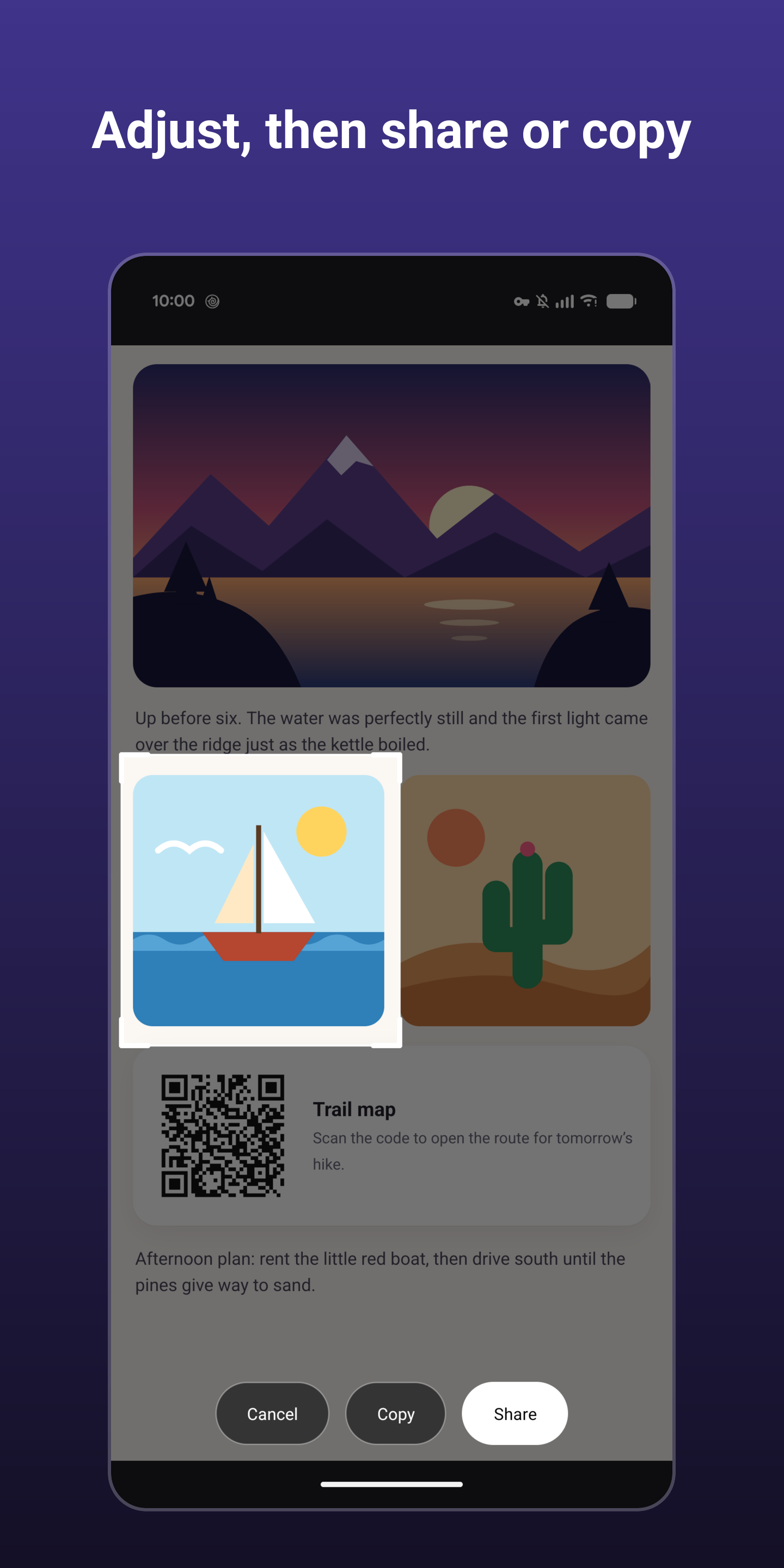
Then tap Share, Copy or Save.
A shared or copied crop lives in the app's private cache only and never lands in your gallery;
Save puts it into your Screenshots folder.
How to open it (use any of them):
* Power button (assistant-powered): press and hold.
* Corner swipe (assistant-powered): swipe up from a bottom corner.
* Quick Settings tile: tap it and the shade closes before the capture.
* Floating bubble: an optional, always-on-screen button you can tap from any app and drag out of the way.
Highlights:
* No permissions: no internet, storage, camera, microphone, or location.
* Nothing is saved to your device (unless you tap Save).
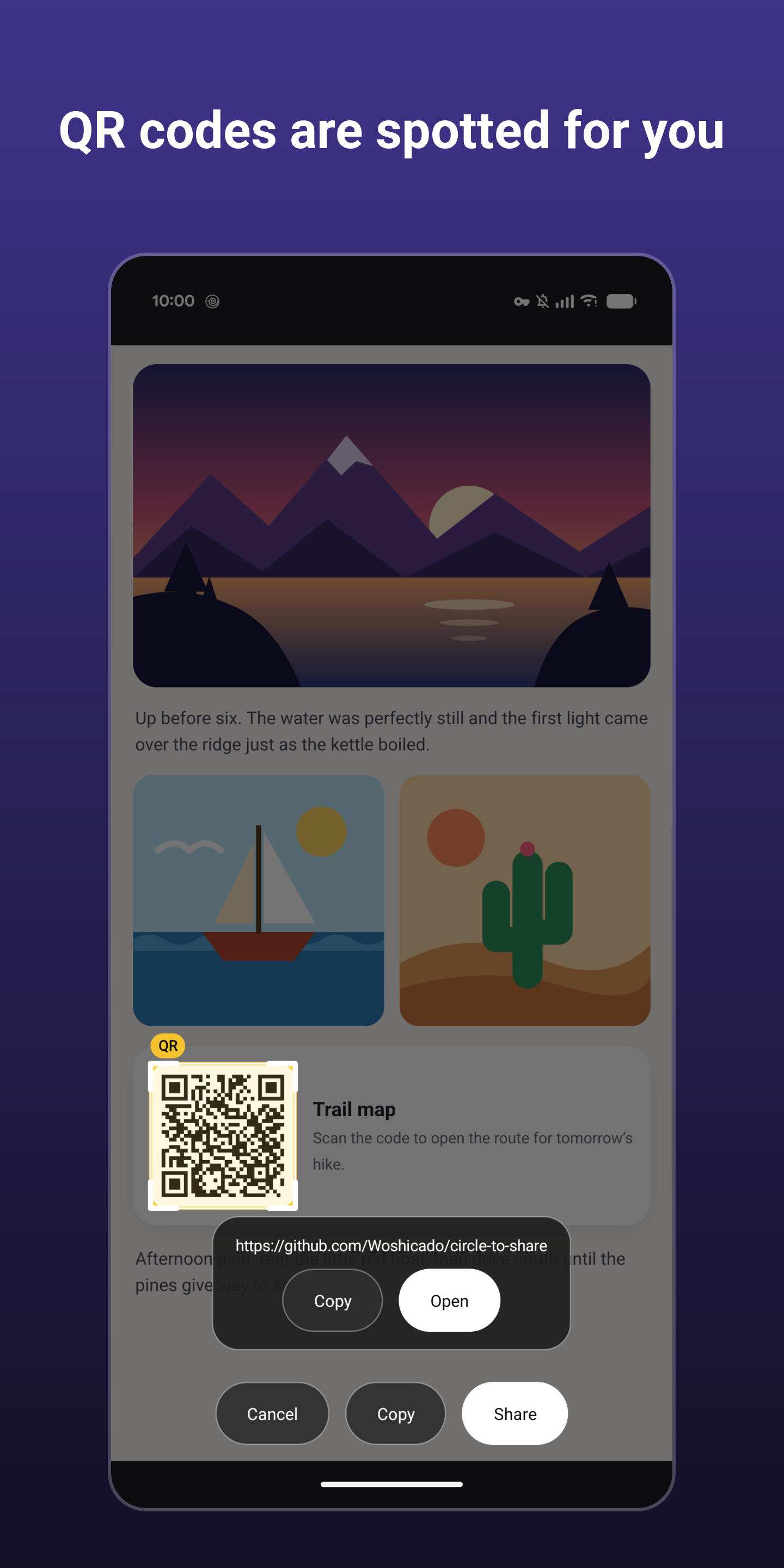
* QR codes in the capture are highlighted, and can be opened, copied, or shared.
* Optional snapping: crop edges align with the buttons, cards and images that were on screen.
Accessibility service: the Quick Settings tile, the floating bubble, snapping, and a capture fallback for devices that don't hand screenshots to third-party assistants use Android's AccessibilityService API. It is optional and off until you agree to the in-app disclosure and switch it on. It is used only to capture the screen and read element positions at the moment you trigger a capture.
Note: screens that block screenshots (banking apps, DRM video) cannot be captured.
Trigger it, the screen freezes, and you can circle what you want.
Then tap Share, Copy or Save.
A shared or copied crop lives in the app's private cache only and never lands in your gallery;
Save puts it into your Screenshots folder.
How to open it (use any of them):
* Power button (assistant-powered): press and hold.
* Corner swipe (assistant-powered): swipe up from a bottom corner.
* Quick Settings tile: tap it and the shade closes before the capture.
* Floating bubble: an optional, always-on-screen button you can tap from any app and drag out of the way.
Highlights:
* No permissions: no internet, storage, camera, microphone, or location.
* Nothing is saved to your device (unless you tap Save).
* QR codes in the capture are highlighted, and can be opened, copied, or shared.
* Optional snapping: crop edges align with the buttons, cards and images that were on screen.
Accessibility service: the Quick Settings tile, the floating bubble, snapping, and a capture fallback for devices that don't hand screenshots to third-party assistants use Android's AccessibilityService API. It is optional and off until you agree to the in-app disclosure and switch it on. It is used only to capture the screen and read element positions at the moment you trigger a capture.
Note: screens that block screenshots (banking apps, DRM video) cannot be captured.