GlucoWatch
Dexcom or Nightscout glucose, chart and forecast on a Wear OS watch
Version: 0.1.18
Added: 04-11-2026
Updated: 06-11-2026
Added: 04-11-2026
Updated: 06-11-2026
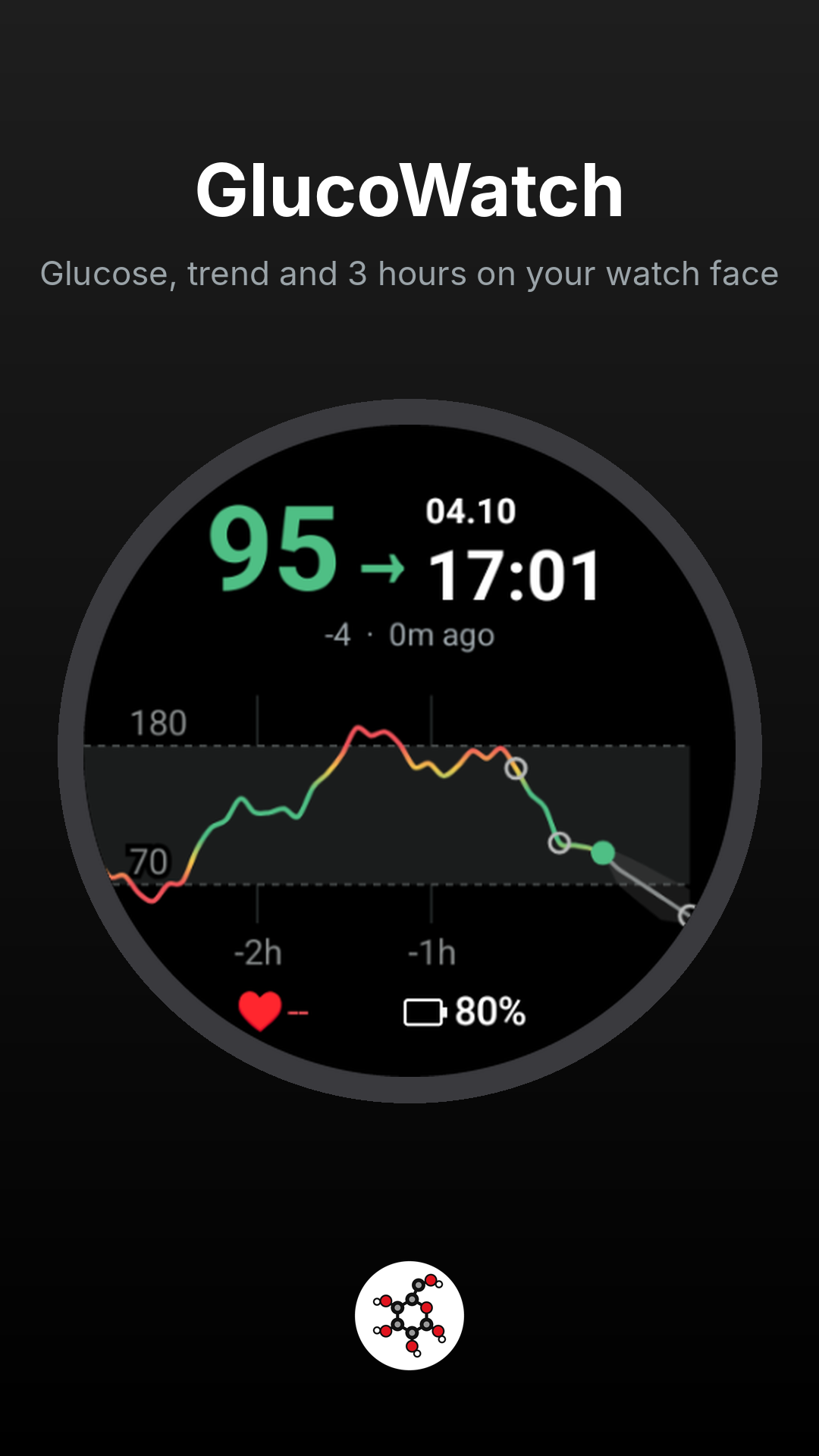
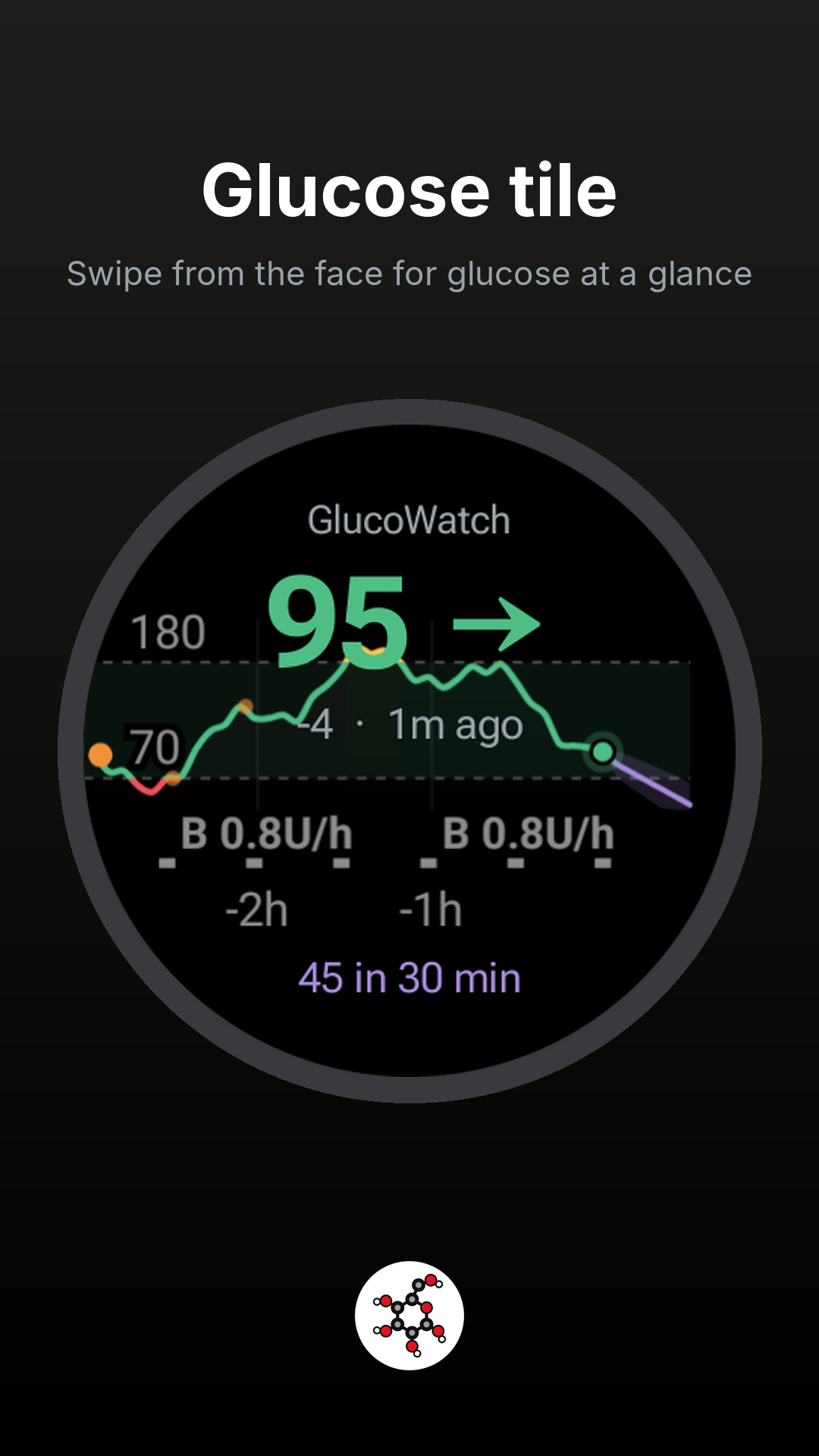
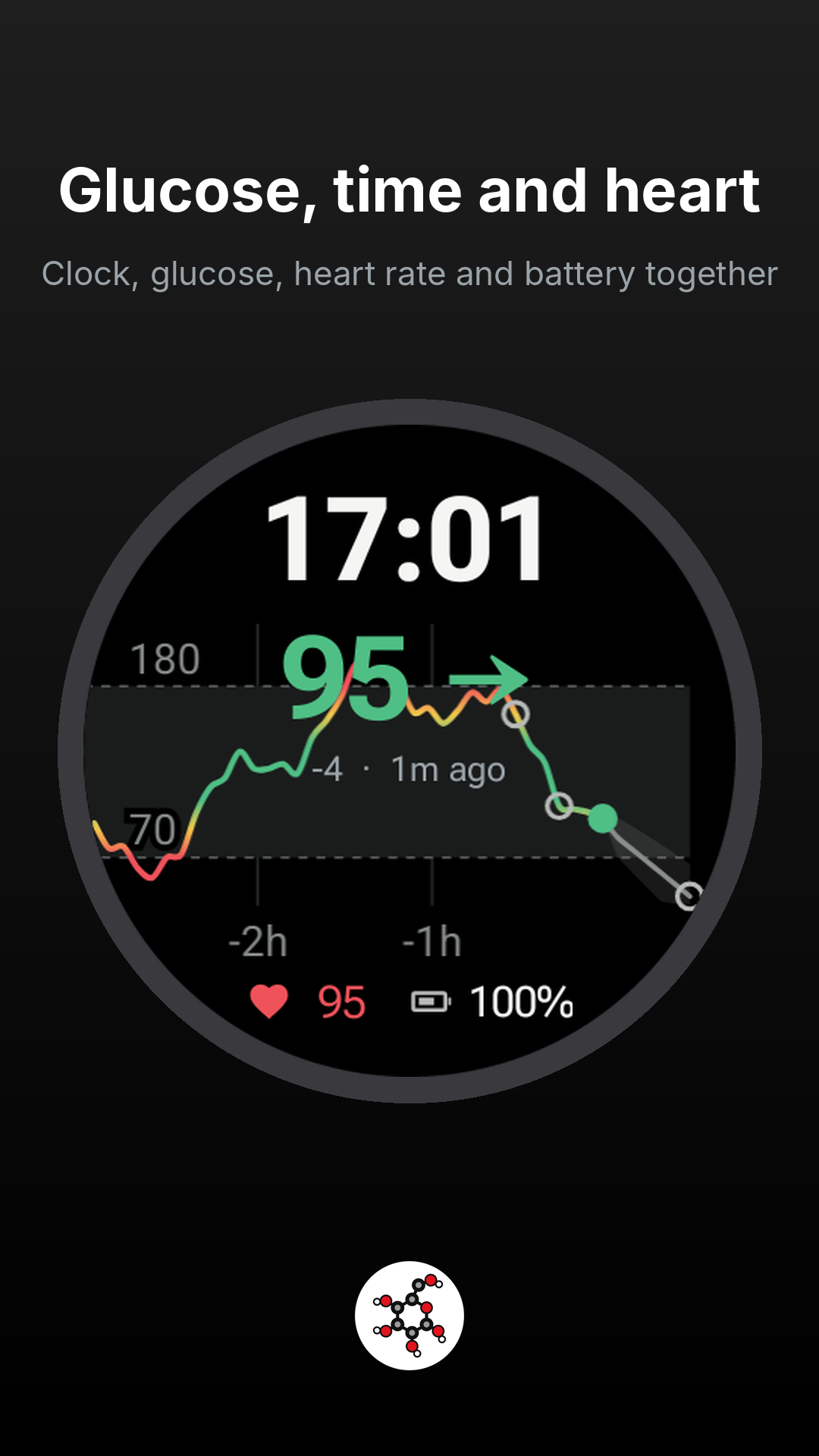
Shows your glucose on a Wear OS watch: the current value with a trend arrow, a chart across the whole round screen, and an optional forecast. It comes as a watch face, three tiles (glucose only; clock, glucose, heart rate and battery; and a light version), and an app, in GlucoseDAO colours. The face and both glucose-and-clock tiles also show your heart rate from the watch's own sensor.
The watch reads Dexcom Share or your own Nightscout directly. The optional GlucoPhone companion can relay readings over Bluetooth or copy the login to the watch. Download the phone APK from https://github.com/GlucoseDAO/glucowatch/releases and install it on the phone. The watch still works without it or any extra server. Dexcom readings need Share turned on in the official Dexcom app, with at least one follower.
For a Medtronic MiniMed pump, the watch can show CareLink glucose and insulin data. Sign in through the GlucoPhone companion, then choose "Get CareLink sign-in from phone" in watch Settings. CareLink is optional; Nightscout and demo data work without it. Phone ONNX forecasts can also be shown on the watch by choosing "Phone app model".
With Nightscout the watch also shows insulin and carbs on board from your loop (AAPS, Trio, iAPS, Loop), boluses and carbs on the chart, the last bolus and carbs, and the loop's own forecast. Nightscout works through API v1 or v3, with an access token or none for a public site.
This is not a medical device. Do not make treatment decisions from it. Keep using your CGM's official app and alarms.
Dexcom Share and CareLink are proprietary services read through undocumented interfaces, so a change on their side can stop that source until an update. Dexcom, Medtronic, MiniMed and CareLink are trademarks of their owners. GlucoWatch is not affiliated with them.
Install GlucoWatch on the watch. To use its watch face, install the separate GlucoWatch face package on the watch too. The app and tiles work without that face. The watch has no F-Droid app, and installing F-Droid on a phone does not copy these packages to the watch.
Download the watch app from its F-Droid page when available, or from https://github.com/GlucoseDAO/glucowatch/releases. Download the separate watch-face APK from its own F-Droid page when available, or from the same GitHub release. Each package is reviewed and published separately. On the watch, open Settings, About watch, Software information, and tap Software version 5 times. In Developer options, turn on ADB debugging and Wireless debugging. The watch and the computer have to be on the same Wi-Fi.
Open Wireless debugging, tap Pair new device, and note the IP address, the pairing port, and the 6-digit code. The main Wireless debugging screen shows a second port. That one is the connection port.
On a computer with Android platform-tools installed:
adb pair:
adb connect:
adb install -r
adb install -r
Open GlucoWatch, tap Settings, and choose Dexcom Share (username, password and region) or Nightscout (the site's address and, for a private site, an access token with the readable role). Tap Save & test. Long-press the current watch face, swipe to the end, tap Add watch face and choose GlucoWatch face. If a slot is empty, long-press the face, tap Customize, tap the slot, and choose Glucose or Glucose chart. For a tile, swipe left from the face to the end of the tiles, tap Add tiles and choose Glucose, Glucose, time and heart, or Glucose (light). For heart rate on the tile, tap Allow heart rate in GlucoWatch Settings.
Turn Wireless debugging off afterwards. It uses extra battery. A newer version is installed the same way: adb install -r replaces the copy already on the watch.
From a phone, download both APKs in the browser, install Wear Installer 2, pair it from the watch's Wireless debugging screen, and send each file with Custom APK.
The watch reads Dexcom Share or your own Nightscout directly. The optional GlucoPhone companion can relay readings over Bluetooth or copy the login to the watch. Download the phone APK from https://github.com/GlucoseDAO/glucowatch/releases and install it on the phone. The watch still works without it or any extra server. Dexcom readings need Share turned on in the official Dexcom app, with at least one follower.
For a Medtronic MiniMed pump, the watch can show CareLink glucose and insulin data. Sign in through the GlucoPhone companion, then choose "Get CareLink sign-in from phone" in watch Settings. CareLink is optional; Nightscout and demo data work without it. Phone ONNX forecasts can also be shown on the watch by choosing "Phone app model".
With Nightscout the watch also shows insulin and carbs on board from your loop (AAPS, Trio, iAPS, Loop), boluses and carbs on the chart, the last bolus and carbs, and the loop's own forecast. Nightscout works through API v1 or v3, with an access token or none for a public site.
This is not a medical device. Do not make treatment decisions from it. Keep using your CGM's official app and alarms.
Dexcom Share and CareLink are proprietary services read through undocumented interfaces, so a change on their side can stop that source until an update. Dexcom, Medtronic, MiniMed and CareLink are trademarks of their owners. GlucoWatch is not affiliated with them.
Install GlucoWatch on the watch. To use its watch face, install the separate GlucoWatch face package on the watch too. The app and tiles work without that face. The watch has no F-Droid app, and installing F-Droid on a phone does not copy these packages to the watch.
Download the watch app from its F-Droid page when available, or from https://github.com/GlucoseDAO/glucowatch/releases. Download the separate watch-face APK from its own F-Droid page when available, or from the same GitHub release. Each package is reviewed and published separately. On the watch, open Settings, About watch, Software information, and tap Software version 5 times. In Developer options, turn on ADB debugging and Wireless debugging. The watch and the computer have to be on the same Wi-Fi.
Open Wireless debugging, tap Pair new device, and note the IP address, the pairing port, and the 6-digit code. The main Wireless debugging screen shows a second port. That one is the connection port.
On a computer with Android platform-tools installed:
adb pair
adb connect
adb install -r
adb install -r
Open GlucoWatch, tap Settings, and choose Dexcom Share (username, password and region) or Nightscout (the site's address and, for a private site, an access token with the readable role). Tap Save & test. Long-press the current watch face, swipe to the end, tap Add watch face and choose GlucoWatch face. If a slot is empty, long-press the face, tap Customize, tap the slot, and choose Glucose or Glucose chart. For a tile, swipe left from the face to the end of the tiles, tap Add tiles and choose Glucose, Glucose, time and heart, or Glucose (light). For heart rate on the tile, tap Allow heart rate in GlucoWatch Settings.
Turn Wireless debugging off afterwards. It uses extra battery. A newer version is installed the same way: adb install -r replaces the copy already on the watch.
From a phone, download both APKs in the browser, install Wear Installer 2, pair it from the watch's Wireless debugging screen, and send each file with Custom APK.