GoL Screensaver
Conway's Game of Life screensaver for Onyx Boox devices
Version: 1.2
Added: 01-07-2025
Updated: 14-07-2026
Added: 01-07-2025
Updated: 14-07-2026
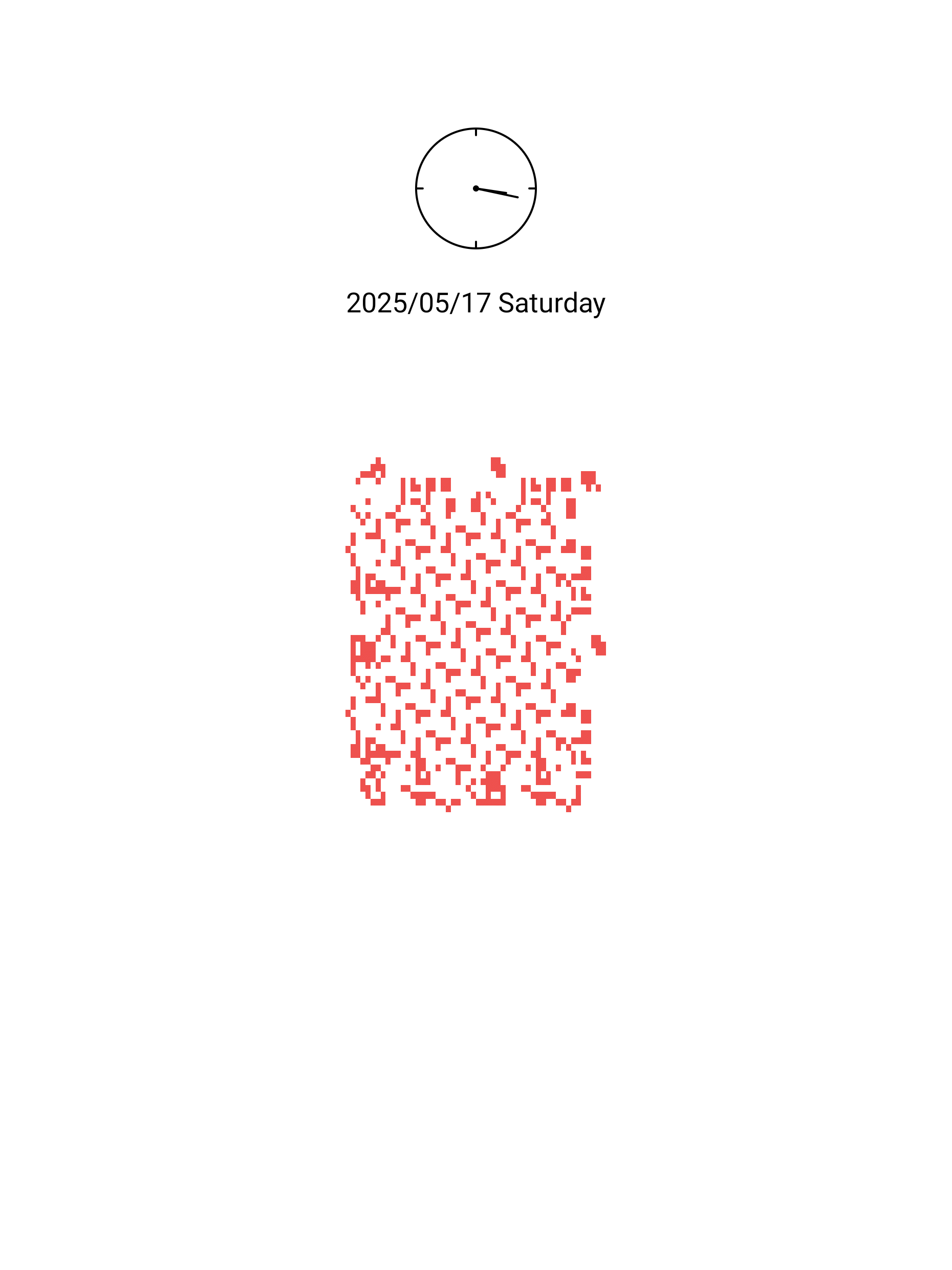
GoL Screensaver generates and updates screensavers for Onyx Boox devices using Conway's Game of Life algorithm.
Features:
- Auto-updating screensaver based on Conway's Game of Life
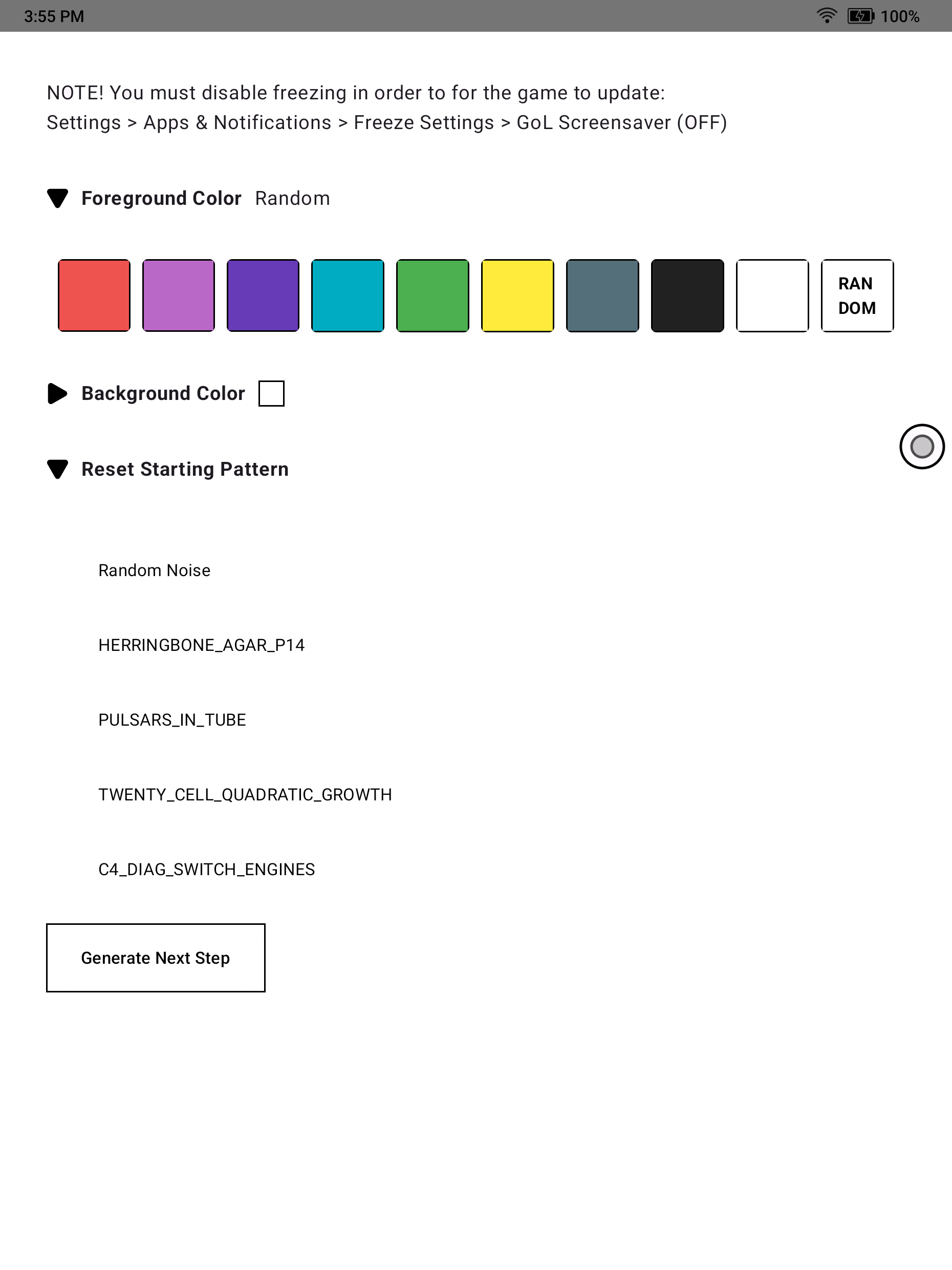
- Customizable foreground and background colors (chosen specifically for color e-ink)
- Pattern picker for common Game of Life starting states.
- Optional read-only upcoming-calendar overlay with selectable device calendars, time horizon, position, and size
Usage:
- Install the app on using F-Droid or building from source.
- Disable freezing in order to for the game to self-update
- Settings > Apps & Notifications > Freeze Settings > GoL Wallpaper (OFF)
- Note: Updates happen at most every 15 minutes and **only** with sufficient battery
- Launch the app!
- (Optional) Choose foreground and background colors in the app
- (Optional) Pick a starting pattern
- (Optional) Enable the calendar overlay and choose which synced calendars may appear on the screensaver
Calendar privacy and refresh:
- Calendar permission is optional and read-only
- Event titles may be visible on the lock screen; private events are displayed as “Busy”
- Event details are not cached, and calendar settings do not transfer to another device
- Calendar content refreshes with the regular wallpaper job or while the app is open
Features:
- Auto-updating screensaver based on Conway's Game of Life
- Customizable foreground and background colors (chosen specifically for color e-ink)
- Pattern picker for common Game of Life starting states.
- Optional read-only upcoming-calendar overlay with selectable device calendars, time horizon, position, and size
Usage:
- Install the app on using F-Droid or building from source.
- Disable freezing in order to for the game to self-update
- Settings > Apps & Notifications > Freeze Settings > GoL Wallpaper (OFF)
- Note: Updates happen at most every 15 minutes and **only** with sufficient battery
- Launch the app!
- (Optional) Choose foreground and background colors in the app
- (Optional) Pick a starting pattern
- (Optional) Enable the calendar overlay and choose which synced calendars may appear on the screensaver
Calendar privacy and refresh:
- Calendar permission is optional and read-only
- Event titles may be visible on the lock screen; private events are displayed as “Busy”
- Event details are not cached, and calendar settings do not transfer to another device
- Calendar content refreshes with the regular wallpaper job or while the app is open