GrayPause
Added: 15-10-2026
Updated: 15-10-2026
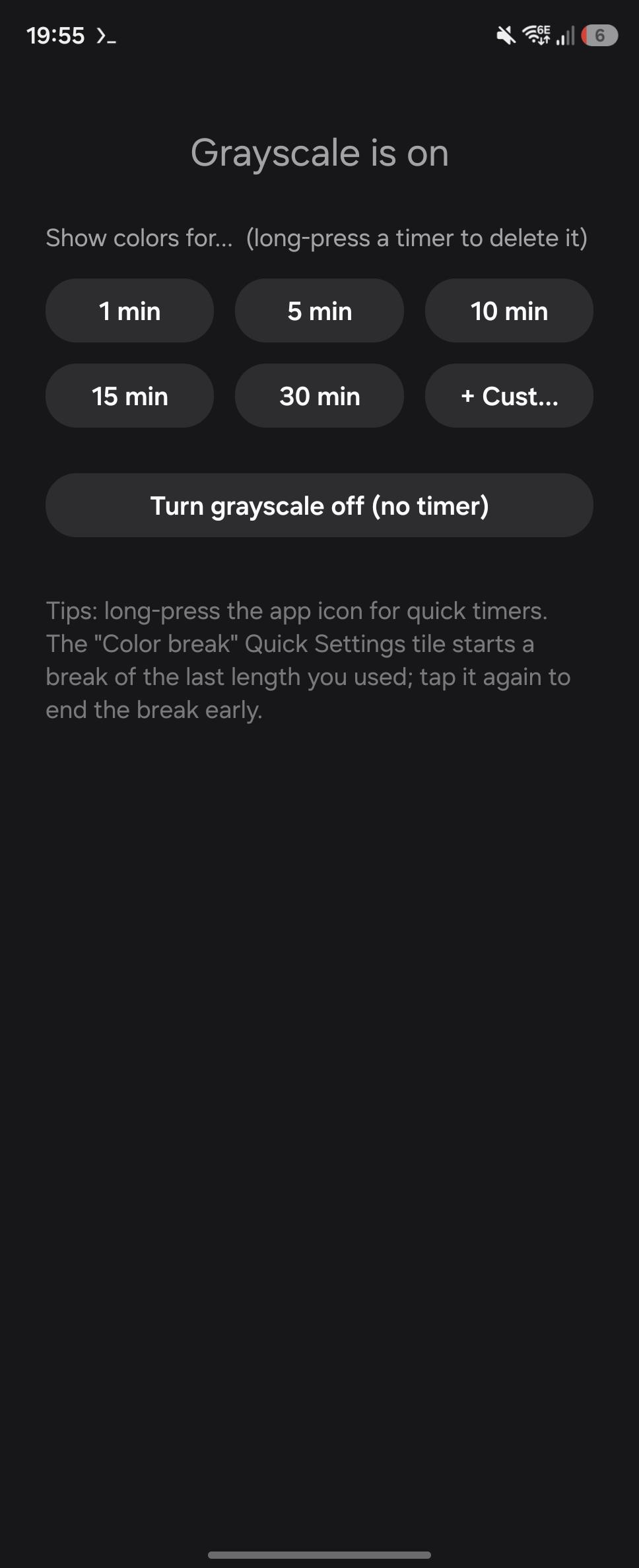
Grayscale makes a phone much less tempting to pick up. The hard part is the moment you need color for a minute — a photo, a map, a chart — and then forget to turn grayscale back on.
GrayPause gives you color breaks: grayscale switches off for the time you choose and comes back on by itself.
- One-tap timers — 1, 5, 10, 15, 30 min by default. Add your own with hours, minutes and seconds; delete any of them.
- Quick Settings tile — starts a break of the last length you used; tap again to end it early.
- App shortcuts — long-press the launcher icon to start a timer without opening the app.
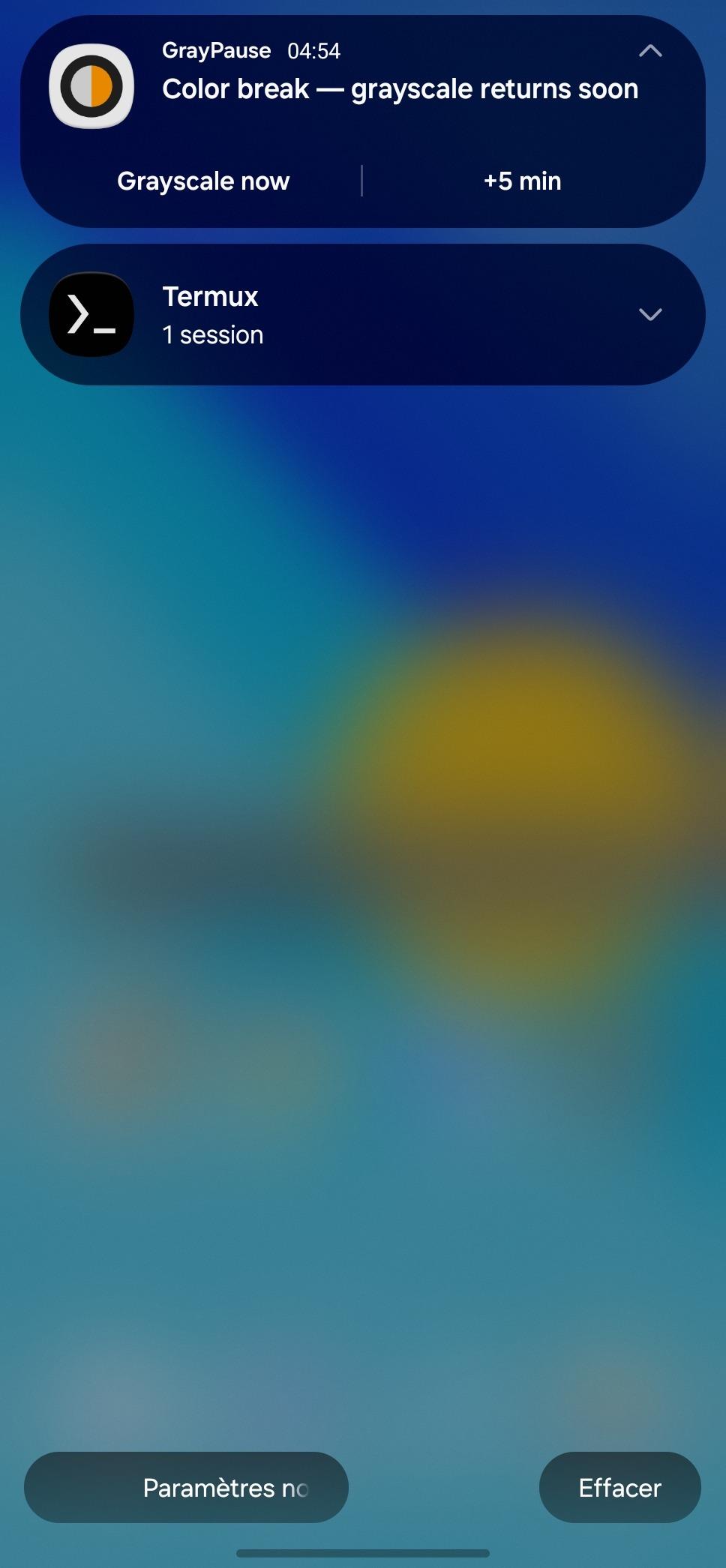
- Countdown notification with "Grayscale now" and "+5 min" buttons.
- Color apps (optional) — pick apps such as your gallery or camera that are always shown in color. Grayscale switches off while one of them is open and back on when you leave it.
- Survives reboots: a running break is resumed, or grayscale restored if the time is up.
One-time setup. Android only lets system apps switch grayscale, so GrayPause needs the WRITE_SECURE_SETTINGS permission. It cannot be granted from Settings, only once, either:
- with Shizuku running: tap "Grant with Shizuku" in the app, or
- over adb: adb shell pm grant com.lpw.graypause android.permission.WRITE_SECURE_SETTINGS
The permission is kept across reboots and updates; Shizuku is not needed afterwards.
Accessibility service. The optional "Color apps" feature uses an accessibility service only to learn which app is in the foreground. It does not read screen content, and nothing leaves your device: GrayPause has no internet permission.