Husk
Turn a spare Android phone into a remote camera and control rig
Version: 1.4
Added: 17-09-2026
Updated: 26-09-2026
Added: 17-09-2026
Updated: 26-09-2026
Husk turns a spare Android phone into a remote camera and control rig on your own LAN or
Tailscale network, without root.
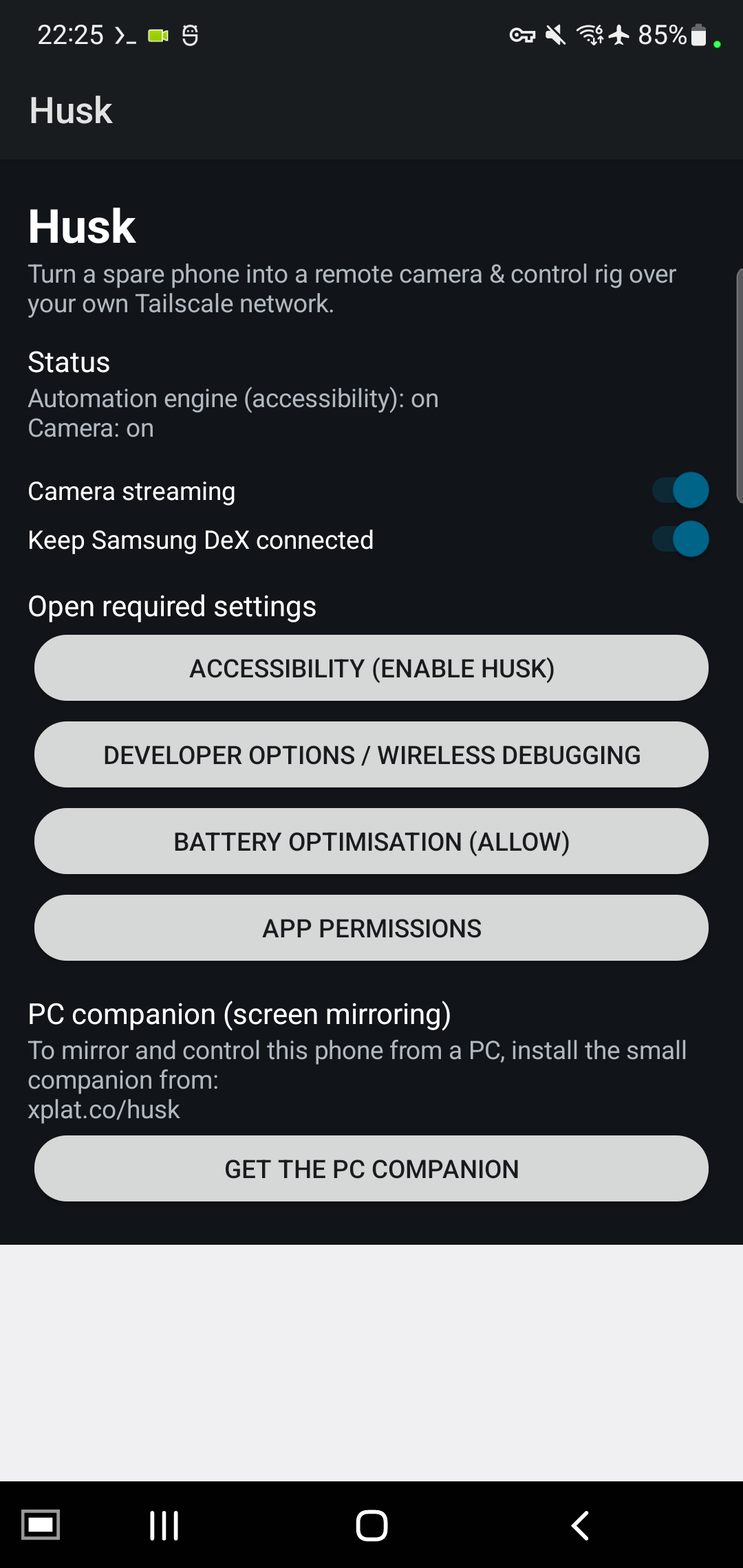
Features: camera streaming (MJPEG) in a browser, or as a webcam via a PC tool; front or back
camera, switchable over HTTP while the stream runs; an accessibility engine for scripted
on-screen actions; in-app recovery of Wireless Debugging after a reboot; an adb bridge for
scrcpy from a PC; camera or screen motion alerts with a push and a live snapshot; a Samsung
DeX toggle on DeX phones. It starts automatically after a reboot.
Husk has no built-in updater and never checks for, downloads or installs anything on its own.
Update from F-Droid, or install an APK with adb.
Every host Husk can talk to, and what triggers it:
* 0.0.0.0 - it LISTENS, it never connects out: the HTTP control server on 8090 and the adb
bridge on 15557, while the service runs, both behind a source-IP allowlist.
* 127.0.0.1 - loopback only, inside the phone: the accessibility engine on 8127, and the adb
bridge forwarding to the local Wireless Debugging port.
* ntfy.sh - only when motion alerts are enabled and you have set a topic; one push per alert.
The server is configurable - use your own instance.
* xplat.co - project website and PC companion download. The app itself never contacts it;
1.1 removed the updater that read it.
The allowlist admits loopback, private LAN ranges, fc00::/7 and Tailscale's 100.64.0.0/10;
some carriers use that range too, so on mobile data it is wider than your tailnet alone. An
optional token adds a second layer, off by default. Restrict access with a Tailscale ACL.
Husk uses the AccessibilityService API and exposes an adb bridge by design. 100% open source
(GPLv3), AOSP framework APIs only: no trackers, no ads, no proprietary code.
Tailscale network, without root.
Features: camera streaming (MJPEG) in a browser, or as a webcam via a PC tool; front or back
camera, switchable over HTTP while the stream runs; an accessibility engine for scripted
on-screen actions; in-app recovery of Wireless Debugging after a reboot; an adb bridge for
scrcpy from a PC; camera or screen motion alerts with a push and a live snapshot; a Samsung
DeX toggle on DeX phones. It starts automatically after a reboot.
Husk has no built-in updater and never checks for, downloads or installs anything on its own.
Update from F-Droid, or install an APK with adb.
Every host Husk can talk to, and what triggers it:
* 0.0.0.0 - it LISTENS, it never connects out: the HTTP control server on 8090 and the adb
bridge on 15557, while the service runs, both behind a source-IP allowlist.
* 127.0.0.1 - loopback only, inside the phone: the accessibility engine on 8127, and the adb
bridge forwarding to the local Wireless Debugging port.
* ntfy.sh - only when motion alerts are enabled and you have set a topic; one push per alert.
The server is configurable - use your own instance.
* xplat.co - project website and PC companion download. The app itself never contacts it;
1.1 removed the updater that read it.
The allowlist admits loopback, private LAN ranges, fc00::/7 and Tailscale's 100.64.0.0/10;
some carriers use that range too, so on mobile data it is wider than your tailnet alone. An
optional token adds a second layer, off by default. Restrict access with a Tailscale ACL.
Husk uses the AccessibilityService API and exposes an adb bridge by design. 100% open source
(GPLv3), AOSP framework APIs only: no trackers, no ads, no proprietary code.