JemRec
Records phone, WhatsApp, Telegram, Viber and Meet calls, both sides, no root
Version: 0.26
Added: 16-10-2026
Updated: 04-11-2026
Added: 16-10-2026
Updated: 04-11-2026
A call recorder for unrooted Android — phone and messenger calls. One APK. No root, no Shizuku, no companion app, no computer: the phone sets itself up.
How it works. Android's voice-call audio source carries both sides of a call, but only system-level identities may read it, among them ADB's shell user. JemRec embeds an ADB client and pairs with the phone's own Wireless debugging over 127.0.0.1. Nothing leaves the phone.
In an ADB session of a few seconds the app starts a shell-privileged daemon, which writes each call to a file; the app is never on the audio path. Each connection is authenticated both ways.
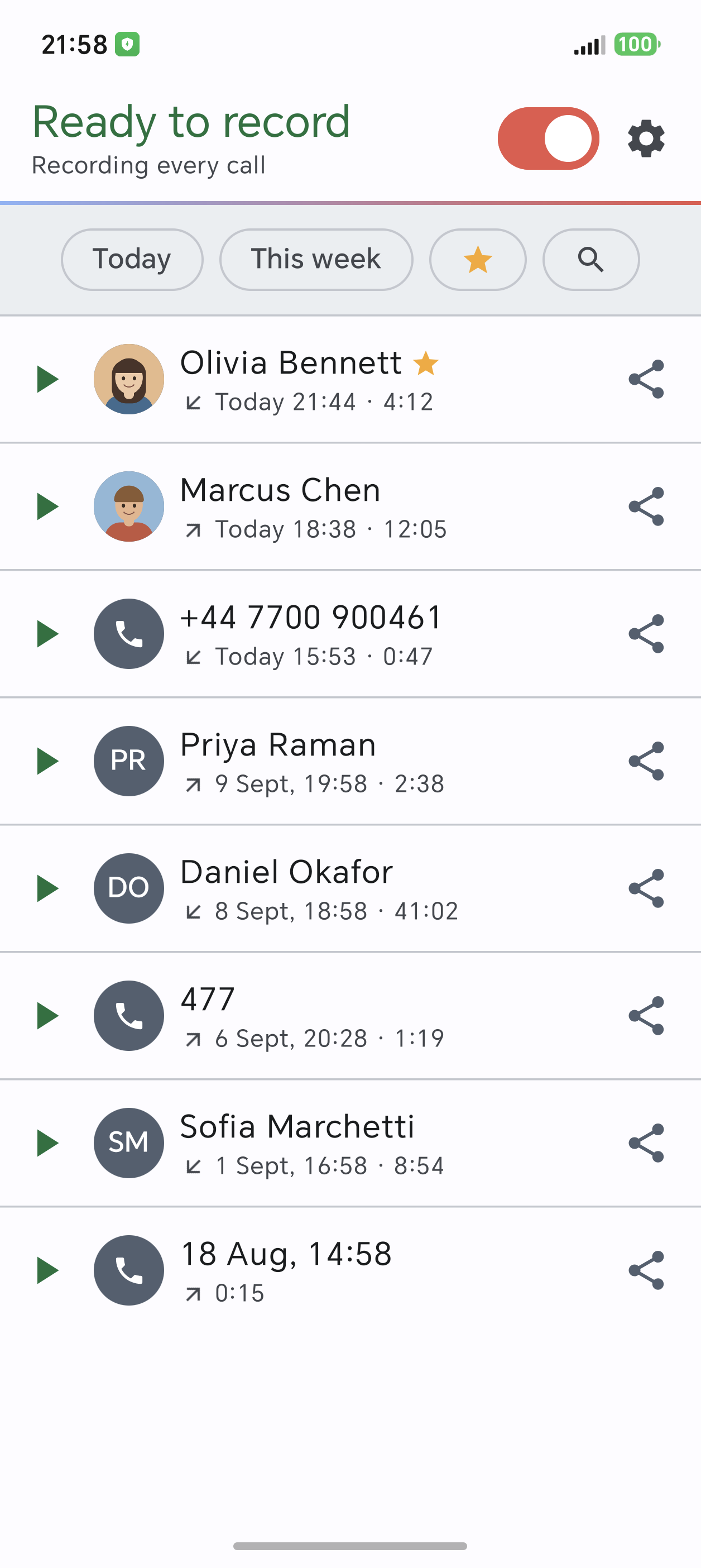
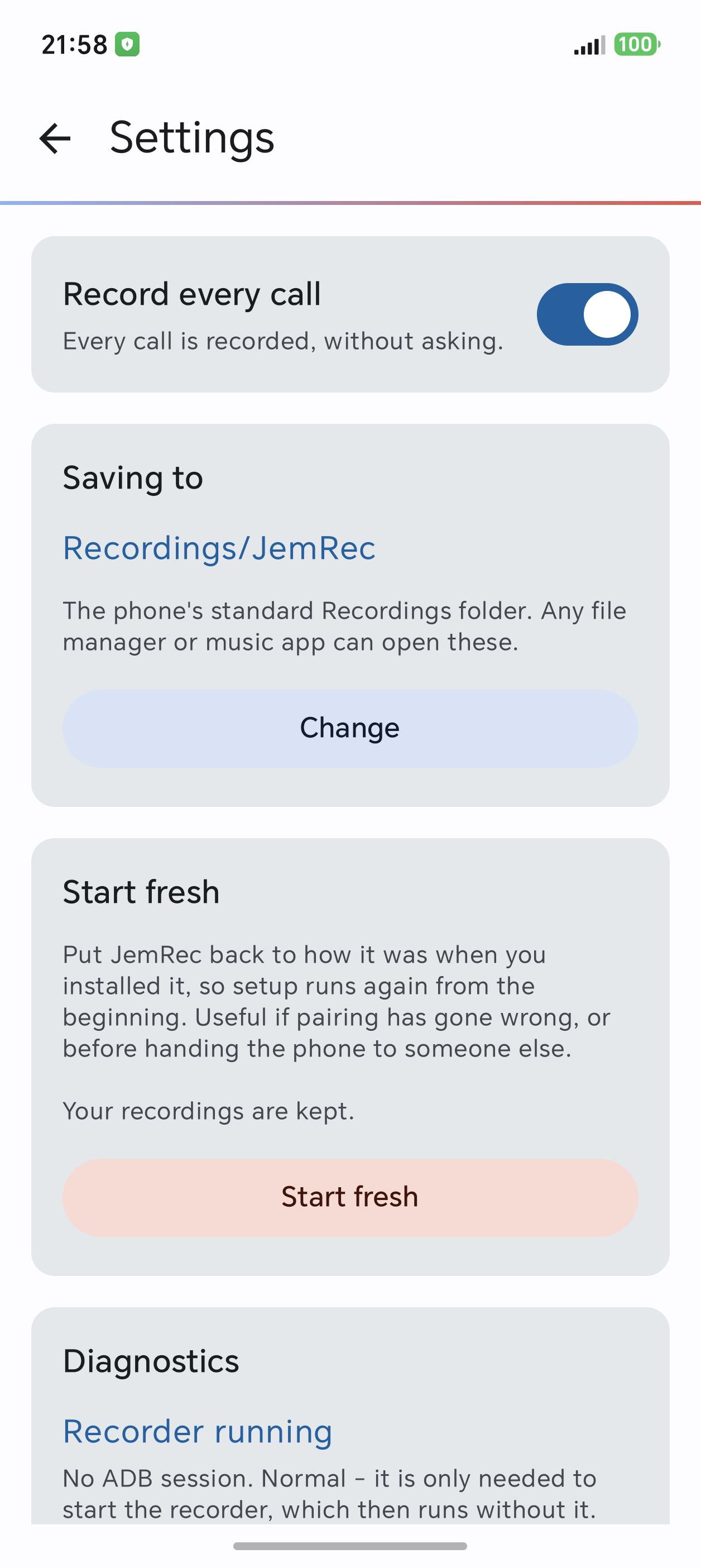
Recordings are Ogg Opus files in the phone's Recordings/JemRec folder. A recording starts at the answer: no ringing, and a call nobody answered is not kept. Automatic mode records every call; ask-first mode records nothing until you tap Record. Messenger calls (WhatsApp, Telegram, Signal, Viber) and Google Meet can be recorded too, both sides, app by app, on Android 14+; all but Signal tested. It warns of a silent recording, a recorder that is down, or a call that went unrecorded.
Playing, finding, keeping. A call plays as its waveform, and goes on with the screen off, its caller kept off the lock screen. A Calls tab shows each call: its recording, or why there is none; both lists can be searched. Deleted recordings wait 30 days in Recently deleted; auto-delete, off by default, clears old and very short recordings, never ones marked to keep. You can keep only some people's calls, and name files with the caller or their number, or as Honor's Phone app plays them.
Three looks: Memo; Deck, a pocket recorder; Multitrack, a sound editor - each light, dark or as the phone.
Answering machine, off until you switch it on: it answers phone calls you don't take, plays your greeting with your microphone muted and keeps the caller's message, by the same rules as recording; you can still take the call. It pauses for a day after an emergency call. Experimental: checks and a test call say if it works on yours.
Setup takes two things by hand, once: turn on Developer options, then USB and Wireless debugging (one more switch on ColorOS, OxygenOS, realme UI), and type the pairing code into JemRec's notification. The pairing survives reboots; the recorder is rebuilt on the next Wi-Fi if the phone lets JemRec run on its own - setup asks, and JemRec warns if the phone stops it.
What stays on. USB and Wireless debugging stay on while JemRec is on, turned back on if they go off: the recorder needs them. For banking apps, turning JemRec off can also hide Developer options, or turn all debugging off. While debugging is on, a paired computer can connect on the same Wi-Fi. To turn it off for good, uninstall JemRec. Start without Wi-Fi, off by default, opens port 5555 to all networks, to start JemRec with no Wi-Fi until a reboot.
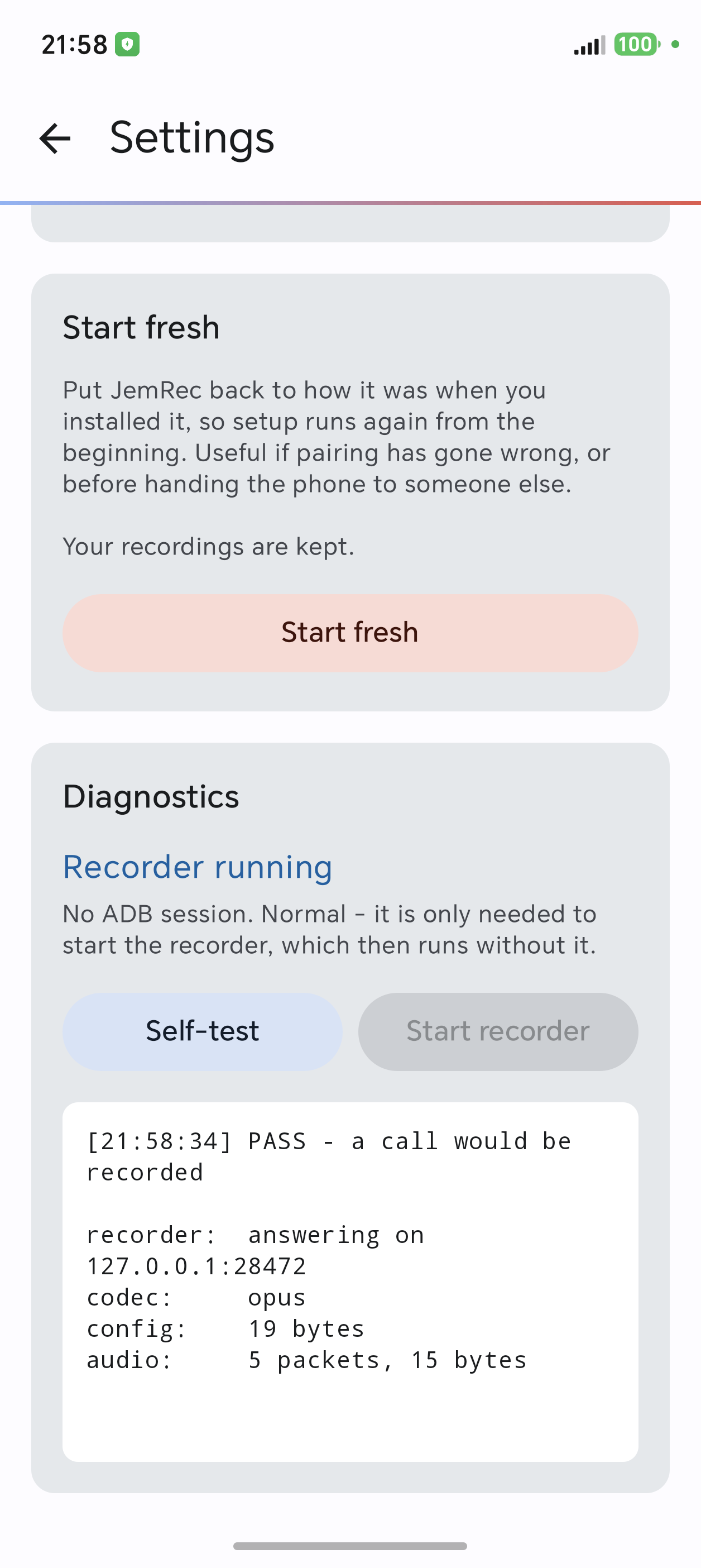
Requirements. Android 12 or newer, and a phone whose audio hardware hands over the voice-call source. Both sides have been recorded on an Honor Magic 8 Pro, Galaxy S20, S23 and M34, and a OnePlus on LineageOS. Settings → Diagnostics has a self-test for yours.
Recording calls is your responsibility. Consent law differs by country and state. This app records what you tell it to and warns nobody on your behalf.
What it does not ask for: no RECORD_AUDIO, no phone state. INTERNET is needed for any TCP socket, even to 127.0.0.1, the only address JemRec connects to. READ_MEDIA_AUDIO (on Android 12, READ_EXTERNAL_STORAGE) is asked for only to list recordings made before a reinstall. READ_CALL_LOG and READ_CONTACTS are optional: they tell JemRec who a call was with, and let it notice one that went unrecorded. MANAGE_ONGOING_CALLS, allowed by the recorder while exact call tracking is on, tells JemRec when a call is answered and ends. Notification access, only if you ask, hides Android's debugging notification or names a messenger caller; nothing else.
How it works. Android's voice-call audio source carries both sides of a call, but only system-level identities may read it, among them ADB's shell user. JemRec embeds an ADB client and pairs with the phone's own Wireless debugging over 127.0.0.1. Nothing leaves the phone.
In an ADB session of a few seconds the app starts a shell-privileged daemon, which writes each call to a file; the app is never on the audio path. Each connection is authenticated both ways.
Recordings are Ogg Opus files in the phone's Recordings/JemRec folder. A recording starts at the answer: no ringing, and a call nobody answered is not kept. Automatic mode records every call; ask-first mode records nothing until you tap Record. Messenger calls (WhatsApp, Telegram, Signal, Viber) and Google Meet can be recorded too, both sides, app by app, on Android 14+; all but Signal tested. It warns of a silent recording, a recorder that is down, or a call that went unrecorded.
Playing, finding, keeping. A call plays as its waveform, and goes on with the screen off, its caller kept off the lock screen. A Calls tab shows each call: its recording, or why there is none; both lists can be searched. Deleted recordings wait 30 days in Recently deleted; auto-delete, off by default, clears old and very short recordings, never ones marked to keep. You can keep only some people's calls, and name files with the caller or their number, or as Honor's Phone app plays them.
Three looks: Memo; Deck, a pocket recorder; Multitrack, a sound editor - each light, dark or as the phone.
Answering machine, off until you switch it on: it answers phone calls you don't take, plays your greeting with your microphone muted and keeps the caller's message, by the same rules as recording; you can still take the call. It pauses for a day after an emergency call. Experimental: checks and a test call say if it works on yours.
Setup takes two things by hand, once: turn on Developer options, then USB and Wireless debugging (one more switch on ColorOS, OxygenOS, realme UI), and type the pairing code into JemRec's notification. The pairing survives reboots; the recorder is rebuilt on the next Wi-Fi if the phone lets JemRec run on its own - setup asks, and JemRec warns if the phone stops it.
What stays on. USB and Wireless debugging stay on while JemRec is on, turned back on if they go off: the recorder needs them. For banking apps, turning JemRec off can also hide Developer options, or turn all debugging off. While debugging is on, a paired computer can connect on the same Wi-Fi. To turn it off for good, uninstall JemRec. Start without Wi-Fi, off by default, opens port 5555 to all networks, to start JemRec with no Wi-Fi until a reboot.
Requirements. Android 12 or newer, and a phone whose audio hardware hands over the voice-call source. Both sides have been recorded on an Honor Magic 8 Pro, Galaxy S20, S23 and M34, and a OnePlus on LineageOS. Settings → Diagnostics has a self-test for yours.
Recording calls is your responsibility. Consent law differs by country and state. This app records what you tell it to and warns nobody on your behalf.
What it does not ask for: no RECORD_AUDIO, no phone state. INTERNET is needed for any TCP socket, even to 127.0.0.1, the only address JemRec connects to. READ_MEDIA_AUDIO (on Android 12, READ_EXTERNAL_STORAGE) is asked for only to list recordings made before a reinstall. READ_CALL_LOG and READ_CONTACTS are optional: they tell JemRec who a call was with, and let it notice one that went unrecorded. MANAGE_ONGOING_CALLS, allowed by the recorder while exact call tracking is on, tells JemRec when a call is answered and ends. Notification access, only if you ask, hides Android's debugging notification or names a messenger caller; nothing else.