Karui ToDo
145kB aesthetic todo list app with calendar, reminders, sync and widgets
Version: 2.2
Added: 09-04-2025
Updated: 25-10-2026
Added: 09-04-2025
Updated: 25-10-2026
An open source, privacy focussed, 145kB aesthetic Google Tasks alternative todo list app to quickly jot down things to do.
This app cannot connect to the internet, doesn't have internet permissions. Secure by design.
Inspired by the discord system-24 theme and the Windows Mobile design system with a mash up of retro terminalesque design inspired by Unix customizations found online.
Inspired by orgzly and colornote, it achieves sync and QR sharing of notes between devices when used alongside apps like syncthing and graphene camera (as Karui can now generate QR from notes), keeping the app itself lightweight and minimal.
## Typical uses and what makes it special
- Daily quick notetaking, making shopping lists, bucket lists, calendar event marking, reminders and recurring notes.
- Tasks list with percentage remaining metrics, notemenu shows word count, useful when you are writing prose.
- Taking notes from status bar or other app, taking design ideas when on youtube, instagram, snapchat, whatsapp, tiktok without the need to switch to a notes app (my mind races with ideas when watching youtube so I added this feature), helpful for saving trivial stuff you notice when reading some article or maybe for searching it later.
- Capture passing thoughts when on a jog.
- Journal events of your daily life on a separate tab or in the calendar, a daily log of activities.
- Playing quick mobile games (easter eggs).
- Use it like a password manager, save your passwords for quick access with copy paste at one place.
- Have a nice aesthetic UI to read your notes on your phone.
## Features
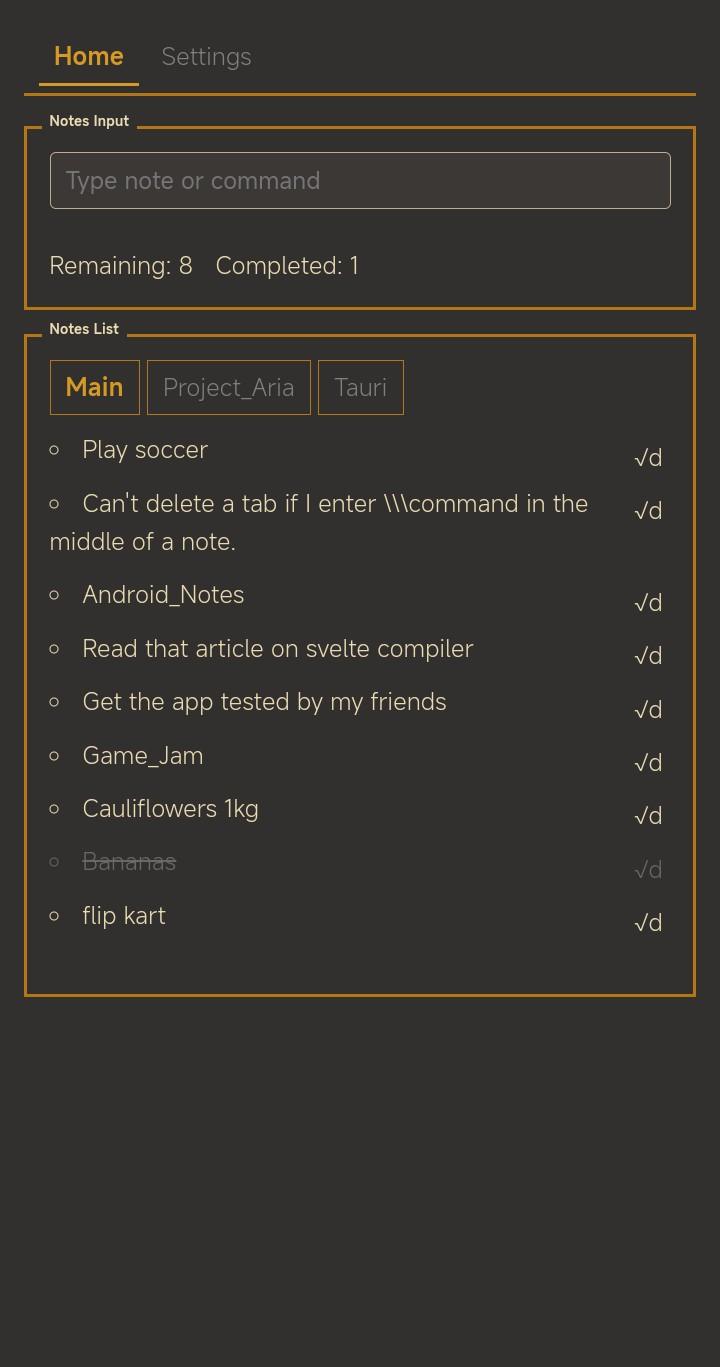
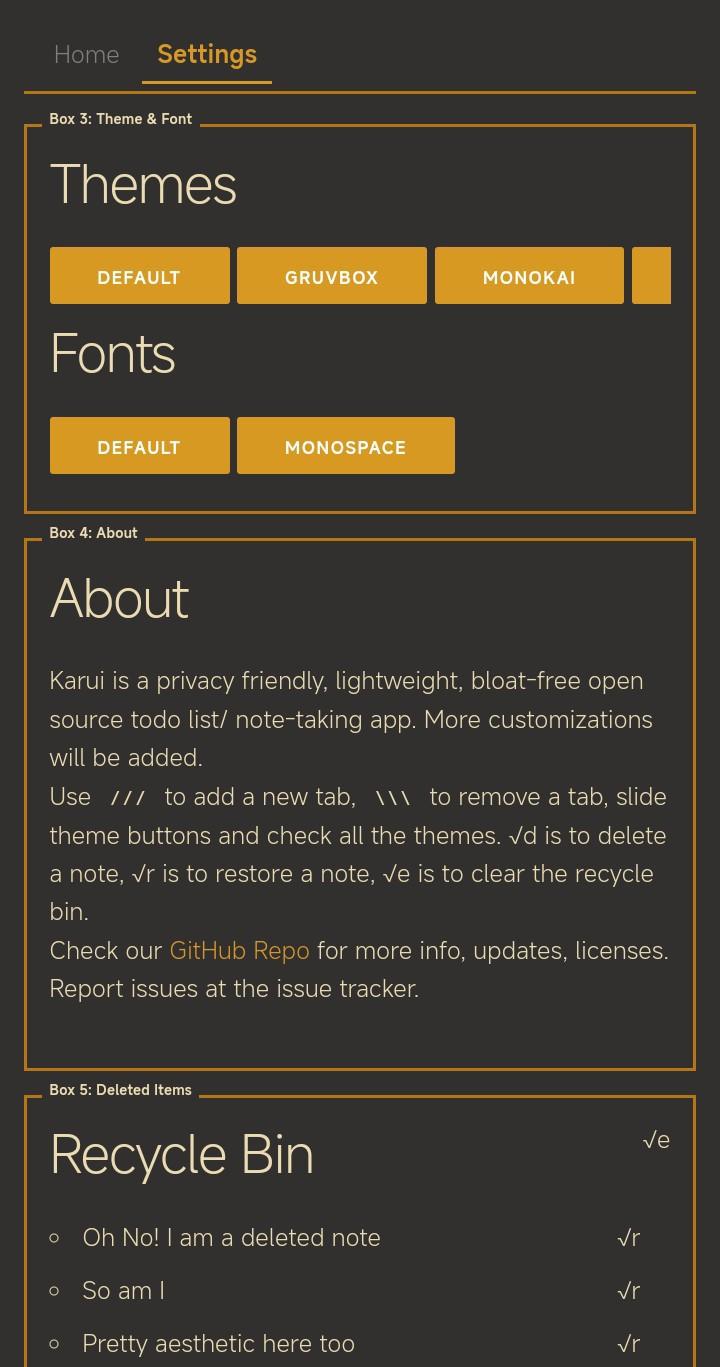
- Simple note taking and shopping list making with home screen widgets, status bar input, calendar, recurring reminders, offline sync, recycle bin, drag-and-drop sorting.
- To add a new note tab: use the `/TabName` format. Bringing some Linux Terminal vibes.
- Long-press any tab to rename, delete or add new tab (has a shadow that kinda brings back MS-DOS vibes).
- Support for custom fonts, so pick and select any .ttf files you like from your files system.
- Add a % symbol on any tabname and it automatically counts percentage of tasks completed.
- Optionally disable screenshots for privacy when screensharing or in general.
- Optional UI Sounds, celebration mode with confetti, button ripple effects.
- Easter egg games like Flappy Bird, Snake and Moon lander. Use the codes FLAPTHEBIRD, SLITHER, MOONMAN to test them out, share your highscores on our telegram, discord server and reddit, good place for more details on features or for casual notetaking discussions. Links in github readme. Github issues are the fastest way to reach out.
This app cannot connect to the internet, doesn't have internet permissions. Secure by design.
Inspired by the discord system-24 theme and the Windows Mobile design system with a mash up of retro terminalesque design inspired by Unix customizations found online.
Inspired by orgzly and colornote, it achieves sync and QR sharing of notes between devices when used alongside apps like syncthing and graphene camera (as Karui can now generate QR from notes), keeping the app itself lightweight and minimal.
## Typical uses and what makes it special
- Daily quick notetaking, making shopping lists, bucket lists, calendar event marking, reminders and recurring notes.
- Tasks list with percentage remaining metrics, notemenu shows word count, useful when you are writing prose.
- Taking notes from status bar or other app, taking design ideas when on youtube, instagram, snapchat, whatsapp, tiktok without the need to switch to a notes app (my mind races with ideas when watching youtube so I added this feature), helpful for saving trivial stuff you notice when reading some article or maybe for searching it later.
- Capture passing thoughts when on a jog.
- Journal events of your daily life on a separate tab or in the calendar, a daily log of activities.
- Playing quick mobile games (easter eggs).
- Use it like a password manager, save your passwords for quick access with copy paste at one place.
- Have a nice aesthetic UI to read your notes on your phone.
## Features
- Simple note taking and shopping list making with home screen widgets, status bar input, calendar, recurring reminders, offline sync, recycle bin, drag-and-drop sorting.
- To add a new note tab: use the `/TabName` format. Bringing some Linux Terminal vibes.
- Long-press any tab to rename, delete or add new tab (has a shadow that kinda brings back MS-DOS vibes).
- Support for custom fonts, so pick and select any .ttf files you like from your files system.
- Add a % symbol on any tabname and it automatically counts percentage of tasks completed.
- Optionally disable screenshots for privacy when screensharing or in general.
- Optional UI Sounds, celebration mode with confetti, button ripple effects.
- Easter egg games like Flappy Bird, Snake and Moon lander. Use the codes FLAPTHEBIRD, SLITHER, MOONMAN to test them out, share your highscores on our telegram, discord server and reddit, good place for more details on features or for casual notetaking discussions. Links in github readme. Github issues are the fastest way to reach out.