MassDroid
A native client and remote for the Music Assistant open-source music server.
Version: 2.42.0
Added: 25-10-2026
Updated: 11-11-2026
Added: 25-10-2026
Updated: 11-11-2026
MassDroid is a native Android client for Music Assistant (music-assistant.io), the open-source music server that unifies your streaming services, local files, and players into one library. It is a full remote control for your Music Assistant server and can also turn the phone itself into a synced speaker.
You need your own Music Assistant server to use this app.
The sign-in screen finds the Music Assistant servers on your network by itself, through mDNS. This search stays on your local network.
Features:
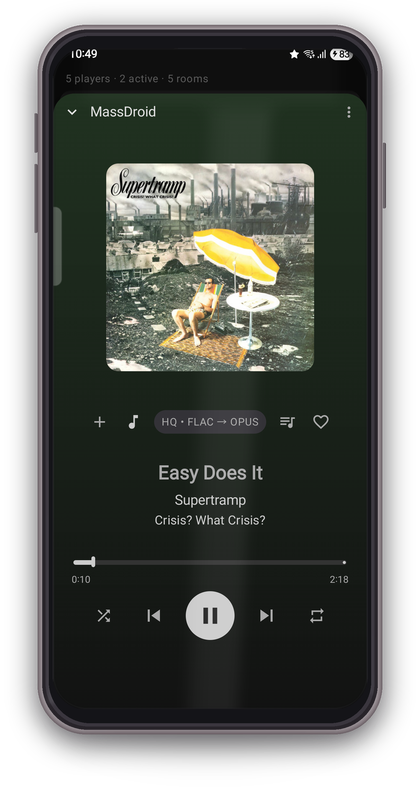
* Remote control any Music Assistant player: play/pause, next/previous, seek, volume, shuffle and repeat.
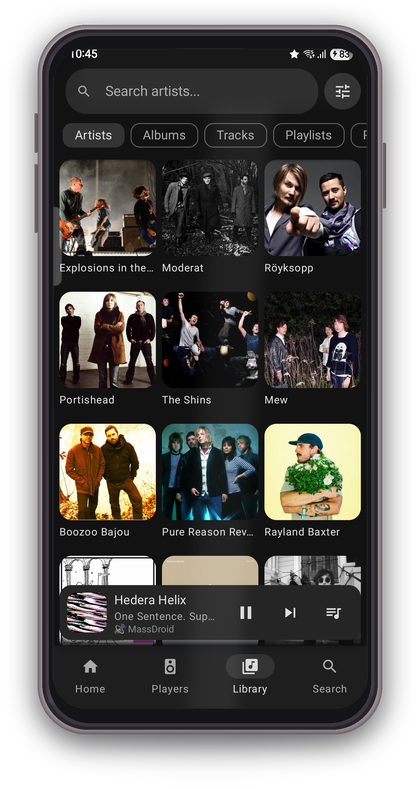
* Browse your whole library: artists, albums, tracks, playlists, radios, and per-provider browse trees.
* Queue management: view, reorder and edit the play queue, and transfer the queue between players.
* Phone as a speaker (Sendspin): stream synchronised audio to this phone and play it together with your other speakers, in time.
* Group playback: join the phone to a sync group and fine-tune per-speaker timing by ear.
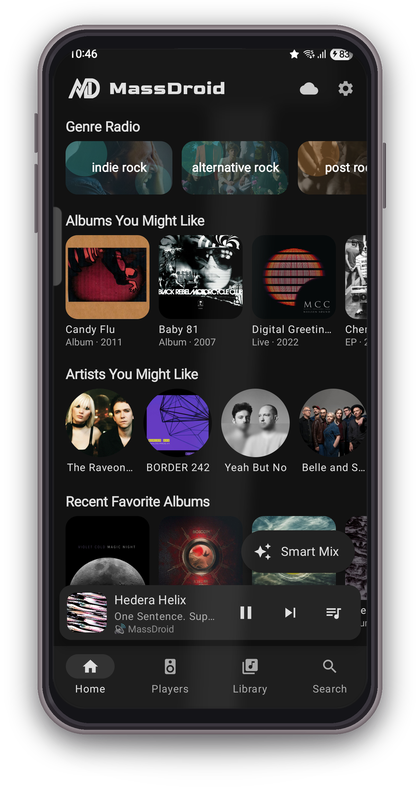
* Local recommendation engine: personalised Smart Mix and Genre Radio built from your own listening history, focused on music exploration and discovery.
* Search across all your connected music providers.
* Follow Me: room detection from Bluetooth fingerprints moves playback to the room you walk into.
* Audiobooks and podcasts with chapter-aware controls.
* Android Auto and Android TV support, and on Google Play an app for cars with Google built in (Android Automotive).
Genres come from your Music Assistant library and from MusicBrainz, with no account or API key to set up; the recommendation data stays on the device. Artist bios and the few words about the playing album come from Wikipedia when Music Assistant has none.
About permissions:
* Microphone is optional and used only by the sync measurements: the output calibration (the latency of this phone's speaker or Bluetooth device) and Auto Sync (it listens to each speaker in a group to line them up). The sound is analysed on the phone; nothing is stored or uploaded.
* Location is optional and used only by the "Follow Me" room-detection feature (Wi-Fi/Bluetooth fingerprint to detect which room you are in). It stays off unless you enable Follow Me.
* Physical activity is optional and used only by Follow Me, to look for the room only while you are moving. It stays off unless you enable Follow Me.
This app is an unofficial, third-party client and is not affiliated with the Music Assistant project.
You need your own Music Assistant server to use this app.
The sign-in screen finds the Music Assistant servers on your network by itself, through mDNS. This search stays on your local network.
Features:
* Remote control any Music Assistant player: play/pause, next/previous, seek, volume, shuffle and repeat.
* Browse your whole library: artists, albums, tracks, playlists, radios, and per-provider browse trees.
* Queue management: view, reorder and edit the play queue, and transfer the queue between players.
* Phone as a speaker (Sendspin): stream synchronised audio to this phone and play it together with your other speakers, in time.
* Group playback: join the phone to a sync group and fine-tune per-speaker timing by ear.
* Local recommendation engine: personalised Smart Mix and Genre Radio built from your own listening history, focused on music exploration and discovery.
* Search across all your connected music providers.
* Follow Me: room detection from Bluetooth fingerprints moves playback to the room you walk into.
* Audiobooks and podcasts with chapter-aware controls.
* Android Auto and Android TV support, and on Google Play an app for cars with Google built in (Android Automotive).
Genres come from your Music Assistant library and from MusicBrainz, with no account or API key to set up; the recommendation data stays on the device. Artist bios and the few words about the playing album come from Wikipedia when Music Assistant has none.
About permissions:
* Microphone is optional and used only by the sync measurements: the output calibration (the latency of this phone's speaker or Bluetooth device) and Auto Sync (it listens to each speaker in a group to line them up). The sound is analysed on the phone; nothing is stored or uploaded.
* Location is optional and used only by the "Follow Me" room-detection feature (Wi-Fi/Bluetooth fingerprint to detect which room you are in). It stays off unless you enable Follow Me.
* Physical activity is optional and used only by Follow Me, to look for the room only while you are moving. It stays off unless you enable Follow Me.
This app is an unofficial, third-party client and is not affiliated with the Music Assistant project.