MidnightBeam
Screen dimmer and warm filter for Android TV, with phone remote and schedule
Version: 1.7.3
Added: 31-10-2026
Updated: 31-10-2026
Added: 31-10-2026
Updated: 31-10-2026
Less blue light, more comfortable movie nights. MidnightBeam is a warm (red) filter and screen dimmer for Android TV boxes, projectors, TVs and phones.
It draws a click-through overlay above everything, video included. Filter strength, brightness and colour temperature change live, with no flash to full brightness. Made for the many LED projectors and TV boxes that cannot lower their own light.
On the TV
* a settings screen that needs only the D-pad and OK, with a clearly visible focus highlight
* a QR code to control it from a phone (the phone remote is on by default on TVs, on the local network only, protected by a pairing code; the TV announces itself there over mDNS so the phone app can find it)
* an "Android app" button with a QR code to download the app on a phone
* the schedule shown as a timeline at the bottom of the screen
On a phone or tablet
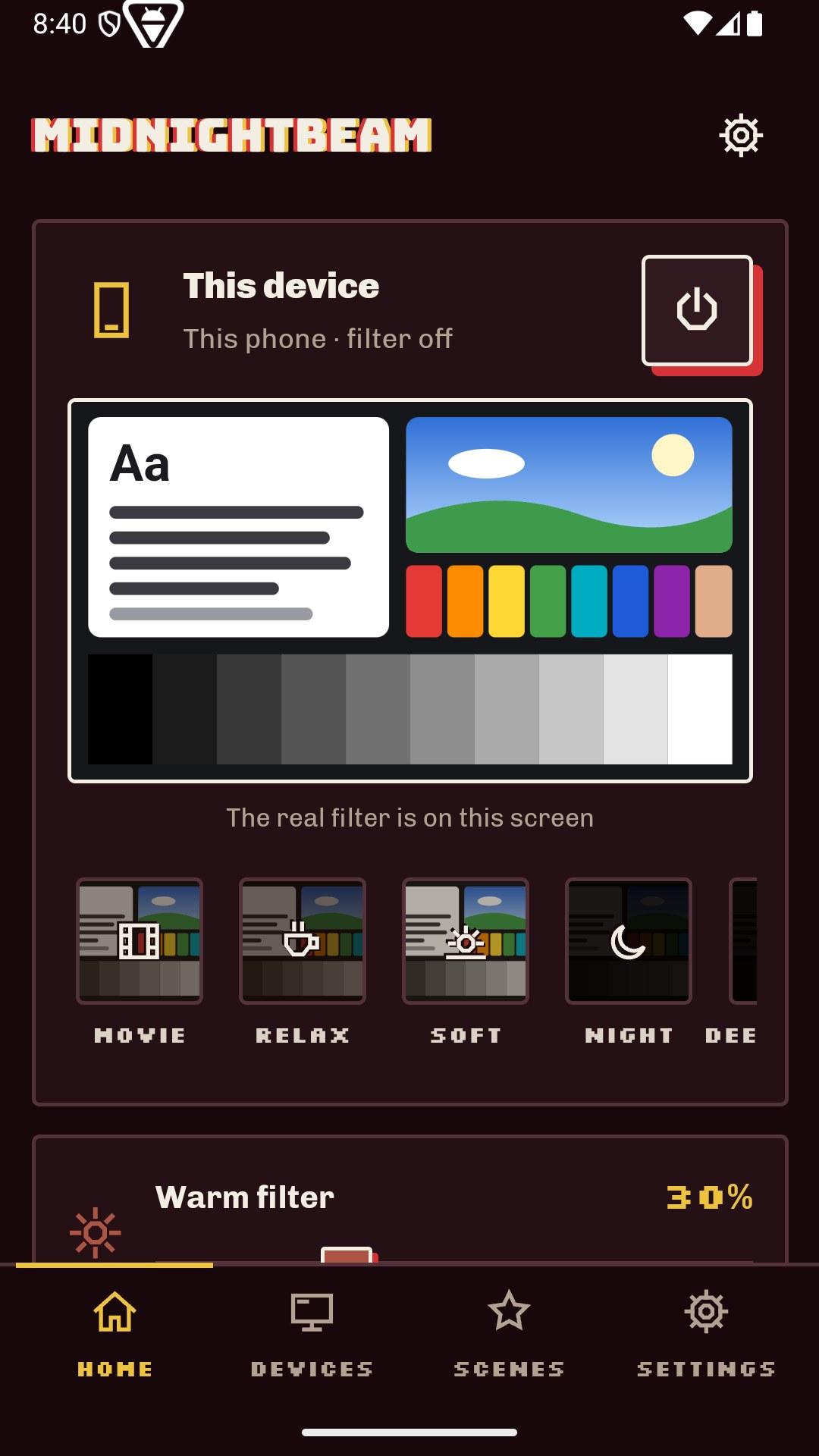
* use the filter on the phone itself, or control your TVs and projectors
* scenes (Movie, Relax, Night…) and your own, a power button and the state of every device
* add a TV by scanning its QR code or by hand (address and code); the device type is detected
* a guided setup for the permissions Android needs
* no app at all is needed for a quick try: the QR code opens the same controls in the phone browser
Audio (optional)
Volume, equalizer, presets, bass boost, surround and loudness of the device from the phone, with an on-screen display on the TV, on devices whose audio supports the standard Android effects.
Schedule
Daily or weekly time slots, dragged on a timeline, with gradual transitions between them; the TV applies them by itself, even with the phone off. A manual change lasts until the next slot.
Automation
* adb shell: am start-foreground-service -n dev.midnightbeam/.DimService --ei red 60 --ei bright 40 --ei temp 1100
* Home Assistant, through the Android Debug Bridge integration (example package and dashboard in the source repository)
* a small HTTP API on the local network
The last setting is restored early at boot. The service can only be controlled by the app itself and from adb shell, not by other apps.
Plain Java, about 420 KB (mostly artwork), no trackers, no ads, no data collected, no internet connections: the network is used only on your local network, for the phone remote (port 8765) and to reach the TVs you paired.
The optional accessibility service is used only to draw the dimming overlay above everything on Android 12+; it reads no content.
On a TV box without a touch screen, the overlay permission can be granted with adb shell appops set dev.midnightbeam SYSTEM_ALERT_WINDOW allow, or in Settings, Special app access, Display over other apps.
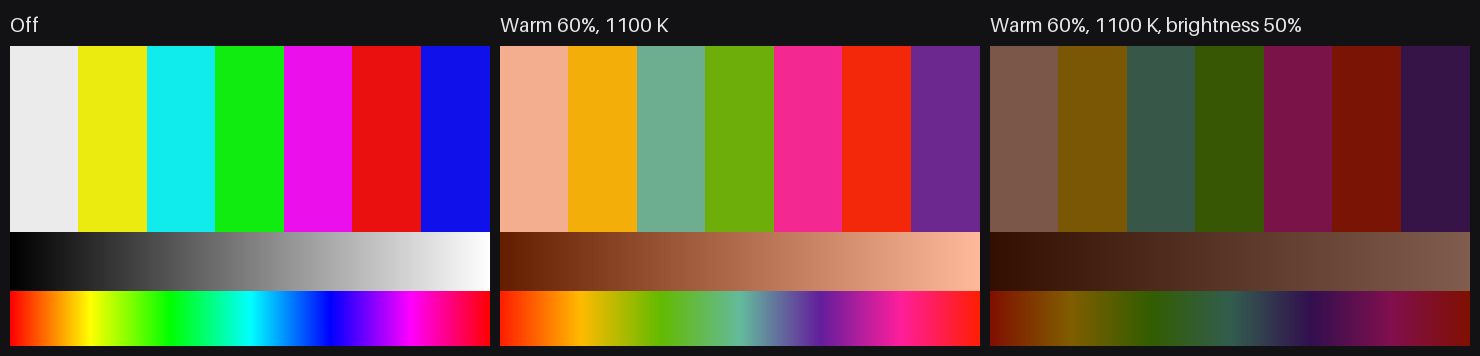
It draws a click-through overlay above everything, video included. Filter strength, brightness and colour temperature change live, with no flash to full brightness. Made for the many LED projectors and TV boxes that cannot lower their own light.
On the TV
* a settings screen that needs only the D-pad and OK, with a clearly visible focus highlight
* a QR code to control it from a phone (the phone remote is on by default on TVs, on the local network only, protected by a pairing code; the TV announces itself there over mDNS so the phone app can find it)
* an "Android app" button with a QR code to download the app on a phone
* the schedule shown as a timeline at the bottom of the screen
On a phone or tablet
* use the filter on the phone itself, or control your TVs and projectors
* scenes (Movie, Relax, Night…) and your own, a power button and the state of every device
* add a TV by scanning its QR code or by hand (address and code); the device type is detected
* a guided setup for the permissions Android needs
* no app at all is needed for a quick try: the QR code opens the same controls in the phone browser
Audio (optional)
Volume, equalizer, presets, bass boost, surround and loudness of the device from the phone, with an on-screen display on the TV, on devices whose audio supports the standard Android effects.
Schedule
Daily or weekly time slots, dragged on a timeline, with gradual transitions between them; the TV applies them by itself, even with the phone off. A manual change lasts until the next slot.
Automation
* adb shell: am start-foreground-service -n dev.midnightbeam/.DimService --ei red 60 --ei bright 40 --ei temp 1100
* Home Assistant, through the Android Debug Bridge integration (example package and dashboard in the source repository)
* a small HTTP API on the local network
The last setting is restored early at boot. The service can only be controlled by the app itself and from adb shell, not by other apps.
Plain Java, about 420 KB (mostly artwork), no trackers, no ads, no data collected, no internet connections: the network is used only on your local network, for the phone remote (port 8765) and to reach the TVs you paired.
The optional accessibility service is used only to draw the dimming overlay above everything on Android 12+; it reads no content.
On a TV box without a touch screen, the overlay permission can be granted with adb shell appops set dev.midnightbeam SYSTEM_ALERT_WINDOW allow, or in Settings, Special app access, Display over other apps.