MJ PDF
A simple PDF viewer
Version: 3.1.0
Added: 19-08-2026
Updated: 19-08-2026
Added: 19-08-2026
Updated: 19-08-2026
MJ PDF is a fast, simply, yet powerful and totally free PDF reader. It pairs a powerful reader with a full library manager, and it respects your privacy.
Library
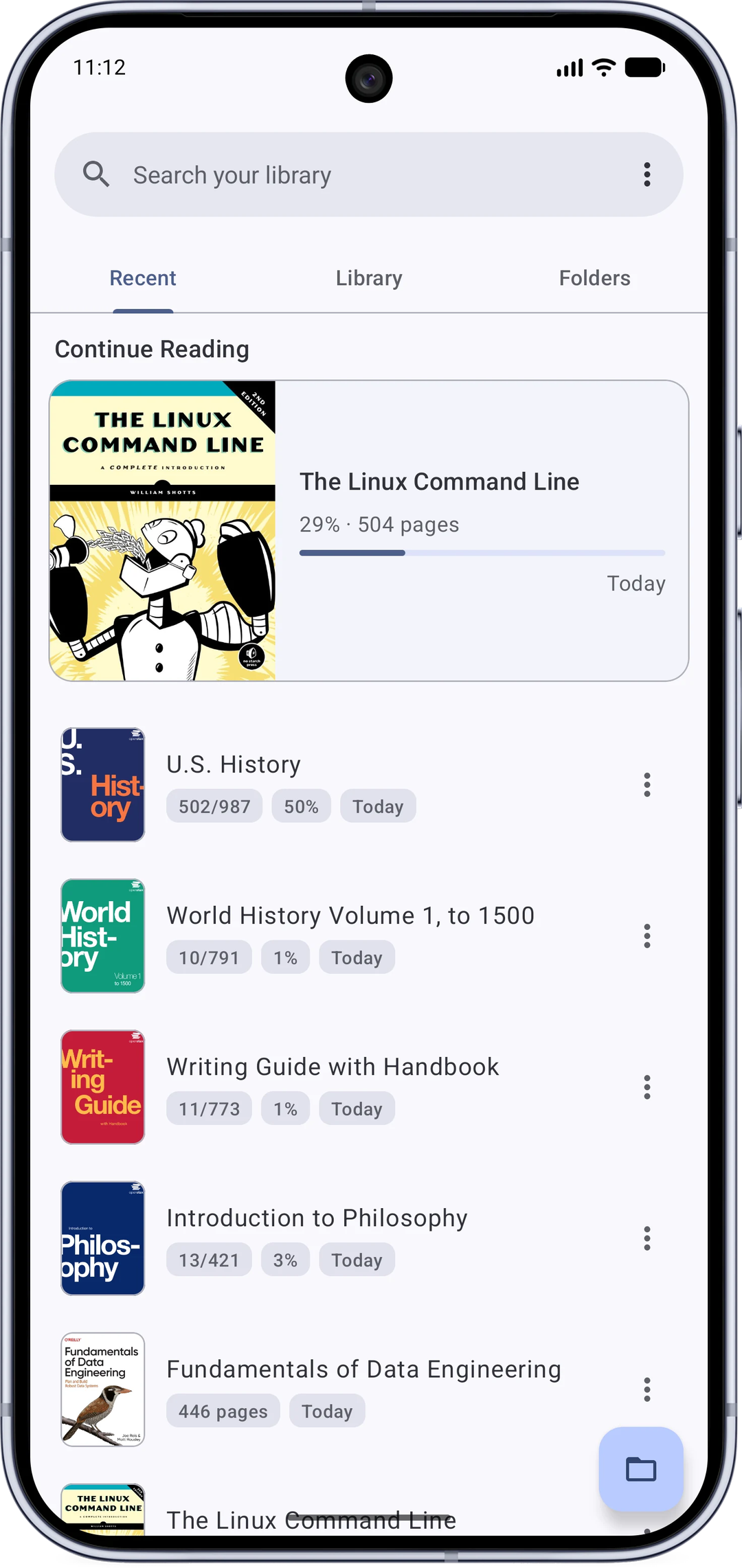
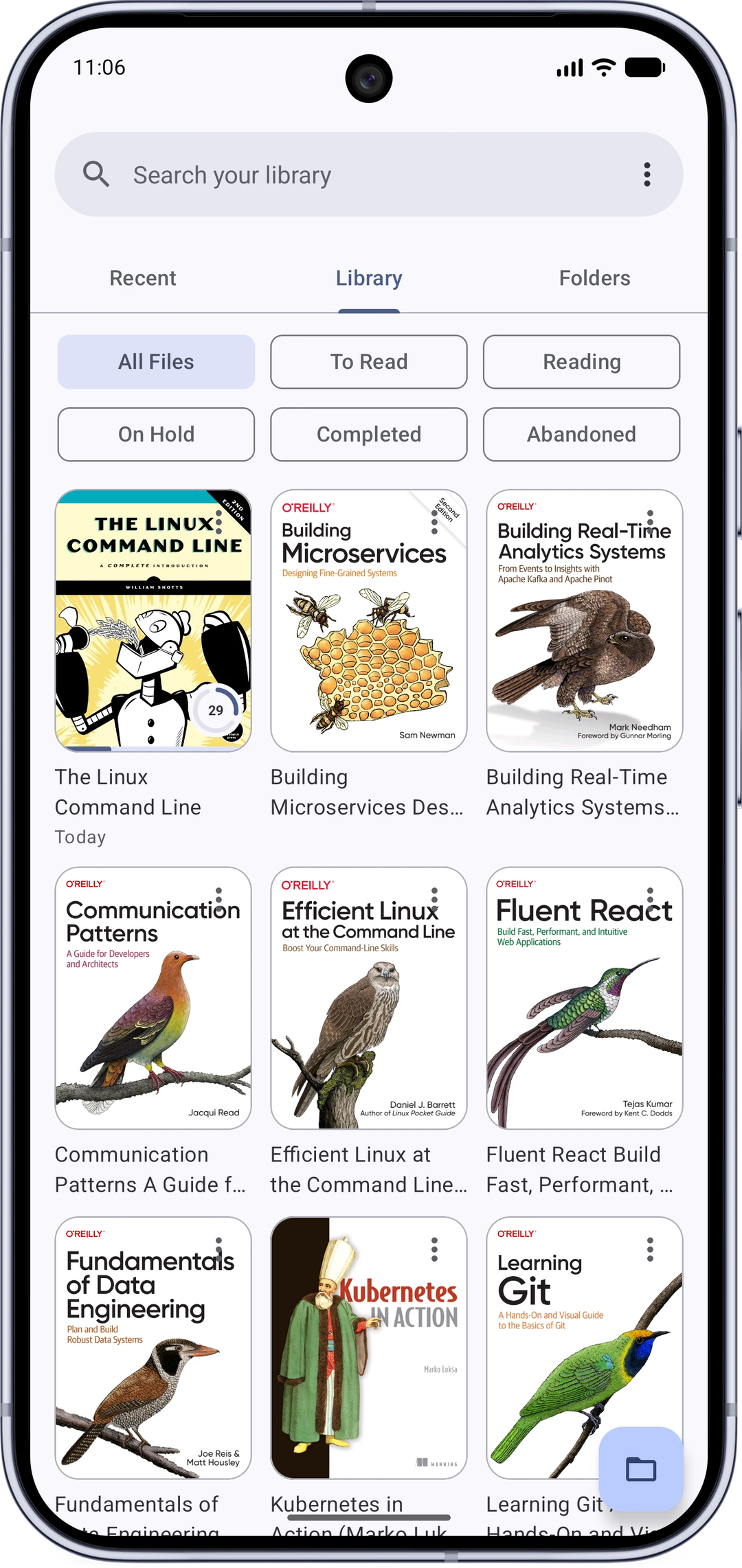
* Home screen with Recent, Library and Folders tabs.
* Continue reading right where you left off, with a detailed reading history.
* Organize with reading statuses (to-read, reading, completed and more).
* Browse your device like a file manager, including SD cards.
* Search every PDF on your device.
Reader
* Fast and smooth, with dark mode for the app and the PDF itself.
* True full screen with configurable shortcut buttons.
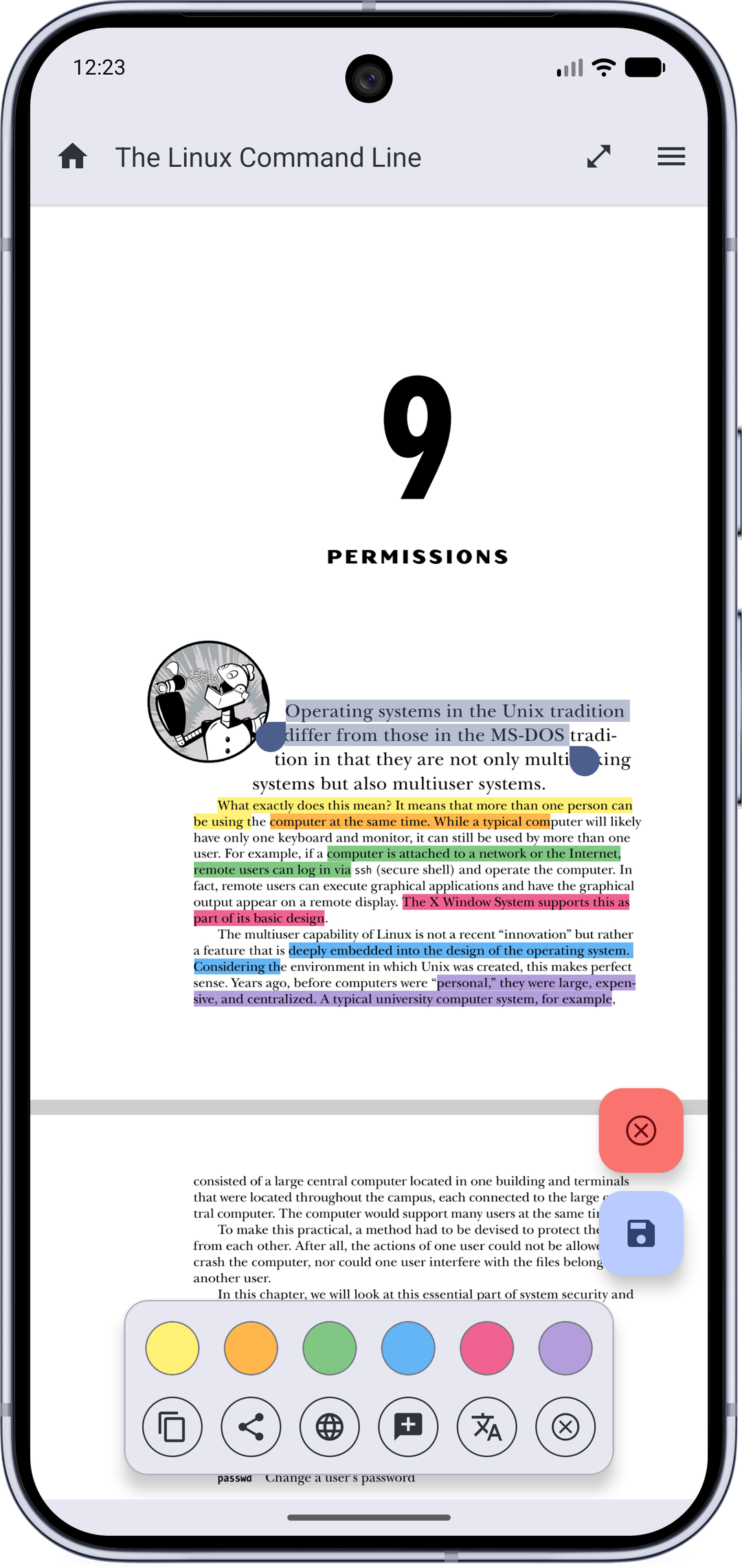
* Highlight text, add notes, and save them into the PDF.
* Draw handwritten signatures and save them into the PDF as sharp vector strokes.
* Fill PDF forms.
* Select text with copy, share, web search, translate, and dictionary actions.
* Share quotes as images, with the book's name and a choice of themes.
* Text Mode: read any PDF like an e-book, with reflow, fonts and themes.
* Dual page mode that pairs pages like an open book.
* Powerful search with live results and next/previous navigation inside the reader.
* Table of contents, user bookmarks, embedded links, and browser-like navigation history.
* Right-to-left reading, hide margins, auto-scroll, brightness control, zoom lock.
* Open password-protected and online PDFs, share and print.
* Incognito mode that saves nothing about what you read.
* Backup and restore your settings and reading progress.
Permissions and privacy
This app does not collect any data.
The following permissions are required to provide specific features in the app:
* Internet: for opening PDFs through links.
* Storage / all-files access: to scan, open and manage the PDFs on your device.
Links
* Official page: https://mudlej.com/projects/mj-pdf
* Source code: https://gitlab.com/mudlej_android/mj_pdf_reader
* Issues and requests: https://github.com/mudlej/mj_pdf/
Author
* MJ PDF is made by Mudlej (https://mudlej.com).
License
MJ PDF uses the GPLv3 license.
Library
* Home screen with Recent, Library and Folders tabs.
* Continue reading right where you left off, with a detailed reading history.
* Organize with reading statuses (to-read, reading, completed and more).
* Browse your device like a file manager, including SD cards.
* Search every PDF on your device.
Reader
* Fast and smooth, with dark mode for the app and the PDF itself.
* True full screen with configurable shortcut buttons.
* Highlight text, add notes, and save them into the PDF.
* Draw handwritten signatures and save them into the PDF as sharp vector strokes.
* Fill PDF forms.
* Select text with copy, share, web search, translate, and dictionary actions.
* Share quotes as images, with the book's name and a choice of themes.
* Text Mode: read any PDF like an e-book, with reflow, fonts and themes.
* Dual page mode that pairs pages like an open book.
* Powerful search with live results and next/previous navigation inside the reader.
* Table of contents, user bookmarks, embedded links, and browser-like navigation history.
* Right-to-left reading, hide margins, auto-scroll, brightness control, zoom lock.
* Open password-protected and online PDFs, share and print.
* Incognito mode that saves nothing about what you read.
* Backup and restore your settings and reading progress.
Permissions and privacy
This app does not collect any data.
The following permissions are required to provide specific features in the app:
* Internet: for opening PDFs through links.
* Storage / all-files access: to scan, open and manage the PDFs on your device.
Links
* Official page: https://mudlej.com/projects/mj-pdf
* Source code: https://gitlab.com/mudlej_android/mj_pdf_reader
* Issues and requests: https://github.com/mudlej/mj_pdf/
Author
* MJ PDF is made by Mudlej (https://mudlej.com).
License
MJ PDF uses the GPLv3 license.