oxproxion
Chat with OpenRouter, Ollama, LM Studio and llama.cpp AI models
Version: 2.2.12
Added: 25-08-2025
Updated: 15-10-2026
Added: 25-08-2025
Updated: 15-10-2026
Android chat application designed to interact with various Large Language Models (LLMs)
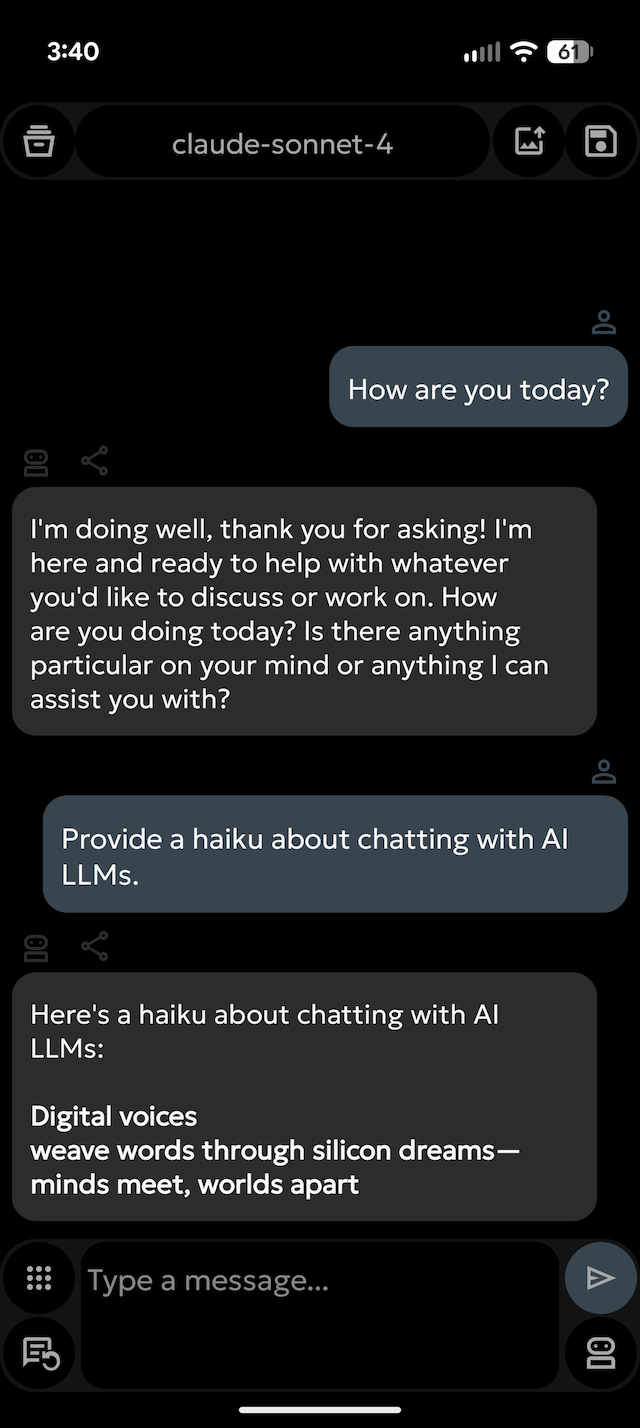
Multi-Model Support: Switch between different LLM bots and models.
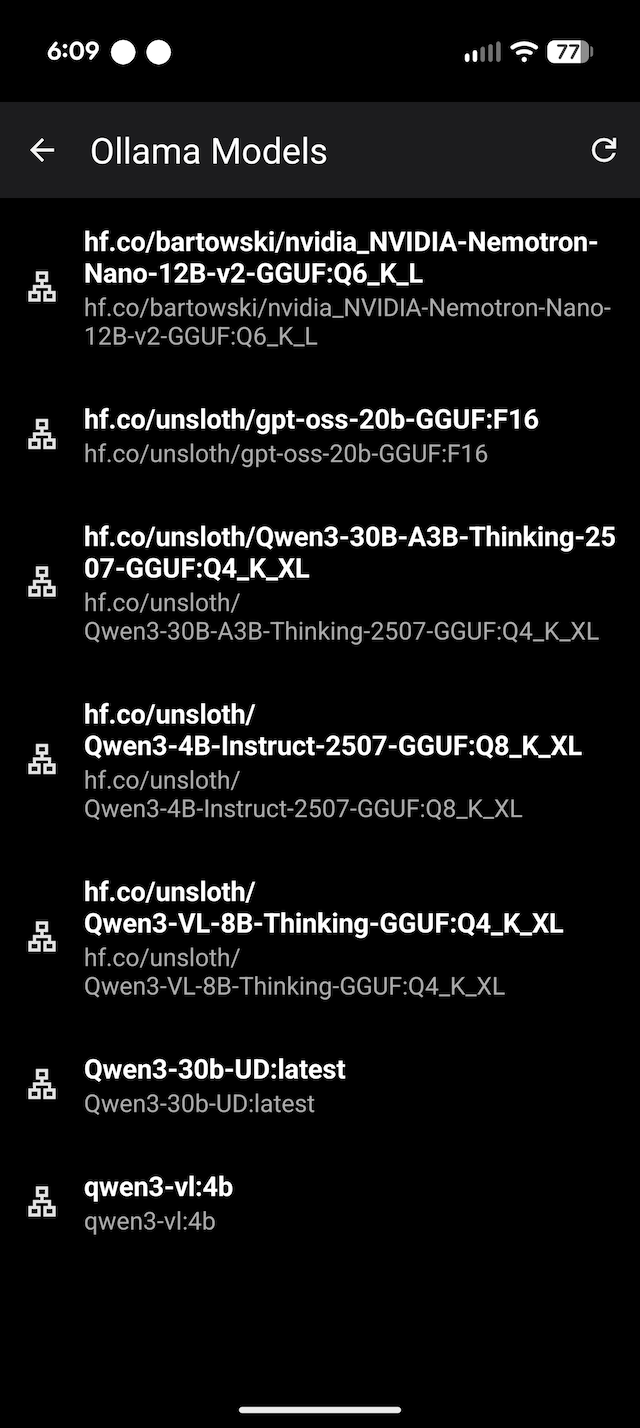
Chat with OpenRouter models or locally served models using Ollama, LM Studio, llama.cpp or MLX LM.
Chat Interface: A clean and intuitive interface for conversing with AI models.
Save & Load Chats: Save your chat sessions and load them later to continue the conversation.
Import & Export: Easily import and export your chat histories.
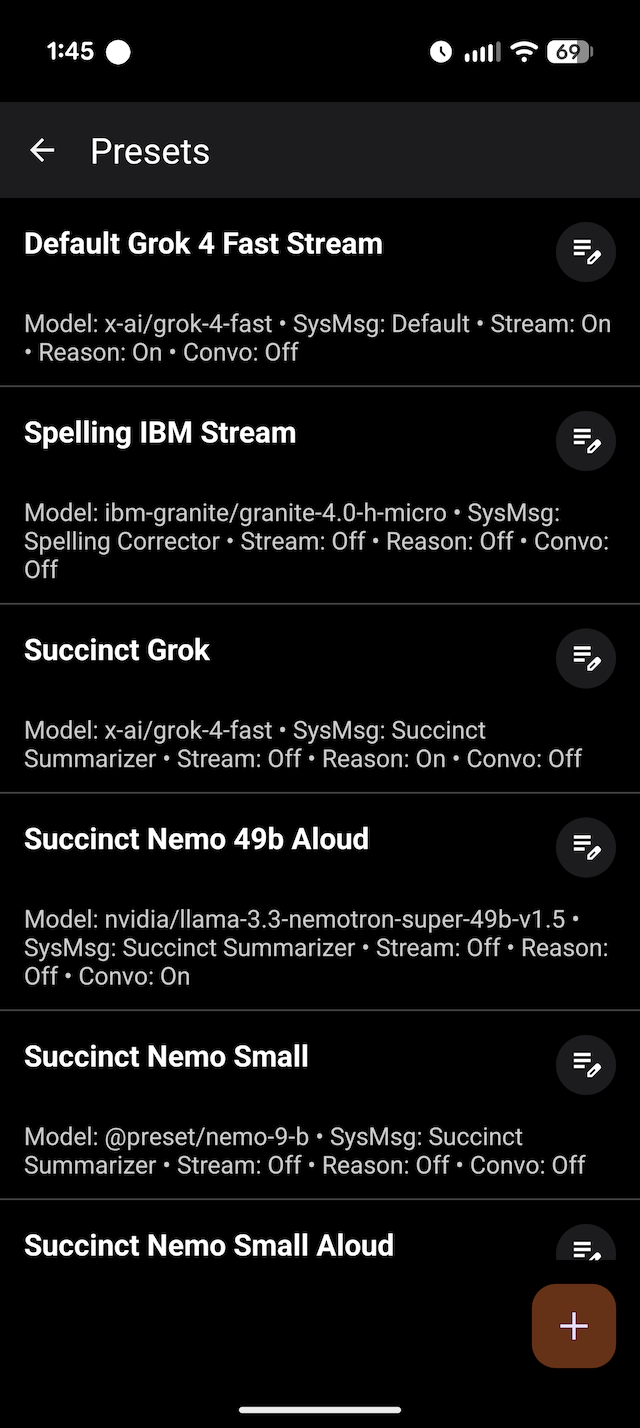
⚡ Streaming or Non-Streaming Responses: You choose!
️ Chat with Images: With models that support it!
️ Image Generation**: With models that support it!
✍️ System Message Customization: Create, edit, and manage a library of system messages to guide the AI's behavior and persona.
OpenRouter Integration:
Long-press the model name to open the OpenRouter models list in your browser.
Long-press the API key icon to view your remaining OpenRouter credits.
Effortless Copying: Press any avatar to copy the corresponding response to the clipboard.
oxproxion app does not have trackers, analytics, nor ads.
On-Device PDF Export: Generate a PDF of that specific response. Or use menu PDF button for full chat PDF. PDFs created locally using Android's native tools.
✨And Much More! Download and check it out. See Help section in the app for the complete guide.
️ Built with Modern Tech: 100 % Kotlin, leveraging Jetpack libraries, Coroutines for asynchronous tasks, and Ktor for networking.
If you find this app useful, please consider supporting its developer: [Buy Me a Coffee](https://www.buymeacoffee.com/oxproxion) ☕
Multi-Model Support: Switch between different LLM bots and models.
Chat with OpenRouter models or locally served models using Ollama, LM Studio, llama.cpp or MLX LM.
Chat Interface: A clean and intuitive interface for conversing with AI models.
Save & Load Chats: Save your chat sessions and load them later to continue the conversation.
Import & Export: Easily import and export your chat histories.
⚡ Streaming or Non-Streaming Responses: You choose!
️ Chat with Images: With models that support it!
️ Image Generation**: With models that support it!
✍️ System Message Customization: Create, edit, and manage a library of system messages to guide the AI's behavior and persona.
OpenRouter Integration:
Long-press the model name to open the OpenRouter models list in your browser.
Long-press the API key icon to view your remaining OpenRouter credits.
Effortless Copying: Press any avatar to copy the corresponding response to the clipboard.
oxproxion app does not have trackers, analytics, nor ads.
On-Device PDF Export: Generate a PDF of that specific response. Or use menu PDF button for full chat PDF. PDFs created locally using Android's native tools.
✨And Much More! Download and check it out. See Help section in the app for the complete guide.
️ Built with Modern Tech: 100 % Kotlin, leveraging Jetpack libraries, Coroutines for asynchronous tasks, and Ktor for networking.
If you find this app useful, please consider supporting its developer: [Buy Me a Coffee](https://www.buymeacoffee.com/oxproxion) ☕