PixelComfort
Turns Comfort View off in the camera and Photos, then restores it
Version: 1.6
Added: 31-10-2026
Updated: 31-10-2026
Added: 31-10-2026
Updated: 31-10-2026
The comfort filter on Google Pixel ("Comfort View", Settings → Display & touch → Comfort filters) gives the display a warmer, pastel look. That is easy on the eyes but bad for taking photos: the viewfinder and the Photos preview get a colour cast. Unlike Night Light, Google offers no schedule and no API for it.
PixelComfort turns Comfort View off as soon as you open the camera or Google Photos and restores exactly the previous state when you leave. If the filter was off before, it stays off. Other settings (dynamic, intensity) are never touched.
Features
Requirements
The location permission is only needed for "Private DNS by Wi‑Fi", because Android reveals the Wi‑Fi name only to apps with location access. No data leaves the device; the app has no internet permission.
Use at your own risk: the app changes system settings. Not an official Google product. "Pixel" is a trademark of Google LLC.
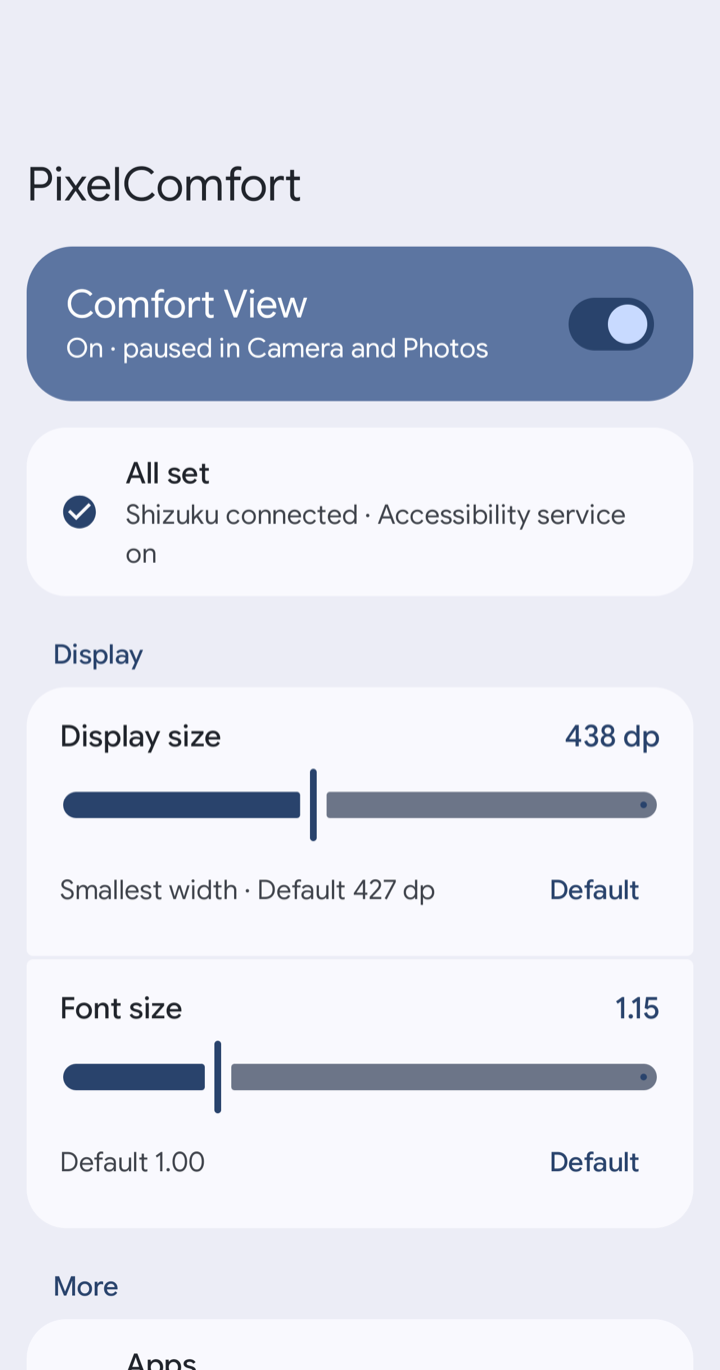
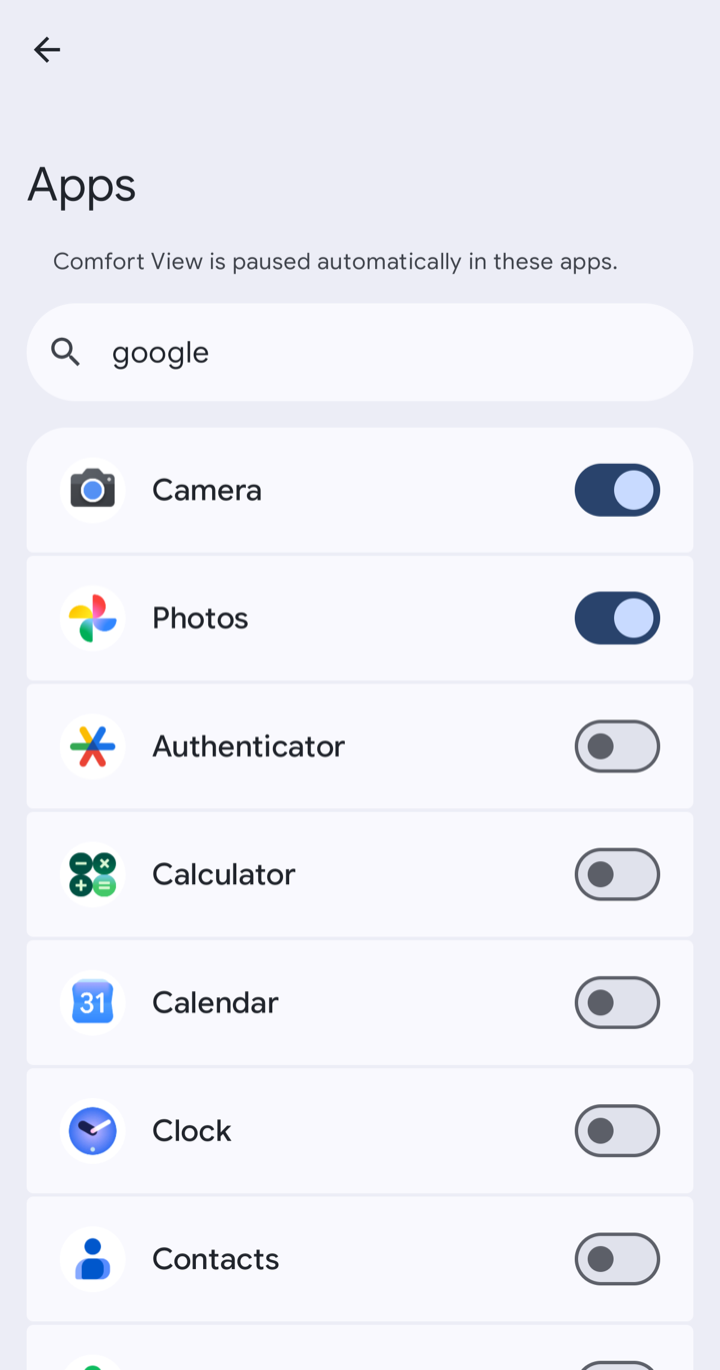
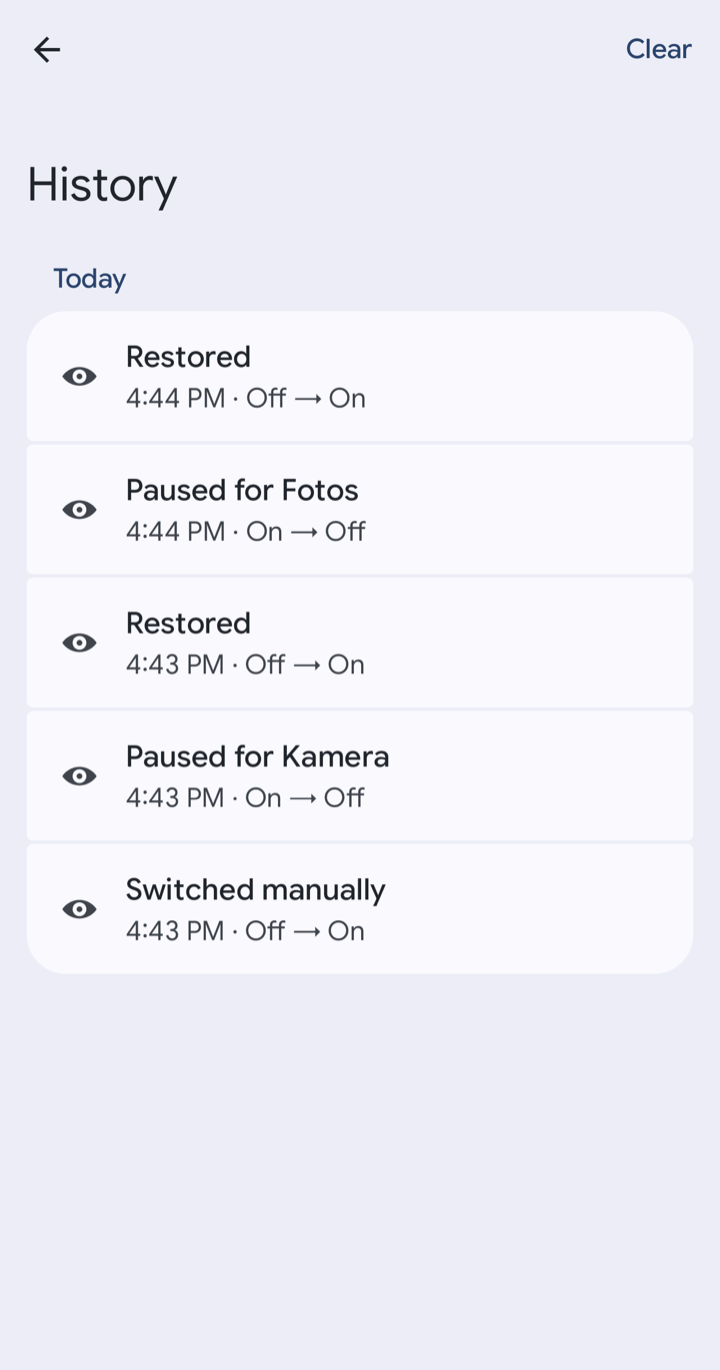
PixelComfort turns Comfort View off as soon as you open the camera or Google Photos and restores exactly the previous state when you leave. If the filter was off before, it stays off. Other settings (dynamic, intensity) are never touched.
Features
- Automation: pauses Comfort View in the apps you pick and restores it afterwards
- App picker with icons and search
- Main switch and Quick Settings tile to switch Comfort View by hand
- Sliders for display size and font size, each with a Default button
- Private DNS by Wi‑Fi: off on your home Wi‑Fi (so e.g. AdGuard Home filters), on everywhere else
- History of what was paused, restored or switched, and what went wrong
- Notification when Shizuku isn't running
- Material You, light and dark, English and German
Requirements
- A Google Pixel with the comfort filter (Android 17, Pixel Drop March 2026 or later)
- Shizuku installed and running – the Comfort View setting is locked for normal apps
- The app's accessibility service turned on. It only listens for which app is in the foreground and does not read screen content.
The location permission is only needed for "Private DNS by Wi‑Fi", because Android reveals the Wi‑Fi name only to apps with location access. No data leaves the device; the app has no internet permission.
Use at your own risk: the app changes system settings. Not an official Google product. "Pixel" is a trademark of Google LLC.