SharkDroid
Capture and analyze network packets with Wireshark tools on Android
Version: 1.1.1
Added: 16-10-2026
Updated: 16-10-2026
Added: 16-10-2026
Updated: 16-10-2026
SharkDroid brings Wireshark's dumpcap and tshark tools to Android with a Material 3 interface.
Features:
• Capture packets from Wi-Fi, cellular, VPN, loopback and other available network interfaces.
• Apply BPF capture filters and Wireshark display filters.
• Inspect packet lists, expandable protocol trees and hexadecimal packet bytes.
• Follow TCP/UDP streams and view protocol and conversation statistics.
• Open pcap/pcapng files, save captures, and export or share them.
• Keep captures running in the background with a foreground service.
• Use light or dark themes, dynamic colors, and English or Simplified Chinese.
• Stream captures to desktop Wireshark over an authorized USB adb connection.
Requirements:
Android 10 or later on an arm64-v8a device. Live packet capture requires root access. Opening existing capture files does not require root.
Privacy:
The app has no INTERNET permission, advertisements, analytics or telemetry. Captures stay in app-private storage until you export or share them. tshark uses numeric addresses without reverse DNS lookups.
Limitations:
Wi-Fi monitor mode is not supported. Encrypted TLS/QUIC application content cannot be read without the necessary keys. Some optional desktop Wireshark features are unavailable.
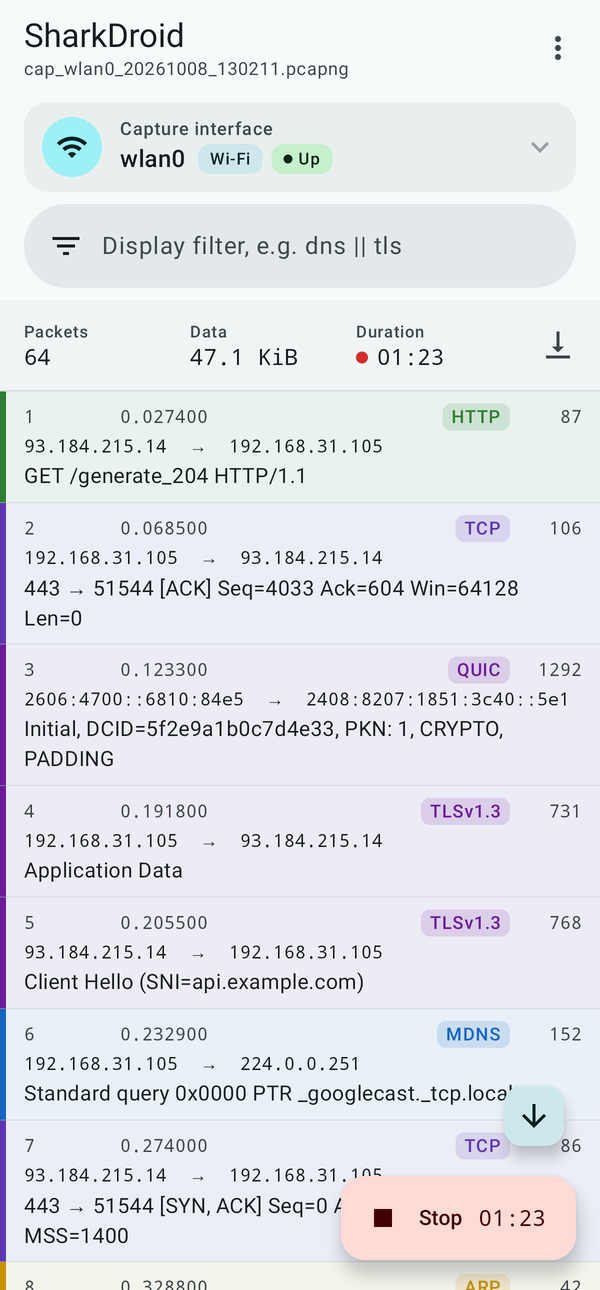
Screenshots show the app interface with demo packet data.
SharkDroid is an independent project, not affiliated with or endorsed by the Wireshark Foundation. Wireshark and the Wireshark fin logo are trademarks of the Wireshark Foundation.
Features:
• Capture packets from Wi-Fi, cellular, VPN, loopback and other available network interfaces.
• Apply BPF capture filters and Wireshark display filters.
• Inspect packet lists, expandable protocol trees and hexadecimal packet bytes.
• Follow TCP/UDP streams and view protocol and conversation statistics.
• Open pcap/pcapng files, save captures, and export or share them.
• Keep captures running in the background with a foreground service.
• Use light or dark themes, dynamic colors, and English or Simplified Chinese.
• Stream captures to desktop Wireshark over an authorized USB adb connection.
Requirements:
Android 10 or later on an arm64-v8a device. Live packet capture requires root access. Opening existing capture files does not require root.
Privacy:
The app has no INTERNET permission, advertisements, analytics or telemetry. Captures stay in app-private storage until you export or share them. tshark uses numeric addresses without reverse DNS lookups.
Limitations:
Wi-Fi monitor mode is not supported. Encrypted TLS/QUIC application content cannot be read without the necessary keys. Some optional desktop Wireshark features are unavailable.
Screenshots show the app interface with demo packet data.
SharkDroid is an independent project, not affiliated with or endorsed by the Wireshark Foundation. Wireshark and the Wireshark fin logo are trademarks of the Wireshark Foundation.