SnapFade
Screenshots go to the clipboard, not the gallery, and expire on a timer
Version: 0.4
Added: 25-10-2026
Updated: 25-10-2026
Added: 25-10-2026
Updated: 25-10-2026
Most screenshots are throwaway: a quick share, a reference, a one-time paste. SnapFade makes them temporary by default and permanent only when you choose.
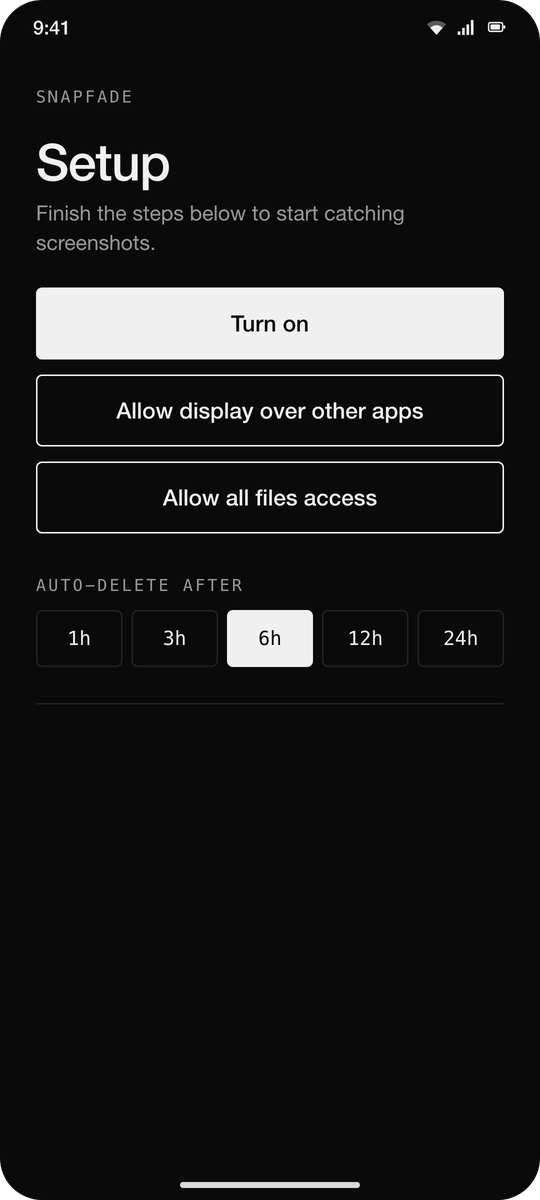
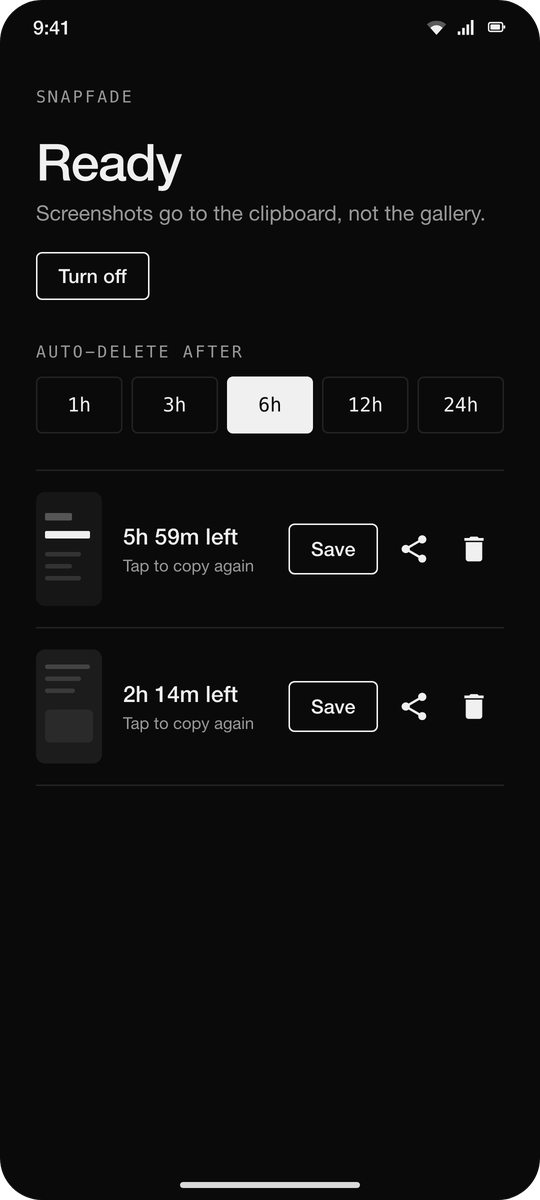
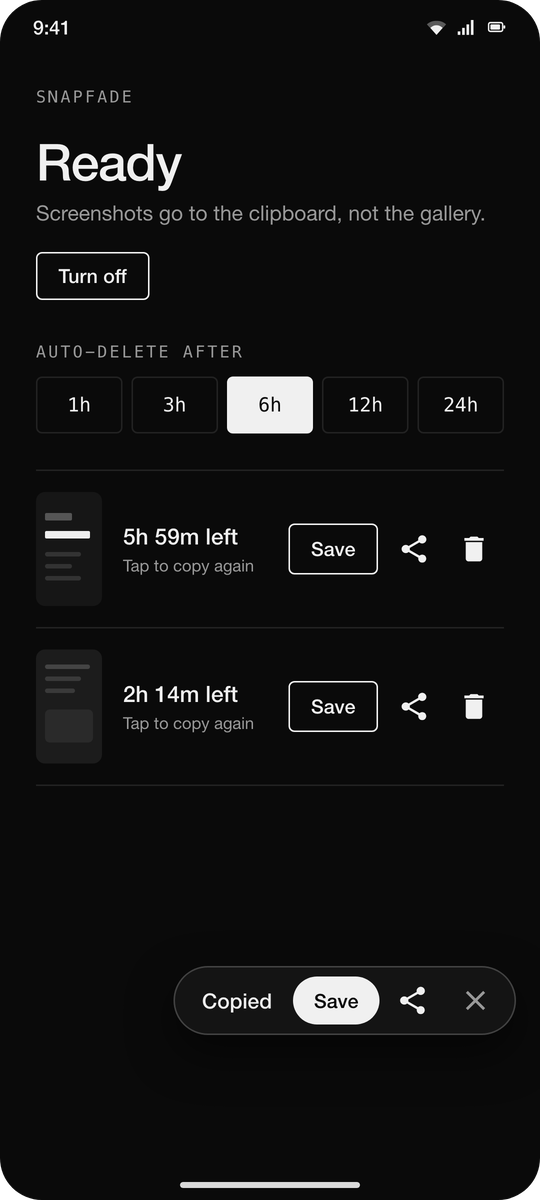
Take a screenshot the normal way. SnapFade moves it out of your gallery into its own private cache and puts it on the clipboard, so you can paste it straight into any app that accepts images. A small popup offers Save and Share. If you do nothing, the screenshot is deleted after the time you pick (1, 3, 6, 12 or 24 hours) and the clipboard entry goes dead with it.
How it works
Permissions
No ads, no analytics, no internet permission. Under 500 KB.
Take a screenshot the normal way. SnapFade moves it out of your gallery into its own private cache and puts it on the clipboard, so you can paste it straight into any app that accepts images. A small popup offers Save and Share. If you do nothing, the screenshot is deleted after the time you pick (1, 3, 6, 12 or 24 hours) and the clipboard entry goes dead with it.
How it works
- Uses the default screenshot shortcut. No new gesture to learn.
- Watches the media store for new screenshots and removes them from the gallery.
- The clipboard holds a content URI; the image lives in the app's private cache until it expires.
- Every pending screenshot is listed in the app with a countdown. Copy again, save, share or delete from there.
Permissions
- All files access: to delete the original from the gallery without a prompt each time.
- Display over other apps: for the Save / Share popup. Optional.
- A quiet foreground service keeps it running; its notification is silent and minimised.
No ads, no analytics, no internet permission. Under 500 KB.