SnowRaven
Birding tools and data explorer for your eBird and Macaulay Library exports
Version: 1.0.53
Added: 15-10-2026
Updated: 15-10-2026
Added: 15-10-2026
Updated: 15-10-2026
SnowRaven reads your eBird and Macaulay Library exports and gives you weather and tides for your checklists, your history with every species, life-list statistics, and an interactive map, on your own phone or tablet. It is free and open source, built by one birder for their own data, and it works alongside eBird and the Macaulay Library.
Weather
Paste a checklist ID and get a weather and tide summary ready to drop into the checklist comment, or look up the forecast for any place and time ahead. The Weather/tide Planner lays out the coming sunrises and sunsets, each with its tide and forecast weather.
Statistics
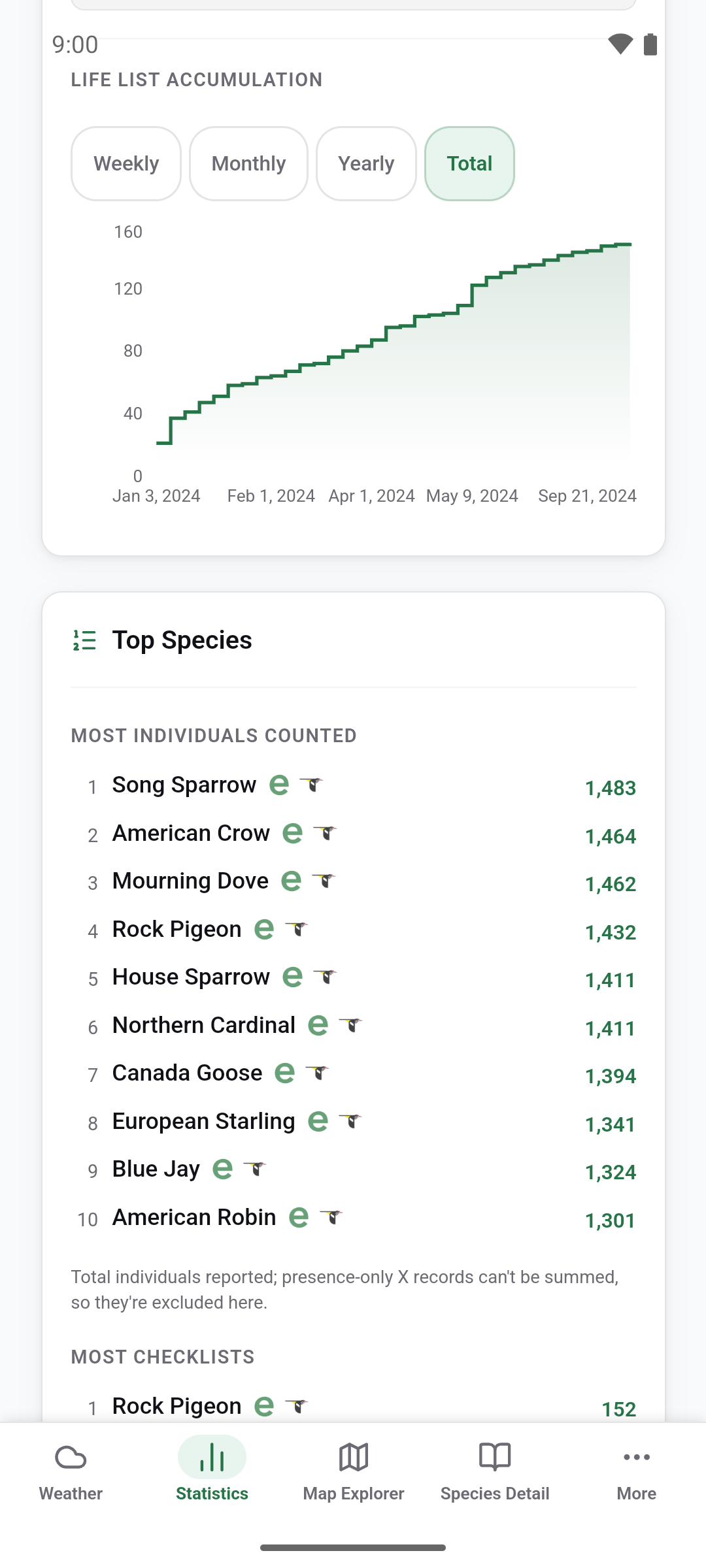
A dashboard built from your eBird backup: life-list totals and growth, milestones, and when and where you bird. A weather section reads back the weather blocks SnowRaven and RainCrow write into checklist comments: the conditions on the outings you wrote a block for.
Map Explorer
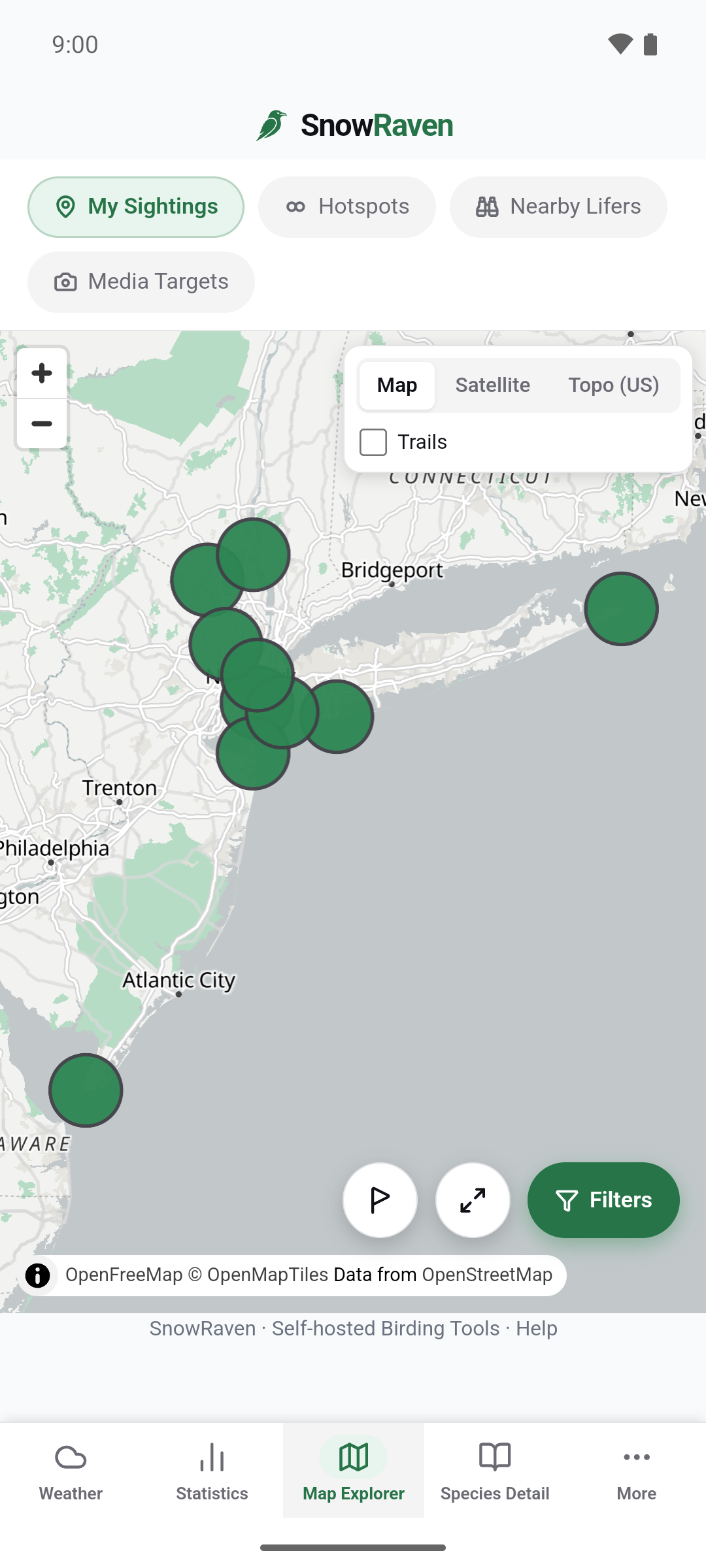
Your sightings on an interactive map, with nearby eBird hotspots and where species new to you were reported recently. Counties shade by your counts or by how complete your county list is, with a California Breeding Bird Atlas overlay.
Species Detail
Your whole history with one bird: sightings, field notes, breeding codes, a map of every observation, and any splits or lumps along the way. A weather card shows the skies and temperatures you found it in, from SnowRaven and RainCrow weather blocks.
Calendar
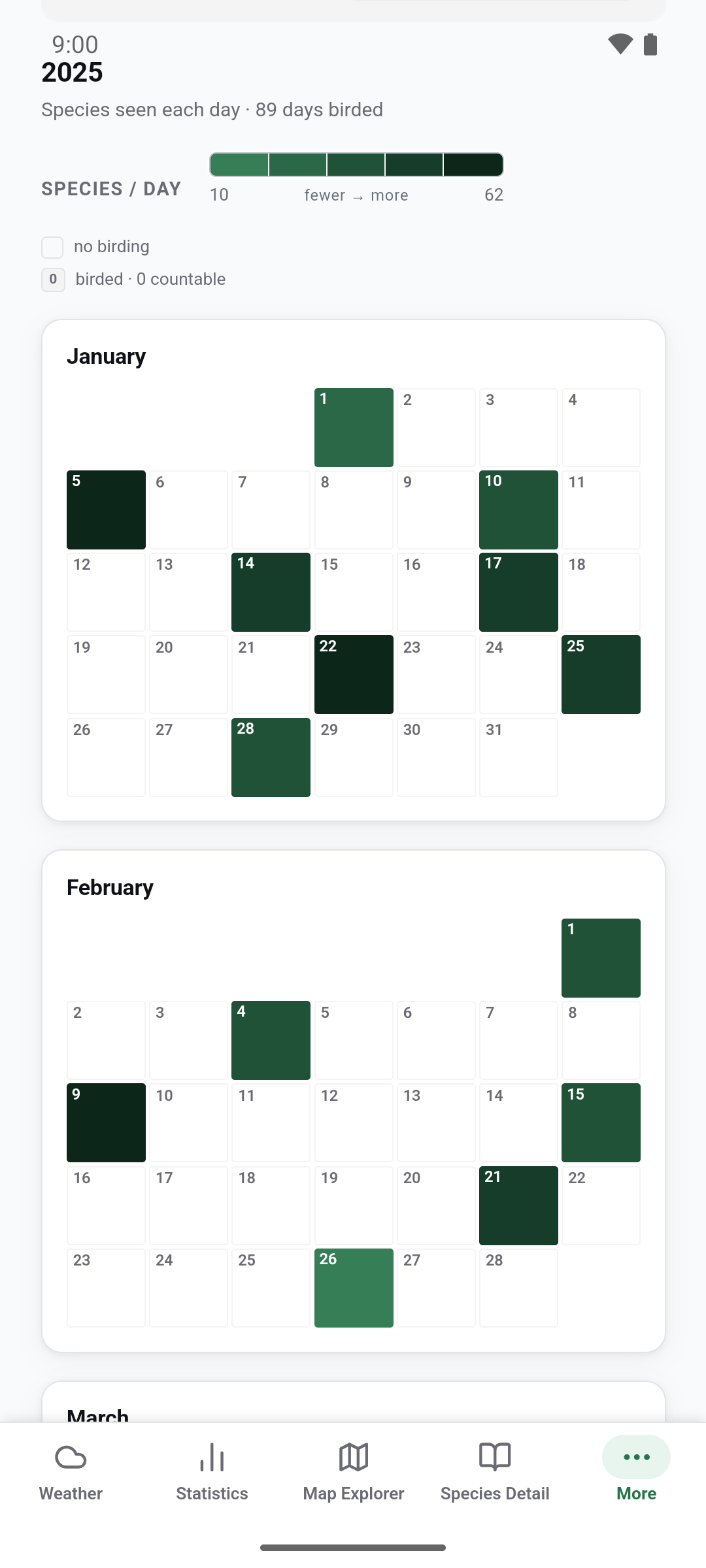
A year of your birding as twelve month grids, each day shaded by how many species you saw. Fold the years together, or narrow it to a single species.
Targets
A county's targets over your own record: the lifers there, the birds you have yet to photograph, record, or film, and the ones you have never given a breeding code. Rank them by eBird's frequencies or by what has been reported lately.
Multimedia
Your life list as a media checklist: which species you have photographed, recorded, and filmed, and which you still need. Narrow it by sex and age.
Breeding Codes
Every species you have recorded breeding evidence for, as a matrix against eBird's breeding codes, colored by evidence tier.
Checklists
Your checklists as whole outings: search every comment you have written, and filter by what an outing has.
List Comparer
Two life lists side by side, or any two public checklists: what they share and what only one has.
Named Birds
Tag an individual bird by name in a species comment and SnowRaven gathers everything you have on it: sightings, places, a timeline, its own media. With several named birds, one strip puts them all on a shared time axis.
Privacy
Private by default, and in your control: no account, no analytics, no telemetry, no server we run. Your eBird backup, Macaulay Library export, and API keys stay on your device, and in your phone's own backup if you use one. The Android app has no Google services, no Firebase, and no crash reporter. SnowRaven's own code makes no request to Google. Its screens are drawn by your phone's Android System WebView, a system component that may contact Google on its own; SnowRaven turns off the WebView's Safe Browsing and usage statistics, and has no setting for the rest. Privacy policy: https://snowraven.dtgibson.com/privacy.html
What you'll need
A free eBird API key and a free OpenWeather API key subscribed to its One Call by Call plan (activating it needs a payment card on file; set a usage cap to avoid charges), entered once in Settings. Most tabs also read your eBird backup and, for the media features, an optional Macaulay Library export.
Network services
SnowRaven relies on network services that are not free software, chiefly eBird for checklist details, hotspots, and recent sightings, and OpenWeather for weather, each used with your own API key.
Weather by OpenWeather. Checklist and media data from eBird and the Macaulay Library. Tides from NOAA Tides & Currents.
Weather
Paste a checklist ID and get a weather and tide summary ready to drop into the checklist comment, or look up the forecast for any place and time ahead. The Weather/tide Planner lays out the coming sunrises and sunsets, each with its tide and forecast weather.
Statistics
A dashboard built from your eBird backup: life-list totals and growth, milestones, and when and where you bird. A weather section reads back the weather blocks SnowRaven and RainCrow write into checklist comments: the conditions on the outings you wrote a block for.
Map Explorer
Your sightings on an interactive map, with nearby eBird hotspots and where species new to you were reported recently. Counties shade by your counts or by how complete your county list is, with a California Breeding Bird Atlas overlay.
Species Detail
Your whole history with one bird: sightings, field notes, breeding codes, a map of every observation, and any splits or lumps along the way. A weather card shows the skies and temperatures you found it in, from SnowRaven and RainCrow weather blocks.
Calendar
A year of your birding as twelve month grids, each day shaded by how many species you saw. Fold the years together, or narrow it to a single species.
Targets
A county's targets over your own record: the lifers there, the birds you have yet to photograph, record, or film, and the ones you have never given a breeding code. Rank them by eBird's frequencies or by what has been reported lately.
Multimedia
Your life list as a media checklist: which species you have photographed, recorded, and filmed, and which you still need. Narrow it by sex and age.
Breeding Codes
Every species you have recorded breeding evidence for, as a matrix against eBird's breeding codes, colored by evidence tier.
Checklists
Your checklists as whole outings: search every comment you have written, and filter by what an outing has.
List Comparer
Two life lists side by side, or any two public checklists: what they share and what only one has.
Named Birds
Tag an individual bird by name in a species comment and SnowRaven gathers everything you have on it: sightings, places, a timeline, its own media. With several named birds, one strip puts them all on a shared time axis.
Privacy
Private by default, and in your control: no account, no analytics, no telemetry, no server we run. Your eBird backup, Macaulay Library export, and API keys stay on your device, and in your phone's own backup if you use one. The Android app has no Google services, no Firebase, and no crash reporter. SnowRaven's own code makes no request to Google. Its screens are drawn by your phone's Android System WebView, a system component that may contact Google on its own; SnowRaven turns off the WebView's Safe Browsing and usage statistics, and has no setting for the rest. Privacy policy: https://snowraven.dtgibson.com/privacy.html
What you'll need
A free eBird API key and a free OpenWeather API key subscribed to its One Call by Call plan (activating it needs a payment card on file; set a usage cap to avoid charges), entered once in Settings. Most tabs also read your eBird backup and, for the media features, an optional Macaulay Library export.
Network services
SnowRaven relies on network services that are not free software, chiefly eBird for checklist details, hotspots, and recent sightings, and OpenWeather for weather, each used with your own API key.
Weather by OpenWeather. Checklist and media data from eBird and the Macaulay Library. Tides from NOAA Tides & Currents.