SubRead Dictionary
Pop-up dictionary for Yomitan dictionaries, from the text menu of any app
Version: 0.2.0
Added: 22-10-2026
Updated: 22-10-2026
Added: 22-10-2026
Updated: 22-10-2026
SubRead Dictionary is a pop-up dictionary for Yomitan dictionaries.
How to look up a word
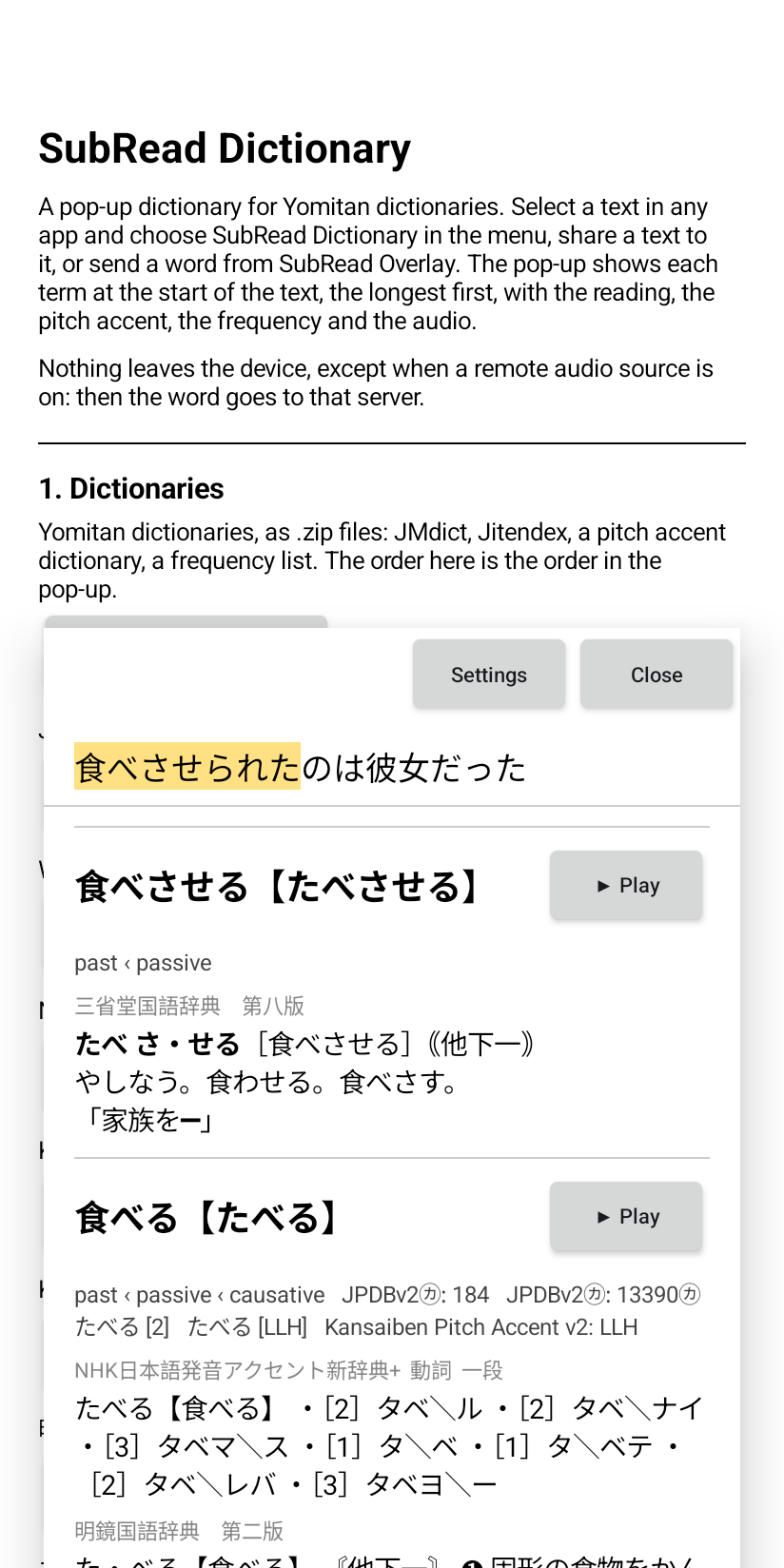
The pop-up opens over the app. It shows each term at the start of the text, the longest term first, with the reading, the pitch accent, the frequency and a button for the audio. A tap on a character of the text looks up the text from that character.
Dictionaries
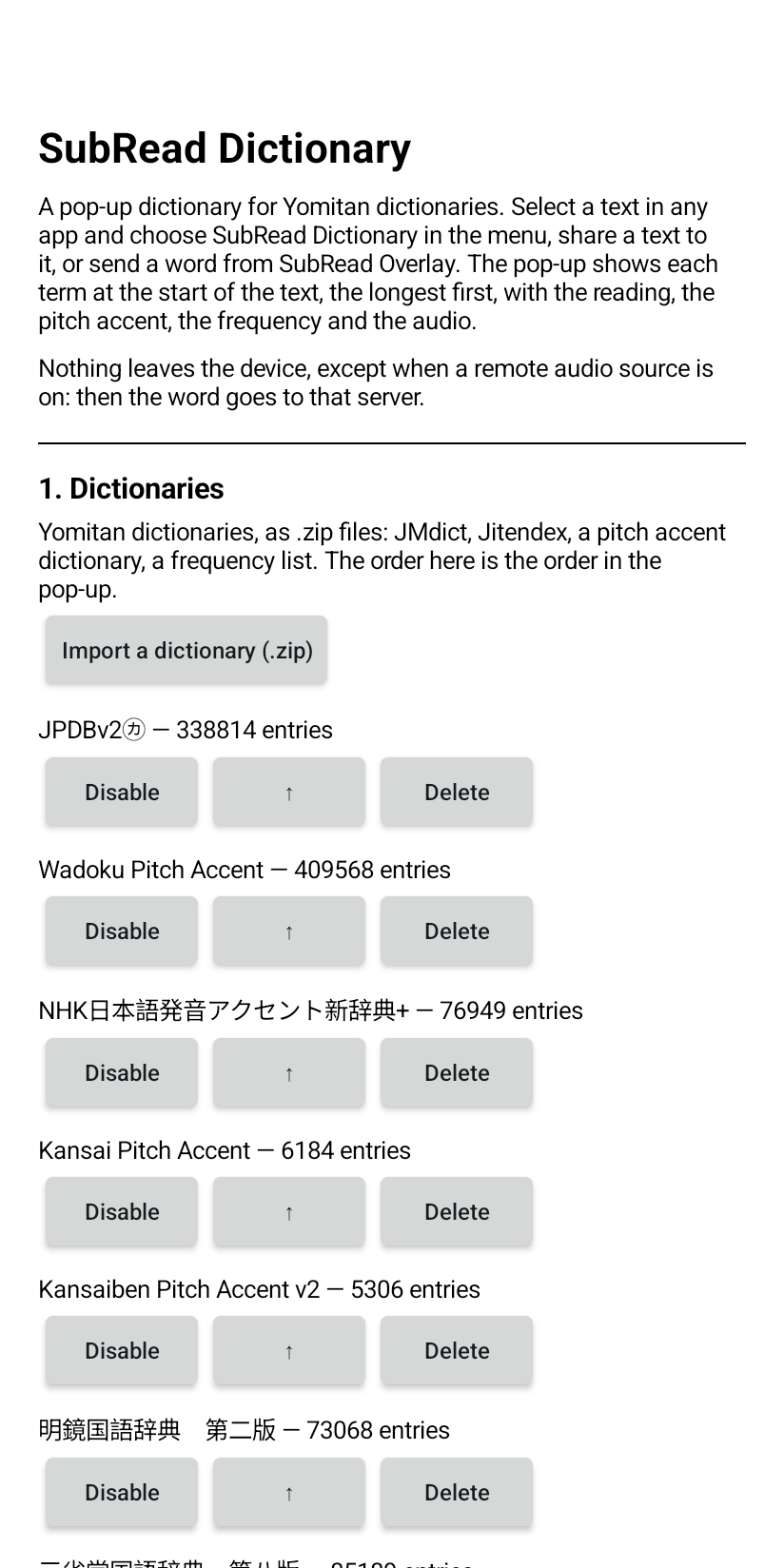
Import a Yomitan .zip file (format 3), for example JMdict, Jitendex, a pitch accent dictionary or a frequency list. The order of the dictionaries in the settings is their order in the pop-up.
Audio
Anki
The "Anki" button of a term sends the term to SubRead Anki, which makes the card.
Other apps
Other apps can read the terms of a text through a content provider.
Privacy
Nothing leaves the device, except when a remote audio source is on. Then the word goes to that server.
How to look up a word
- Select a text in any app and choose "SubRead Dictionary" in the text selection menu.
- Share a text to the app.
- Send a word from SubRead Overlay.
The pop-up opens over the app. It shows each term at the start of the text, the longest term first, with the reading, the pitch accent, the frequency and a button for the audio. A tap on a character of the text looks up the text from that character.
Dictionaries
Import a Yomitan .zip file (format 3), for example JMdict, Jitendex, a pitch accent dictionary or a frequency list. The order of the dictionaries in the settings is their order in the pop-up.
Audio
- Local audio: choose the android.db file of the Local Audio Server for Yomitan. The app copies it into its folder.
- Remote audio: optional and off by default. Give one URL per line, with {term} and {reading}. The default line is JapanesePod101. A Local Audio Server on your network also works.
Anki
The "Anki" button of a term sends the term to SubRead Anki, which makes the card.
Other apps
Other apps can read the terms of a text through a content provider.
Privacy
Nothing leaves the device, except when a remote audio source is on. Then the word goes to that server.