Termux Vault: Secure Command Launcher
Keep sensitive Termux commands encrypted and run them with one tap after unlock.
Version: 1.0.0
Added: 25-11-2026
Updated: 25-11-2026
Added: 25-11-2026
Updated: 25-11-2026
Some shell commands carry secrets: a token in a curl header, a VPN password, an rsync line that points at your server. Shell history, notes apps and home-screen shortcuts all leave those in clear text.
Termux Vault keeps each command encrypted with AES-256-GCM. To run, edit or delete one, you unlock your vault with your passphrase, or with an optional strong (Class 3) biometric. Termux Vault then hands the decrypted command straight to Termux and wipes its own copy from memory.
What you can do
• Run a command on demand: tap it, unlock, and it runs in Termux.
• See the result: every run ends with one clear line, all commands succeeded or at least one failed.
• Choose per command: keep a successful session open, get a notification when it finishes, or hide the output.
• Reorder your commands by dragging.
• Add a home-screen widget, or let Tasker ask for a run. Both only ever show an authentication prompt; nothing runs unattended.
• Back up and restore your whole vault as one line of encrypted text.
How it protects you
• Per-command AES-256-GCM keys, wrapped by a vault key, which is wrapped by your passphrase through Argon2id.
• The command never travels in an Intent, a process argument, a file, the clipboard or a log. Termux Vault starts Termux with one-time tokens only, both sides prove they hold them, and only then the command is sent through an anonymous pipe.
• The Termux signing certificate is checked before every run.
• Screenshots and overlays are blocked on sensitive screens.
Please note
• You need Termux installed in the same Android profile, with allow-external-apps=true in ~/.termux/termux.properties. The app's first-run guide walks you through it.
• Termux Vault asks for the "Run commands in Termux environment" permission and for notifications.
• The INTERNET permission is used only for a one-time listener bound to 127.0.0.1 on your own device. Termux Vault sends nothing over the network.
• A forgotten passphrase cannot be recovered.
• It does not protect against a compromised phone, root access or a Termux build you chose to trust.
Termux Vault is free software (GPL-3.0-only). It is an independent project and is not affiliated with or endorsed by the Termux project.
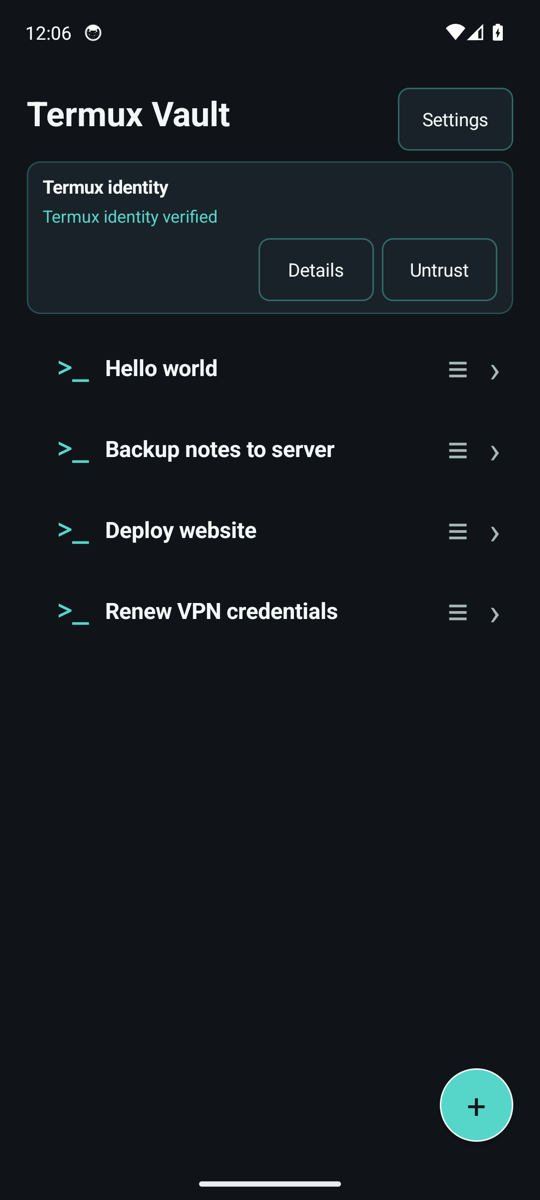
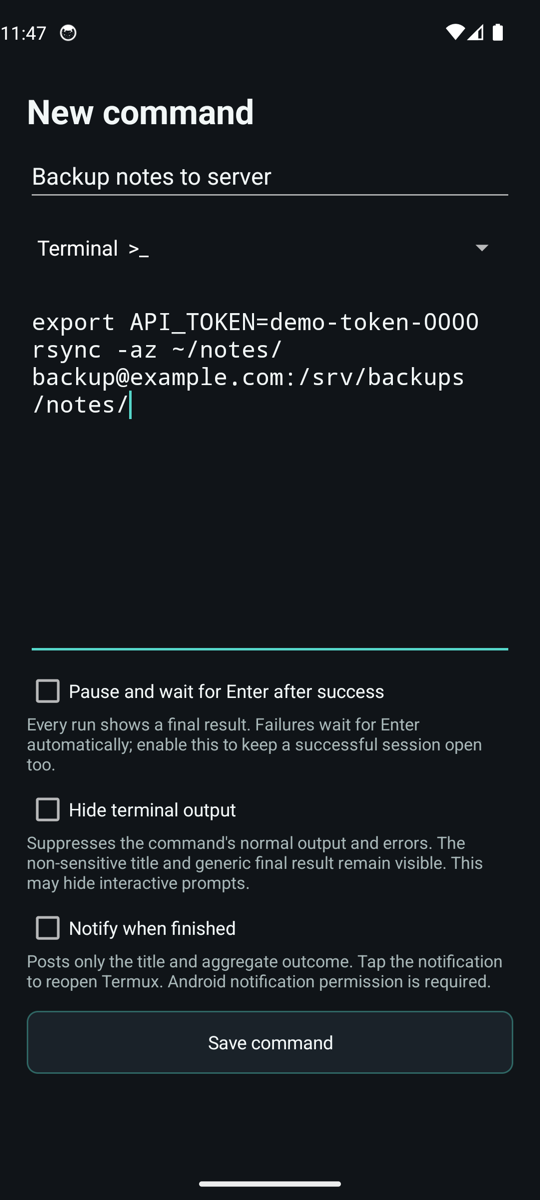
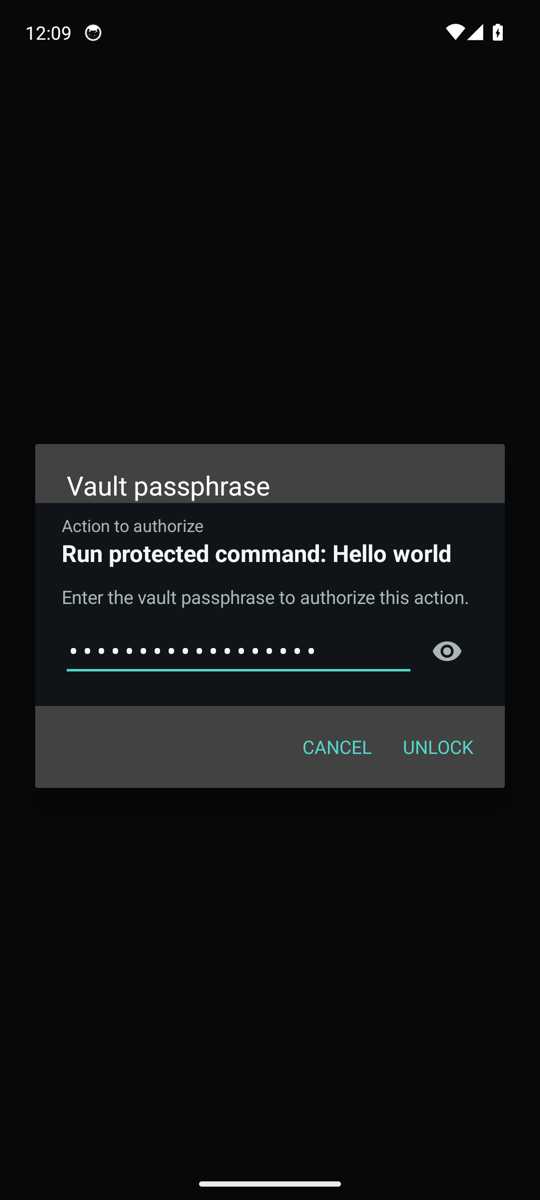
Termux Vault keeps each command encrypted with AES-256-GCM. To run, edit or delete one, you unlock your vault with your passphrase, or with an optional strong (Class 3) biometric. Termux Vault then hands the decrypted command straight to Termux and wipes its own copy from memory.
What you can do
• Run a command on demand: tap it, unlock, and it runs in Termux.
• See the result: every run ends with one clear line, all commands succeeded or at least one failed.
• Choose per command: keep a successful session open, get a notification when it finishes, or hide the output.
• Reorder your commands by dragging.
• Add a home-screen widget, or let Tasker ask for a run. Both only ever show an authentication prompt; nothing runs unattended.
• Back up and restore your whole vault as one line of encrypted text.
How it protects you
• Per-command AES-256-GCM keys, wrapped by a vault key, which is wrapped by your passphrase through Argon2id.
• The command never travels in an Intent, a process argument, a file, the clipboard or a log. Termux Vault starts Termux with one-time tokens only, both sides prove they hold them, and only then the command is sent through an anonymous pipe.
• The Termux signing certificate is checked before every run.
• Screenshots and overlays are blocked on sensitive screens.
Please note
• You need Termux installed in the same Android profile, with allow-external-apps=true in ~/.termux/termux.properties. The app's first-run guide walks you through it.
• Termux Vault asks for the "Run commands in Termux environment" permission and for notifications.
• The INTERNET permission is used only for a one-time listener bound to 127.0.0.1 on your own device. Termux Vault sends nothing over the network.
• A forgotten passphrase cannot be recovered.
• It does not protect against a compromised phone, root access or a Termux build you chose to trust.
Termux Vault is free software (GPL-3.0-only). It is an independent project and is not affiliated with or endorsed by the Termux project.