Title Track
A recorder for music memos.
Version: 0.5
Added: 09-09-2026
Updated: 16-10-2026
Added: 09-09-2026
Updated: 16-10-2026
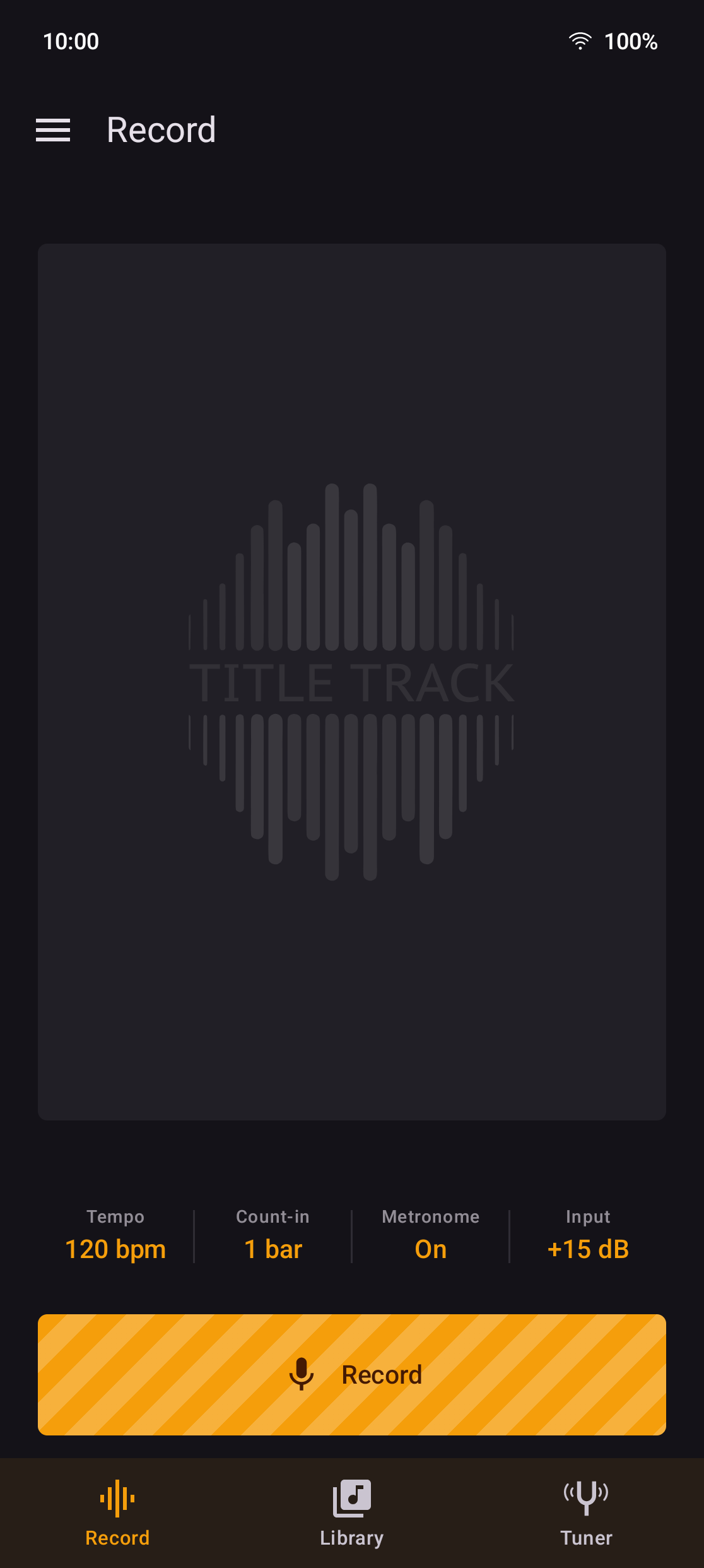
An Android recorder for music memos. Count yourself in at a tempo you choose, play, and if the third bar goes wrong hit Restart without looking. Takes are written as plain WAV files into a folder you pick, so they are on your phone's storage rather than locked inside the app.
Early-stage release — expect rough edges. Feedback and bug reports welcome via Issues.
While a take is being made
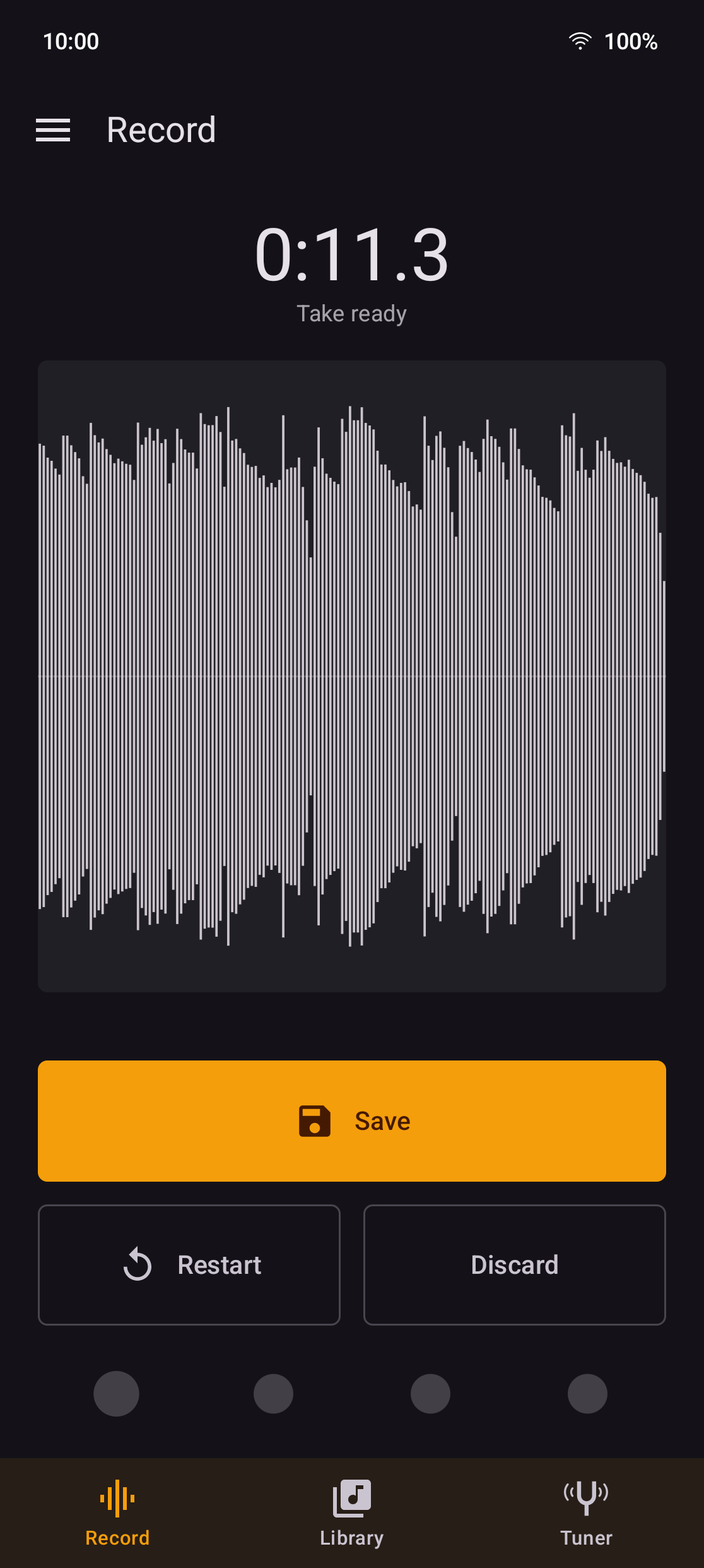
* Two buttons that matter — full-width, thumb-height Done and Restart. Done ends the take and saves it; Restart wipes it and counts you back in.
* Count-in — off, one bar or two, at a tempo you set, with an accented downbeat.
* A live waveform while you play — the last eight seconds as a scrolling peak envelope, drawn red near full scale so clipping is visible as it happens.
* Silent visual metronome — one dot per beat under the buttons, the lit one walking the bar, starting with the count-in. On by default because an audible click on a phone speaker ends up inside the take.
* A click through the take (optional, off) — for headphones, where there is nothing for the microphone to pick up.
* Listen before recording (optional, off) — draws what the microphone hears before you press Record, so mic distance is settled while it still costs nothing.
* A level test, not a guess — hold Record and play the loudest thing you will play; it reports the peak in dBFS and offers a gain that puts it at −9 dBFS.
* Recorded honestly — the least-processed microphone source the device offers, and unlike voice recorders no filtering of any kind.
Tuner
A third tab, in two faces. A needle, damped like a moving-coil meter so it settles rather than twitches while a peg is turning; and a strobe, two rings that come to a standstill when the string is in tune. There is no guitar/bass switch to set wrong: it names the nearest note across the whole range, with its octave. Equal temperament against A4 = 440 Hz: a guitar tuned on a pedal's sweetened preset will disagree by a few cents, and neither is wrong.
Your folder, your files
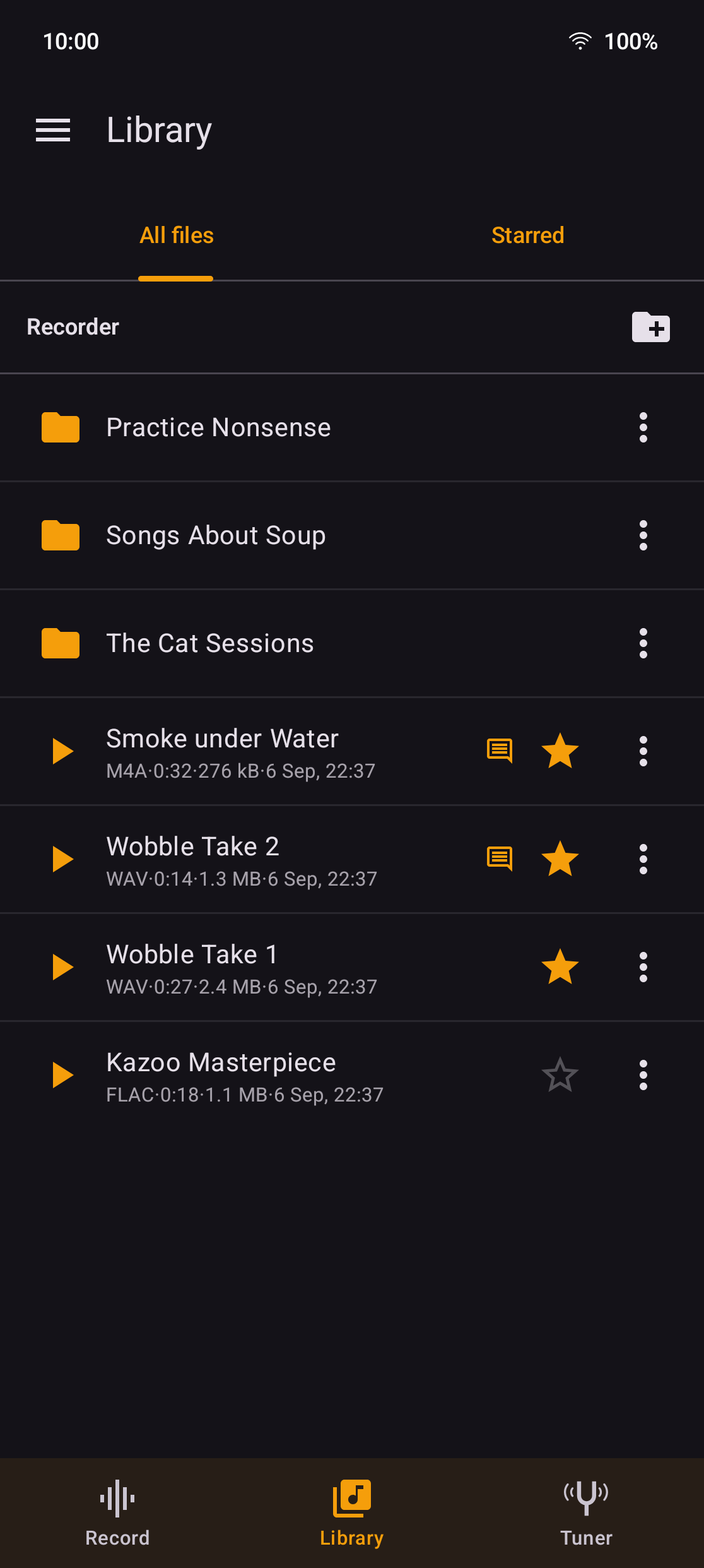
Pick any folder once — Music/Recording, an SD card, a synced folder; takes land there as 44.1 kHz mono WAV. Browse it in the app, make sub-folders, rename, move, star, share, delete, play back. The bpm you played to is written into the WAV itself as a LIST/INFO comment, so it survives being copied to a computer.
The player
Every take is drawn as a peak envelope in decibels — the same shape the record screen drew while you were playing. Touch anywhere on it to seek, drag to scrub, pinch to zoom in. WAV is read straight through; anything else the device can play is decoded and drawn just the same.
* Trim puts two handles on the waveform. A WAV cut to a WAV never decodes — the header is rebuilt and the selected bytes copied through, so what survives is exactly what was recorded.
* Level normalizes a quiet take in the file — Peak, which cannot distort, or Loudness, aiming at −14 dBFS RMS.
* Note attaches whatever the take needs saying about it: the chords, the words, what the idea was.
Both edits offer a choice when saving: overwrite the take, or save a lossless copy beside it as FLAC or WAV, tempo included.
Playback outlives the screen it started from — a mini player sits above the tabs wherever you are.
Languages
English and German, with a Language row in Settings. On Android 13 and up that is the per-app language in Android's own Settings.
Known limitations
* Recording stops if the app leaves the foreground — Android takes the microphone away from background apps. So keep your hands on the guitar.
* Mono only. Phone microphones are effectively mono.
Permissions
The microphone. No internet permission at all — the Support dialog's links open in your browser, which fetches in its own process.
License
GPL-3.0-only. The wordmark and the icon are CC BY 4.0; the name is not licensed, so a fork needs its own.
Early-stage release — expect rough edges. Feedback and bug reports welcome via Issues.
While a take is being made
* Two buttons that matter — full-width, thumb-height Done and Restart. Done ends the take and saves it; Restart wipes it and counts you back in.
* Count-in — off, one bar or two, at a tempo you set, with an accented downbeat.
* A live waveform while you play — the last eight seconds as a scrolling peak envelope, drawn red near full scale so clipping is visible as it happens.
* Silent visual metronome — one dot per beat under the buttons, the lit one walking the bar, starting with the count-in. On by default because an audible click on a phone speaker ends up inside the take.
* A click through the take (optional, off) — for headphones, where there is nothing for the microphone to pick up.
* Listen before recording (optional, off) — draws what the microphone hears before you press Record, so mic distance is settled while it still costs nothing.
* A level test, not a guess — hold Record and play the loudest thing you will play; it reports the peak in dBFS and offers a gain that puts it at −9 dBFS.
* Recorded honestly — the least-processed microphone source the device offers, and unlike voice recorders no filtering of any kind.
Tuner
A third tab, in two faces. A needle, damped like a moving-coil meter so it settles rather than twitches while a peg is turning; and a strobe, two rings that come to a standstill when the string is in tune. There is no guitar/bass switch to set wrong: it names the nearest note across the whole range, with its octave. Equal temperament against A4 = 440 Hz: a guitar tuned on a pedal's sweetened preset will disagree by a few cents, and neither is wrong.
Your folder, your files
Pick any folder once — Music/Recording, an SD card, a synced folder; takes land there as 44.1 kHz mono WAV. Browse it in the app, make sub-folders, rename, move, star, share, delete, play back. The bpm you played to is written into the WAV itself as a LIST/INFO comment, so it survives being copied to a computer.
The player
Every take is drawn as a peak envelope in decibels — the same shape the record screen drew while you were playing. Touch anywhere on it to seek, drag to scrub, pinch to zoom in. WAV is read straight through; anything else the device can play is decoded and drawn just the same.
* Trim puts two handles on the waveform. A WAV cut to a WAV never decodes — the header is rebuilt and the selected bytes copied through, so what survives is exactly what was recorded.
* Level normalizes a quiet take in the file — Peak, which cannot distort, or Loudness, aiming at −14 dBFS RMS.
* Note attaches whatever the take needs saying about it: the chords, the words, what the idea was.
Both edits offer a choice when saving: overwrite the take, or save a lossless copy beside it as FLAC or WAV, tempo included.
Playback outlives the screen it started from — a mini player sits above the tabs wherever you are.
Languages
English and German, with a Language row in Settings. On Android 13 and up that is the per-app language in Android's own Settings.
Known limitations
* Recording stops if the app leaves the foreground — Android takes the microphone away from background apps. So keep your hands on the guitar.
* Mono only. Phone microphones are effectively mono.
Permissions
The microphone. No internet permission at all — the Support dialog's links open in your browser, which fetches in its own process.
License
GPL-3.0-only. The wordmark and the icon are CC BY 4.0; the name is not licensed, so a fork needs its own.