Volume Icon
Tiny Android app that show a volume icon in the status bar
Version: 1.4
Added: 24-05-2026
Updated: 14-06-2026
Added: 24-05-2026
Updated: 14-06-2026
Tiny (~100kB) Android app that show a volume icon in the status bar and provide some tweaks for the volume control.
Application has no launcher icon and can be enabled and configured via Settings → Accessibility.
To enable the accessibility service for your newly installed app, follow these quick steps:
1. Allow Settings: Open Settings → Apps → find and select Volume Icon.
2. Remove Restriction: Tap the three dots in the top-right corner and select Allow restricted settings. Authenticate with your PIN or fingerprint.
3. Enable Service: Go back to Settings → Accessibility → select Volume Icon and turn the switch ON.
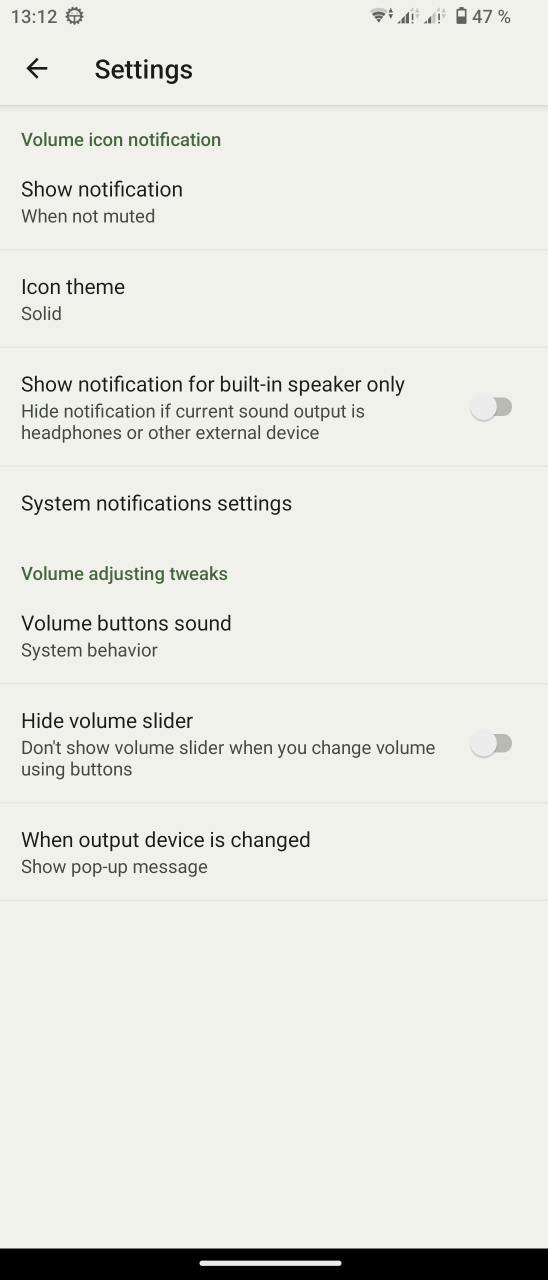
Application has no launcher icon and can be enabled and configured via Settings → Accessibility.
To enable the accessibility service for your newly installed app, follow these quick steps:
1. Allow Settings: Open Settings → Apps → find and select Volume Icon.
2. Remove Restriction: Tap the three dots in the top-right corner and select Allow restricted settings. Authenticate with your PIN or fingerprint.
3. Enable Service: Go back to Settings → Accessibility → select Volume Icon and turn the switch ON.