WhisperType Keyboard
Offline Android keyboard with QWERTY typing and on-device speech dictation
Version: 1.5.3
Added: 10-08-2026
Updated: 21-09-2026
Added: 10-08-2026
Updated: 21-09-2026
WhisperType is a full Android input method (IME) with a real QWERTY keyboard plus offline voice dictation.
Unlike dictation-only "keyboards" that only show a microphone button, WhisperType lets you type normally and use speech when you want.
Features:
- Full QWERTY layout with numbers, symbols, and a categorized emoji picker
- Shift / caps lock, sentence caps, double-space period, word-delete swipe
- On-device word suggestions and clipboard history
- Long-press accents and extra symbols
- Microphone key for offline on-device speech-to-text (25s warning, 30s auto-stop)
- Downloadable Whisper models: tiny.en, base.en (default), or small.en (int8)
- Import your own sherpa-onnx Whisper zip
- No API keys - audio, clipboard, and learned words stay on your device
- Free and open source (MIT)
Setup:
1. Install WhisperType
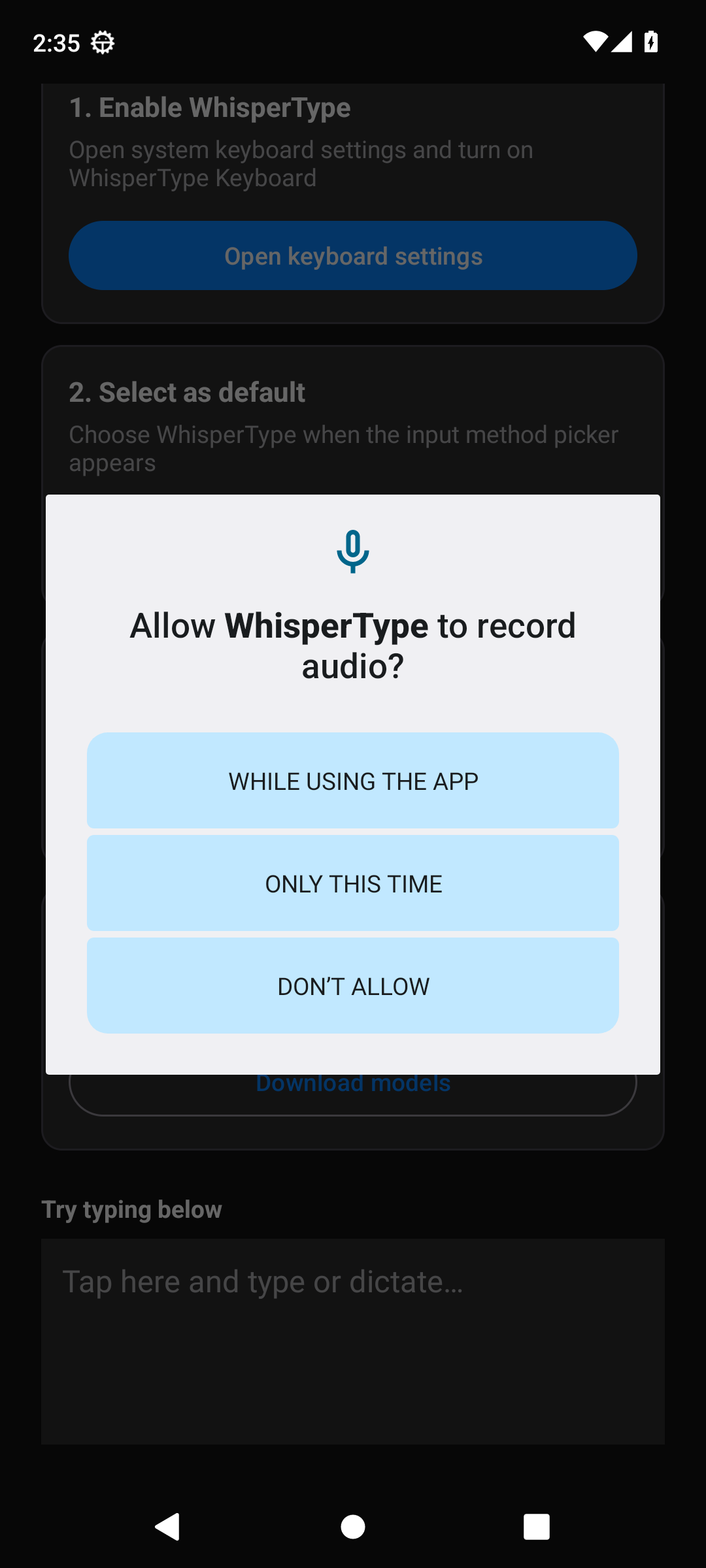
2. Enable it in system keyboard settings
3. Select it as the input method
4. Grant microphone permission
5. Download or import a speech model in settings
6. Type or tap the mic to dictate
On-device recognition uses sherpa-onnx (includes ONNX Runtime). Whisper models download on demand from Hugging Face when the user chooses Download; Import works offline.
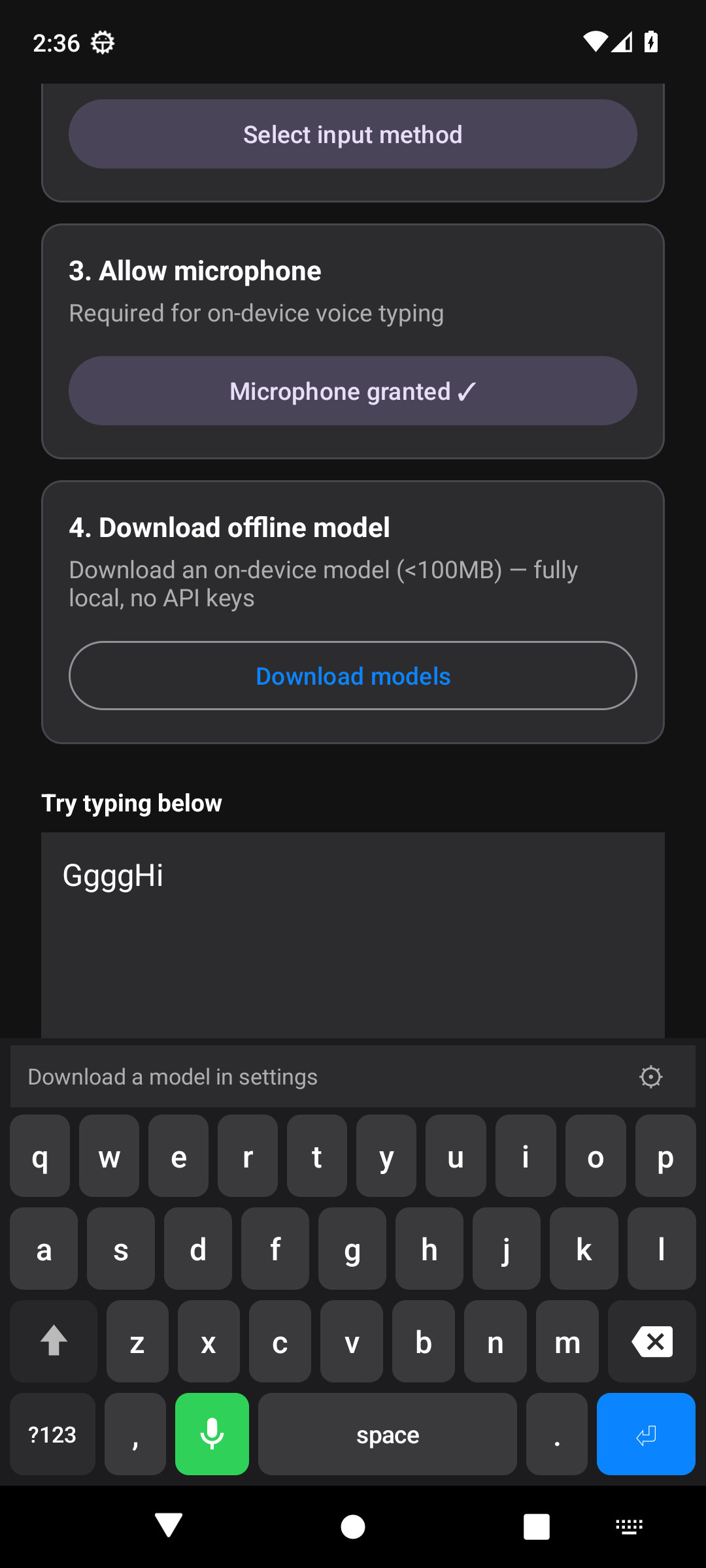
Unlike dictation-only "keyboards" that only show a microphone button, WhisperType lets you type normally and use speech when you want.
Features:
- Full QWERTY layout with numbers, symbols, and a categorized emoji picker
- Shift / caps lock, sentence caps, double-space period, word-delete swipe
- On-device word suggestions and clipboard history
- Long-press accents and extra symbols
- Microphone key for offline on-device speech-to-text (25s warning, 30s auto-stop)
- Downloadable Whisper models: tiny.en, base.en (default), or small.en (int8)
- Import your own sherpa-onnx Whisper zip
- No API keys - audio, clipboard, and learned words stay on your device
- Free and open source (MIT)
Setup:
1. Install WhisperType
2. Enable it in system keyboard settings
3. Select it as the input method
4. Grant microphone permission
5. Download or import a speech model in settings
6. Type or tap the mic to dictate
On-device recognition uses sherpa-onnx (includes ONNX Runtime). Whisper models download on demand from Hugging Face when the user chooses Download; Import works offline.